The information contained here are property of DIGITAX Automotive Electronics Italy, and extremely confi dential. Any disclosure, copying, distribution to third
party is strictly prohibited.
29
For Hire - Hired - Stopped
The Operative Mode
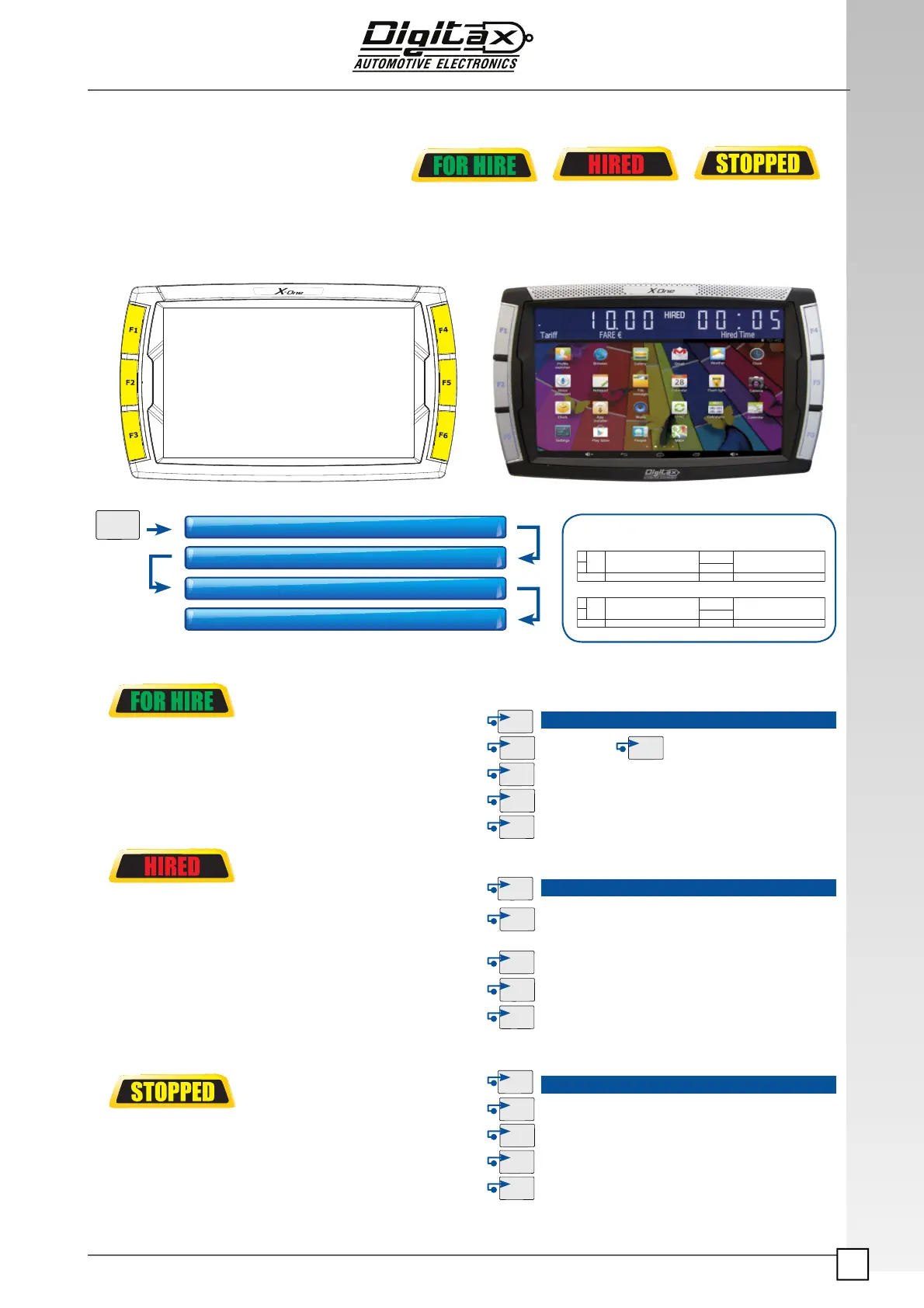
The taximeter works with 3 working modes:
In any of these modes it is possible to have different functions activated by pressing one of the 5 taximeter’s but-
tons:
In FOR HIRE position the follow sequence can be obtained by pressing the F1 button:
FOR HIRE - STOPPED - HIRED and the relative buttons functions
It’s the position selected by the Taxi Driver when the
vehicle is parked or it moves without any passenger on
board.
• The main display (3) is turned off
• The right one (5) shows the clock.
* Page 47, Various Function, param. number 270 for details
Once the taxi starts the trip, the Taxi Driver selects the
Hired position by pressing F1 button.
The taximeter starts the fare calculation by distance
(Hired sign is fi xed) or time (Hired sign is blinking).
• The main display shows the tariff fare (8)
• The left (2) one shows: the tariff index,
The right ones the added extras (5).
The current tariff can be changed by pressing the key
F2 if manual tariff change is available
At the end of the trip, the Taxi Driver has to select the
Stopped position to calculate the fi nal fare.
He does it by pressing the
F1 button. The waiting time
is
thus blocked.
• The main (3) display shows the fi nal fare
• The right one shows the total extras (5)
Crono Start Crono Stop *
Keeping pressed self function Menu
Shows the date in the main display (Day - Month)
Shows the year in the main display
FOR HIRE
Change the tariff (if enabled).
The current tariff is shown in the left digit of the secondary
display (5)
Insert the Extra n° 1 (if enabled)
Insert the Extra n° 2 (if enabled)
Reset the added Extras
HIRED
Insert the Extra n° 3 (if enabled).
Insert the Extra n° 4 (if enabled)
Adds the Extras to the fare
Splits the fi nal fare
• The left display shows the normal fare
• The right one shows the total extras
STOPPED
FOR HIRE
HIRED
*STOPPED
FOR HIRE
1 . 0 0
1
TOTAL €
-
Tar
STOPPED
1 . 0 0
1
FARE €
EXTRA €
-
Tar
STOPPED
*Wait 5 seconds from 1
st
and 2
nd
screen



 To Next Page