The information contained here are property of DIGITAX Automotive Electronics Italy, and extremely confi dential. Any disclosure, copying, distribution to third
party is strictly prohibited.
35
Statistical Memory
How to Read the Locations Memory Content
The taximeter records and keeps data in 2 Memory Blocks, each one divided in 45 locations.
The Block 1 allows to read, print or erase its information whenever desired. It is also known as “Partial Block”
The Block 2 allows to read and print its content but not to erase it. It is also known as “Totals Block”
The Block 1 is useful to control and analyze the working shift data.
The Block 2 for its nature is cumulative and not erasable.
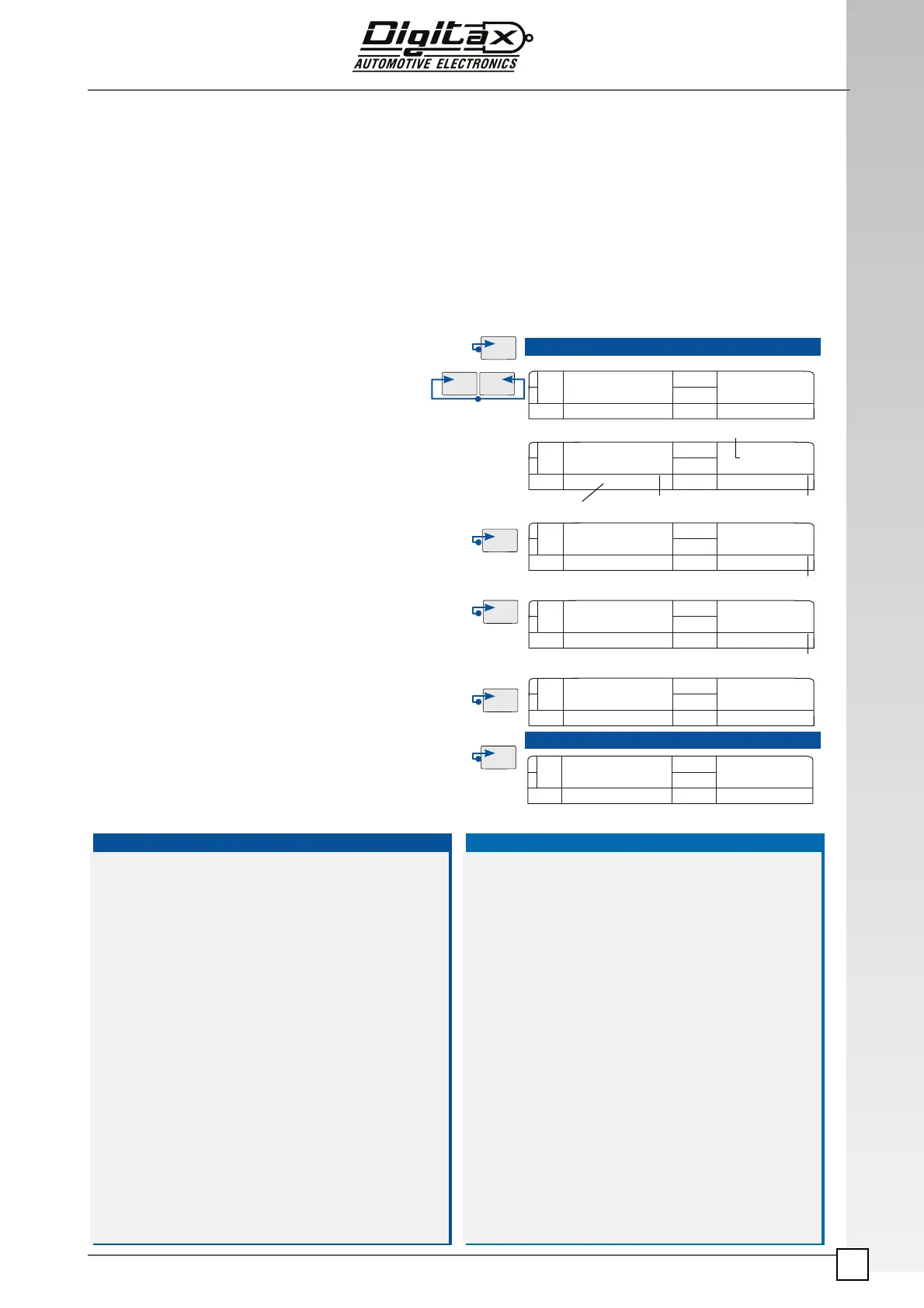
How to read the memory blocks information
Location Content, BLOCK 1/ BLOCK 2
STATIS
40 1 1
2134 1 2
40 1 1
FOR HIRE
FOR HIRE
28 2 1
Memory Data
Event type
Memory Block
Memory Location
Number
Changed Memory
Location
Changed Memory
Location
Select For Hire position.
Press
F2 and F3 at the same time.
The main display (3) will show “Statis” for a few seconds.
Now the sign “Counters” starts blinking.
The secondary display (
5) will show: in the left digit the block
and in the right digit the number of block location (1-45).
The main display (
3) will show in the right digits the selected
location data value.
To increase the location number press
F3 button.
To decrease the location number press
F2 button.
Press
F4 button to toggle between Block 1 and Block 2.
P.S. From location n.1 by pressing F2 the taximeter will go back
to
For Hire position. The same will happen from location n.45
by pressing
F3 button.
Press
F1 button to end the reading procedure and go back to
For Hire position.
1) Trips Total Number
2) Taximeter units total number
3) Total Kilometers
4) Total Kilometers in
For Hire
5) Total Kilometers in
Hired
6) Km in
For Hire with passenger on board
7) Km in Over speed
8) Collected Total (Fare+Extras+Tax)
9) Collected by Credit Card Total
10) Fare Total Amount (excluded Extras+Tax)
11) Extras Total Amount
12) Tax Total Amount
13) Run time in
For Hire
14) Run time in
Hired and Stopped
15) Waiting time in
Hired
16) Meter on total time
17) Total Tariff 1 collection
18) Total Tariff 2 collection
19) Total Tariff 3 collection
20) Total Tariff 4 collection
21) Total Tariff 5 collection
22) Total Tariff 6 collection
23) Total collections from 7th to 64th
24) Total tariff 1 units
25) Total tariff 2 units
26) Total tariff 3 units
27) Total tariff 4 units
28) Total tariff 5 units
29) Total tariff 6 units
30) Total units from 7th to 64th tariff
31) Total Kilometers in tariff 1
32) Total Kilometers in tariff 2
33) Total Kilometers in tariff 3
34) Total Kilometers in tariff 4
35) Total Kilometers in tariff 5
36) Total Kilometers in tariff 6
37) Total Kilometers from 7th to 64th
38) Not used
39) Not used
40) Not used
41) Not used
42) Not used
43) Not used
44) Not used
45) Not used
Counters
Counters
Block | Index
Counters
Counters
Counters
Block | Index
Block | Index
Block | Index
Trips
Units
LB.RES 0
For Hire
operator.ID
FARE €
Tar
1



 To Next Page