【3-7】
BRAKE
Brake Pads
Brake Pad Removal
● Remove the wheels (see Wheels/Tires chapter).
● Remove the caliper (see Caliper Removal)
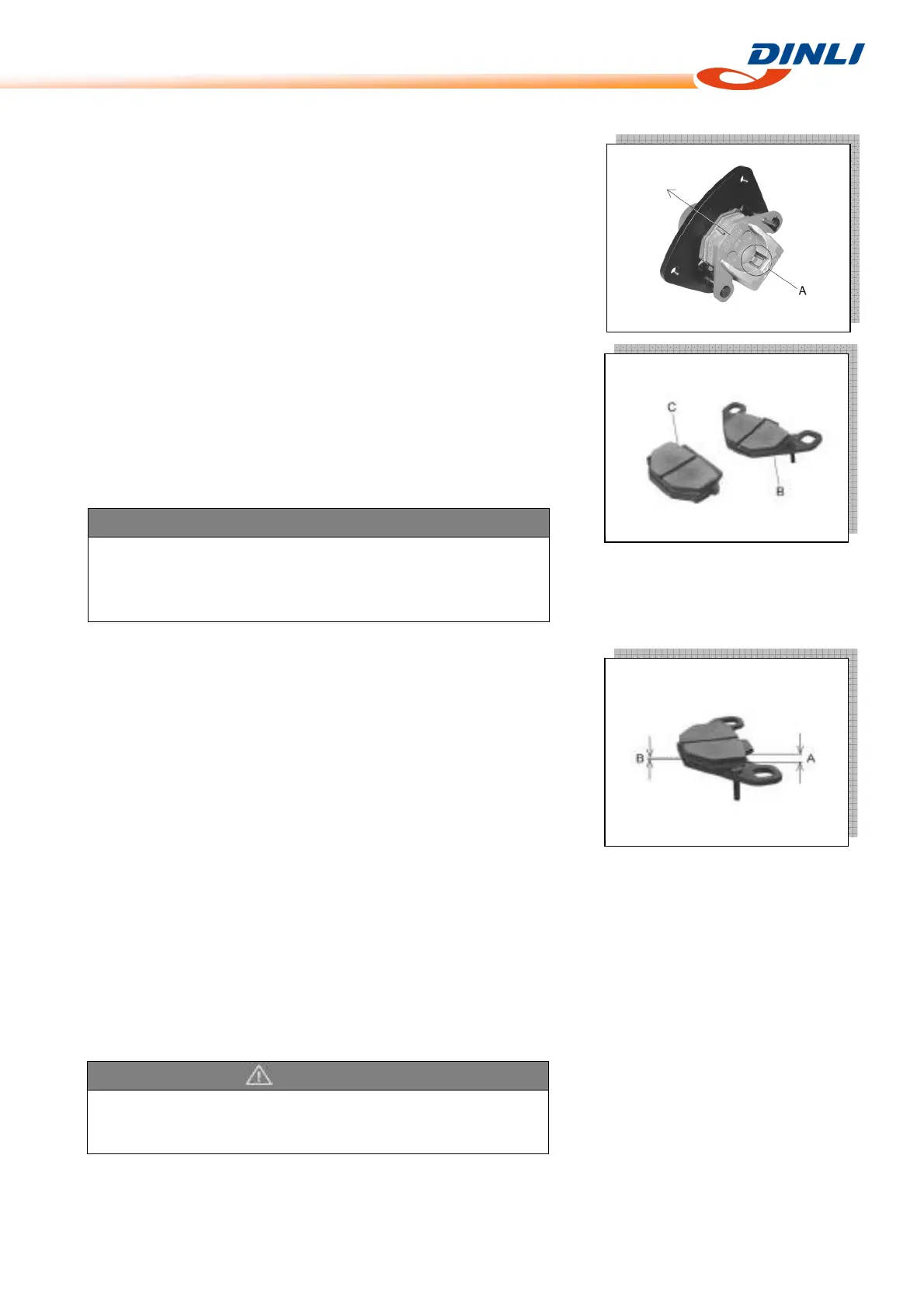
● Push the anti-rattle spring [A], remove the pads [B] [C].
Brake Pad Installation
● Push the caliper piston in by hand as far as it will go.
● Be sure that the anti-rattle spring is in place.
● Install the pads
● Tighten:
Torque - Pad Mounting Bolts:18N-m(1.8kg-m,13.0ft-lb)
Brake Pad Wear Inspection
● Check the lining thickness [A] of the pads in each caliper.
If the lining thickness of either pad is less than the service limit [B],
replace both pads in the caliper as a set.
Pad Lining Thickness:
Standard: 4.5mm
Service Limit: 2mm
Brake Discs
Disc Cleaning
Poor braking can be caused by oil on a disc. Oil on a disc must be
cleaned off with an oil cleaning fluid such as trichloroethylene or
acetone.
WARNING
These cleaning fluids are usually highly flammable and harmful
if breathed for prolonged periods. Be sure to heed the fluid
manufacturer's warnings.
WARNING
Do not attempt to drive the vehicle until a full brake lever is
obtained by pumping the brake lever until the pads are against
each disc. The brakes will not function on the first application of
the lever if this is not done.


 To Next Page