DAG2000 Series FXS Voice Gateway User Manual
10
Dinstar Technologies Co., Ltd.
4. WEB Configuration
4.1 WEB Login
Device is connecting to network properly, refer to chapter 3 “Operation”. Offhook and
dial*158# to inquire device IP address.
4.1.1 Login
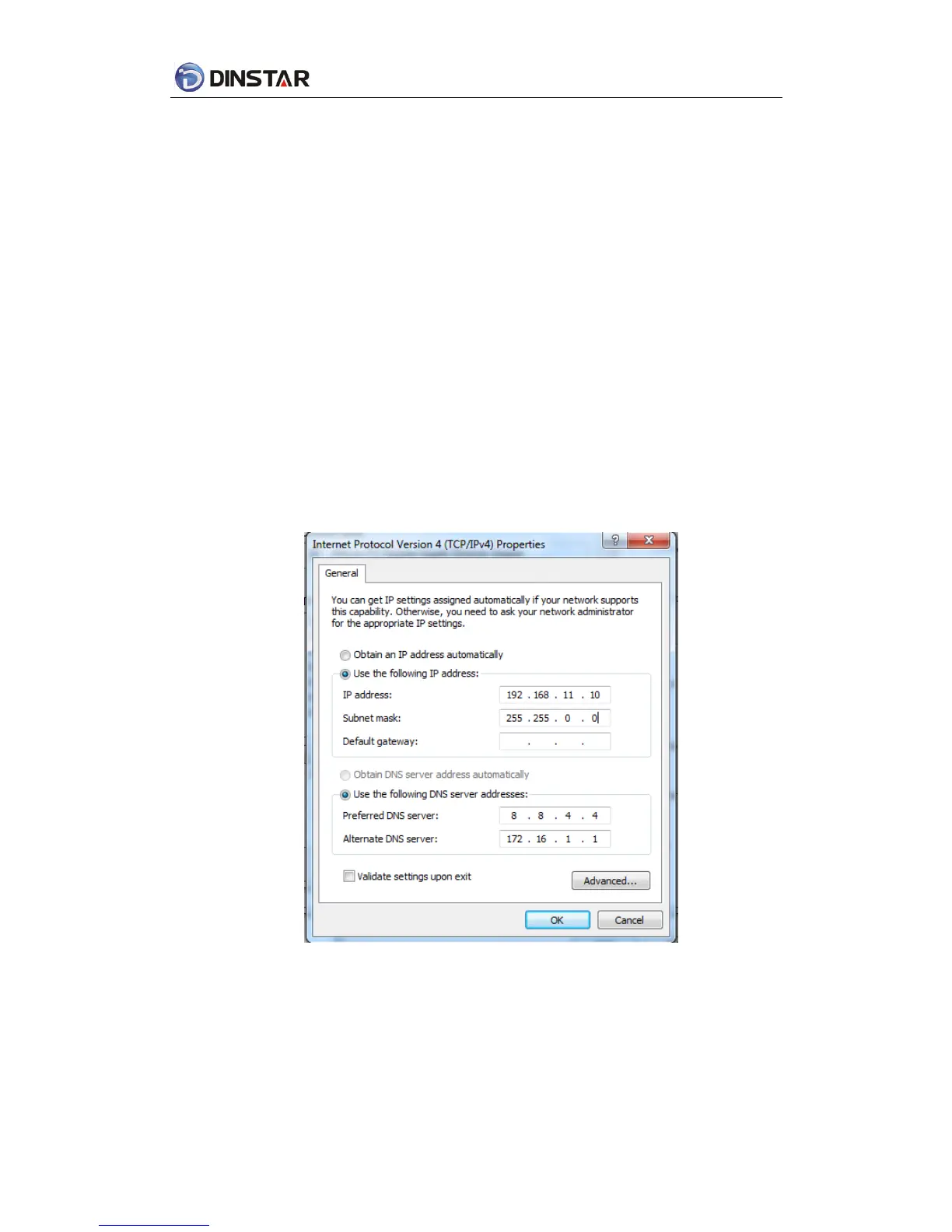
Device LAN port default IP address is 192.168.11.1, WAN port default obtain IP address by
DHCP. Advice to modify the IP address of the local computer equipment and ensure that
are on the same IP segment, with Windows 7 as an example, the local computer IP
address change for 192.168.11.10:
Figure 4.1-1Modify IP address
Check connection between computer and device, click “Start”-> “run”-> input “cmd”, run
ping 192.168.11.10 –t order to check the connectivity between them.














 To Next Page