EasyManua.ls Logo

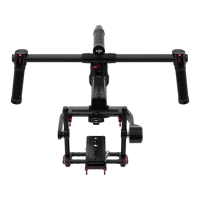
dji Ronin-MX - User Manual

dji Ronin-MX
50 pages
Print Icon
To Next Page IconTo Next Page
Loading...
RONIN-MX
2016.05V1.0
User Manual

Other manuals for dji Ronin-MX

Questions and Answers

  • M
    Mrs. Brittany RobinsonAug 13, 2025
    How to reset a forgotten Bluetooth password for dji Ronin-MX?
    • C
      cindygayAug 13, 2025
      To reset a forgotten Bluetooth password, connect the Ronin-MX to the DJI PC/MAC Assistant and click the "Reset Password" button.
  • S
    stevensmichaelAug 17, 2025
    What to do if Ronin-MX seems to be drifting (dji Camera Accessories)?
    • M
      Melissa MontgomeryAug 17, 2025
      If the Ronin-MX seems to be drifting, place it on the Tuning Stand and enter the DJI Assistant App or the DJI PC/MAC Assistant. Tap/click the Calibrate System button and let the process finish before picking up the Ronin-MX.
  • E
    Edwin ScottAug 21, 2025
    How to calibrate pan axis if it seems to be off-center on dji Ronin-MX Camera Accessories?
    • W
      weisstracyAug 21, 2025
      If the pan axis seems to be off-center, open the DJI Assistant app or DJI PC/MAC Assistant, select the Calibrate Center and follow the on-screen instructions.
  • S
    Stefanie BergerAug 25, 2025
    What to do if the gimbal turns off and doesn’t come back on (dji Camera Accessories)?
    • D
      Diane PerkinsAug 25, 2025
      If the gimbal turns off and doesn’t come back on, restart it. The Ronin-MX has a built-in motor protection algorithm. If a motor shuts off six times within one minute, the Ronin-MX will deactivate the motors and won’t reactivate them until restarted.
  • C
    christopherlewisAug 28, 2025
    Why does video footage appear to wobble from side-to-side or up-and-down with dji Ronin-MX?
    • C
      Christine NormanAug 28, 2025
      If your video footage appears to wobble from side-to-side or up-and-down, the SmoothTrack speed setting may be too high, or the SmoothTrack deadband setting may be too low. Try decreasing the SmoothTrack speed or increasing the deadband.
  • T
    Troy DaughertySep 1, 2025
    What to do if motors turn off automatically on dji Ronin-MX?
    • K
      Kristen HarmonSep 1, 2025
      If the motors turn off automatically, check your camera balance. If the power level in the Gimbal Motors Menu indicates an output of 10 or more on any axis, rebalance the camera.
  • J
    Julie NguyenSep 5, 2025
    What to do if SmoothTrack does not work on dji Ronin-MX Camera Accessories?
    • S
      Savannah AdkinsSep 5, 2025
      If SmoothTrack is not working: 1) Ensure the remote control is on and the MODE switch is not in Position 1. 2) Check that SmoothTrack is not turned off in the DJI Assistant app or the DJI PC/MAC Assistant software. 3) Verify that the SmoothTrack deadband is not set too high; if it is, reduce the deadband value in the SmoothTrack Menu.
  • M
    Miss Susan Lee DVMSep 8, 2025
    What to do if the dji Ronin-MX gimbal is vibrating, even after tapping the Auto Tune Stability button?
    • J
      jmartinezSep 8, 2025
      If the gimbal is vibrating, even after tapping the Auto Tune Stability button: 1) Ensure all knobs are tight, including the pan motor knob. 2) Check that the camera screw is tight and the camera plate is not loose. 3) Try decreasing the stiffness setting of each axis, checking the "Power" readings to identify any particularly affected axis.

Summary

Getting Started

Mounting the Camera

Guide to attaching and balancing the camera on the Ronin-MX mounting plate.

Balancing

Step 1: Balancing the Vertical Tilt

Procedure to adjust the vertical position of the camera for tilt balance.

Step 2: Balancing the Roll Axis

Steps to balance the camera left-to-right on the roll axis to keep it level.

Step 3: Balancing the Tilt Axis

Procedure to adjust the camera forwards or backwards for tilt axis levelness.

Step 4: Balancing the Pan Axis

Instructions to adjust the pan axis slide to achieve proper front-to-back balance.

Using the Ronin-MX on the Ground

Tuning with the DJI Assistant (or DJI Ronin Assistant) App

Instructions for downloading, installing, and using the DJI Assistant mobile app for configuration, including basic settings.

Advanced Settings

Control Menu

Settings for Deadband, Maximum Speed, Smoothing, Endpoint, Channels, and Settings.

More Menu

Calibrate System

Recalibrating the gimbal to correct axis drift.

Tuning with the DJI Assistant Software for PC;MAC

Installing and Running on Windows

Steps for downloading and installing the DJI Assistant software on Windows operating systems.

Installing and Running on Mac OS X

Steps for downloading and installing the DJI Assistant software on Mac OS X operating systems.

Upgrade

Remote Controller Operation

Remote Controller Features

Using with the Matrice 600

Mounting the Ronin-MX onto the Matrice 600

Steps to securely mount the Ronin-MX onto the Matrice 600, including preparation.

DJI GO App Tuning

Gimbal Configuration and Calibration

Calibration and Testing

Procedures for gimbal calibration, balance testing, and restoring default settings.

Remote Controller Operation with Matrice 600

Troubleshooting

Motor and Vibration Issues

Solutions for weak motors, gimbal vibration, and sudden motor power loss.

Gimbal Drift and SmoothTrack Problems

Resolving gimbal drift, SmoothTrack not working, and video wobble issues.

Specifications

Working Performance and Compliance

FCC Compliance and RF Exposure

FCC compliance statements, interference guidelines, and RF exposure information.

Regulatory Compliance

dji Ronin-MX Specifications

General IconGeneral
BluetoothYes
TypeHand camera stabilizer
MaterialMagnesium
Motorized-
Pan range0 - 360 °
Product colorBlack
Number of axis3
Tilt angle range-150 - 270 °
Angle of rotation360 °
Compatible productsARRI ALEXA MINI, RED DRAGON, CANON 5D, Blackmagic Design Production Camera
Maximum weight capacity4.5 kg
Weight and Dimensions IconWeight and Dimensions
Depth370 mm
Width560 mm
Height440 mm
Weight2770 g

Related product manuals