1802-065-D-10-14
26
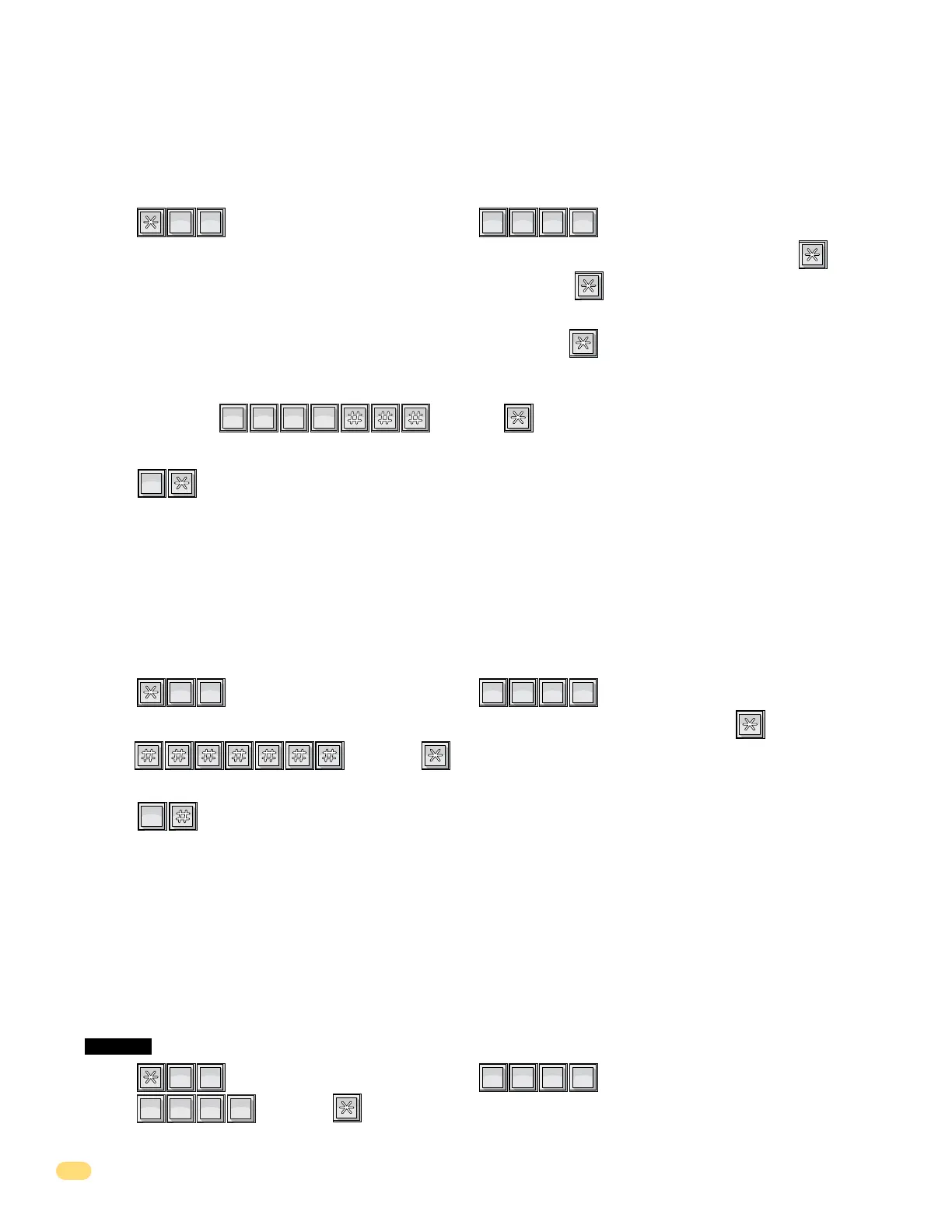
1. Press and enter your four-digit MASTER CODE (beep).
2. Enter , then press (beep). This CANNOT be UNDONE!
This programming sequence will automatically end itself by a long (beeeeeep).
1. Press and enter your four-digit MASTER CODE (beep).
2. Choose and enter a directory code (1, 2, 3 or 4 digits, depending on what was programmed in 3.2.1), then press (beep).
3. Enter the two-digit area code reference number (01 through 15), then press (beep).
See tables on previous page and log tables in back of this manual for area code reference numbers that have been programmed in.
4. Enter a seven-digit phone number for the chosen directory code, then press (beep).
If the number that you are entering in this step is LESS than seven-digits, enter # in the empty spaces. For example, if the
system is connected to a PBX that requires four-digit extension numbers and you want to enter extension 2217, you would
enter this number as: then press (beep).
5. Repeat steps 2, 3 and 4 to enter additional long distance phone numbers.
6. Press together to end this programming sequence (beeeeeep).
0
OPER
Program phone numbers that are referenced to an area code (long distance and 10-digit dialing calls). Make sure that the area
code(s) have already been programmed with area code reference numbers in previous section 3.2.3.
3.2.4 Programming Phone Numbers WITH Area Code Reference Numbers
This programming sequence is used to delete a SINGLE phone number under a known directory code.
3.2.5 Deleting Individual Phone Number
?
?
?
?
1
SP
4
GHI
Note: If long distance or 10-digit dialing is NOT required, program the seven digit telephone
numbers as described in section 3.2.2.
?
?
?
?
1
SP
0
OPER
0
OPER
7
PQRS
2
ABC
2
ABC
1
SP
1. Press and enter your four-digit MASTER CODE (beep).
2. Enter the directory code (1, 2, 3 or 4 digits, depending on what was programmed in 3.2.1), then press (beep).
3. Enter , then press (beep). This CANNOT be UNDONE!
4. Repeat steps 2 and 3 to delete additional phone numbers.
5. Press together to end this programming sequence (beeeeeep).
This programming step deletes ALL phone numbers previously programmed into the system.
CAUTION: This programming step CANNOT be UNDONE!
3.2.6 Deleting ALL Phone Numbers
?
?
?
?
2
ABC
2
ABC
9
WXYZ
9
WXYZ
9
WXYZ
9
WXYZ



 To Next Page