1802-065-D-10-14
30
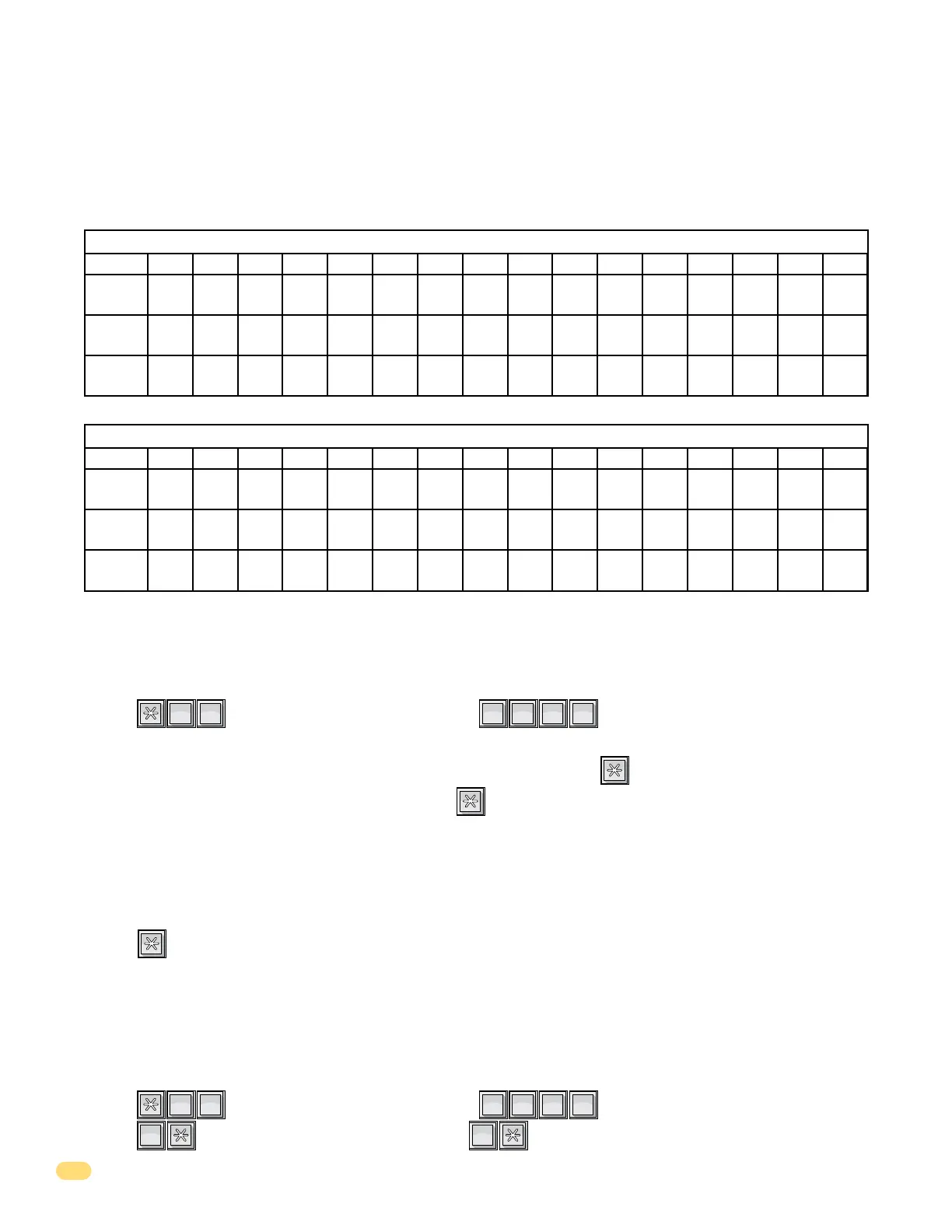
The instruction message follows the welcome message and scrolls across the screen from right to left when the system is not
in use. The instruction message can be a maximum of 48 characters (spaces count as a character) and is entered into the
system memory in three lines of 16 characters each. The example below shows how the default instruction message was
divided into three lines. Use the blank matrix to organize your own message.
Default Instruction Message = PUSH A Z TO FIND NAME THEN PUSH THE CALL BUTTON
After organizing your instruction message in the matrix above, follow the instructions below to enter the message into the
system. After each desired letter, number or space is displayed on the directory, remember to press
*
to enter that character.
Spaces count as a character and must be entered into memory as a character. After a complete line has been entered, press
*
to enter the line, then start the next line.
Example: PUSH A Z TO FIND NAME THEN PUSH THE CALL BUTTON
PUSH A Z T NFI
ONHE C BUT TLLA
DO
NA E NTHE PUSH TM
Line 1
Line 2
Line 3
123456 78 9101112131415 16
Line 1
Line 2
Line 3
123456 78 9101112131415 16
1. Press and enter your four-digit MASTER CODE (beep).
The LCD display will read: 1ST LINE INSTRUCT.
2. Enter the characters into Line 1 (refer to 3.3.1 for reference). Remember to press (beep) after each character.
3. After the last character in the line has been entered, press (beep) to enter the entire block (16 characters max.).
The LCD display will read: 2ND LINE INSTRUCT.
4. Repeat steps 2 and 3 to enter characters into Line 2.
The LCD display will read: 3RD LINE INSTRUCT.
5. Repeat steps 2 and 3 to enter characters into Line 3.
6. Press (beep) to enter all three lines into the system memory.
7. The new instruction message will begin to scroll across the screen.
?
?
?
?
1
SP
8
TUV
3.3.4 Programming the Instruction Message
This programming sequence allows you to reset the welcome message to the factory default.
Default Instruction Message = PUSH A Z TO FIND NAME THEN PUSH THE CALL BUTTON
3.3.5 Reset Instruction Message to Factory Default
1. Press and enter your four-digit MASTER CODE (beep).
2. Press (beep) to reset the message to default, OR (beep) to keep the current programmed message.
?
?
?
?
3
DEF
8
TUV
1
SP
0
OPER



 To Next Page