21
CONTROLCONSOLE(Continued…)
OtherControls
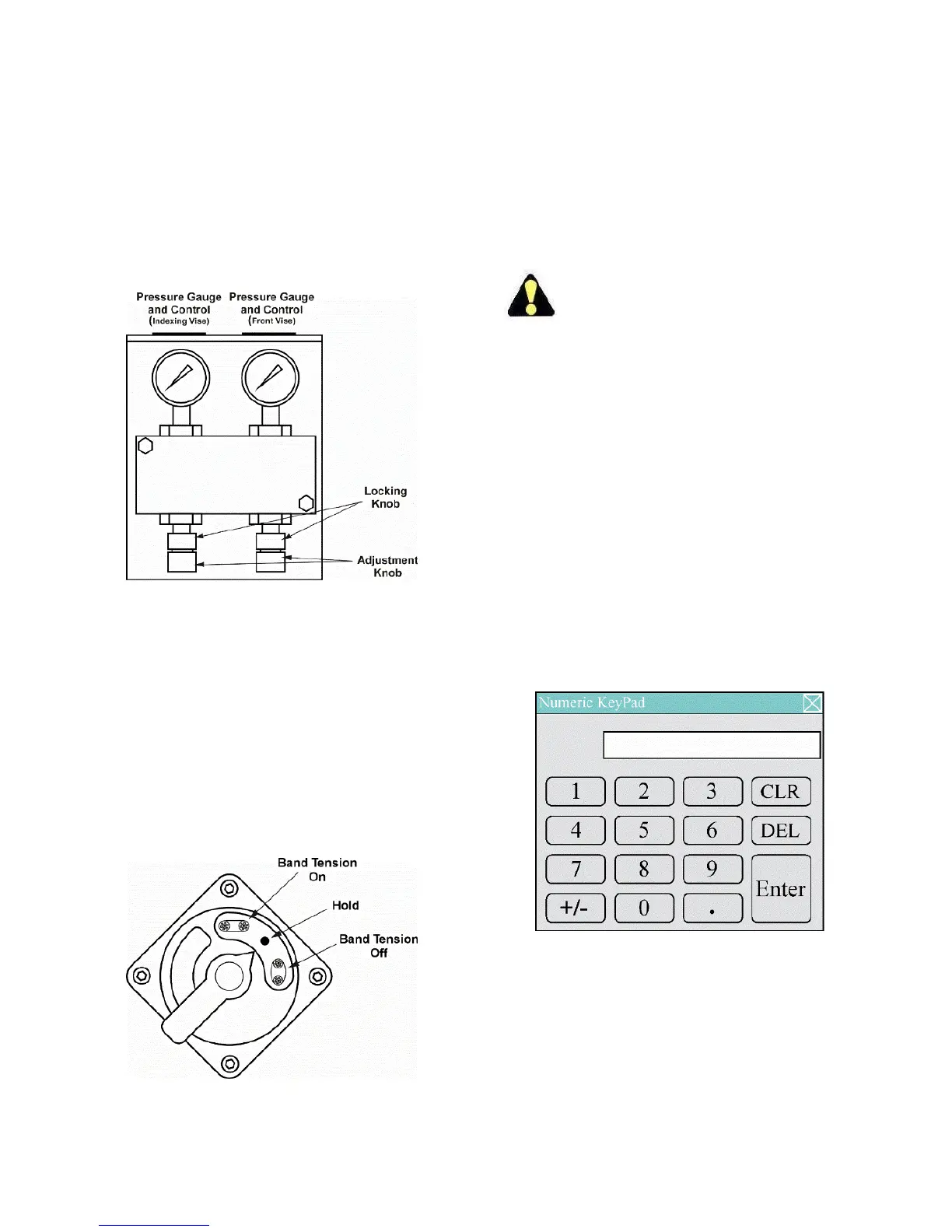
1. VariableVisePressure.Locatedontheleftsideof
the machine behind the control console, these
valvesareusedtoadjustviseclampingforceagainst
materialswhich cannot toleratefull vise clamping
pressure(thinwalltubing,lightstructural,etc.).This
control can be used with or without the nesting
fixture.
VariableVisePressureControls.
Clampingpressureissetwiththeindexviseand
fixed vise knobs until the desired pressure is
shownbytheindicatorgauges.Turneachknob
clockwisetoINCREASEthepressure,
counterclockwisetoDECREASEthepressure.
Whenthedesiredpressurehasbeenreached,
tightenthelockingknobtoholdthesetting/
2. Band TensionControl.Locatedattheleftsideof
themachineattheendofthebandtensioncylinder,
thisselectorswitch,with“OFF”,“HOLD”and“ON”
settingsareusedwhenchangingsawbands.
BandTensionControl.
Turning the selector to “OFF” releases band
tension and enables saw band removal or
installation.
The“HOLD”settingstopsbandtensioncylinder
movementandallowsoperatortopositionthe
sawbandoverthebandwheels.
The“ON”settingpressurizesthecylinder and
establishesbandtensionrequiredforcutting.
The band tension selector must be at “ON”
beforethesawheadwilldescendorbanddrive
motorwillstart.
OPERATORWORKSTATION
1. Mostofthemachinecontrolsareontheoperator
workstation.
2. Mostscreenshavea“FN”keyintheupperright
corner. Pressing this key gives access to other
screens:
F1–ViewScreen
F2–Run(Manual)Screen
F3–AlarmMessageScreen
F4–ErrorMessageScreen
DEV–DeviationMonitorScreen(Optional)
SYS–SystemScreen(hold5seconds)
Keypad
1. Whentheoperatorpressesaskeywheredatamay
beentered,akeypadwillbedisplayed.
Keypad.
2. Featuresofthekeypadinclude:
‐ Display Window. Located at the top of the
window,thedisplayshowsthevalueentered.
3. DataLimits.BelowthedisplaywindowaLOWand
HIGHvaluecanbeshown.Thesevaluesarethelow
andhighlimitsofthedatathatcanbeenteredfor
thatfunction.



 To Next Page