EasyManua.ls Logo

DOD CL96 - User Manual

DOD CL96
44 pages
Print Icon
To Next Page IconTo Next Page
Loading...
DOD Technologies, INC • 675 Industrial Dr. Bldg. A • Cary, IL 60013 • Phone (815) 788-5200 • Fax (815) 788-5300
DC-ITD-CL96Servicemanual
www.dodtec.com
Innovative Life Safety Systems & Services
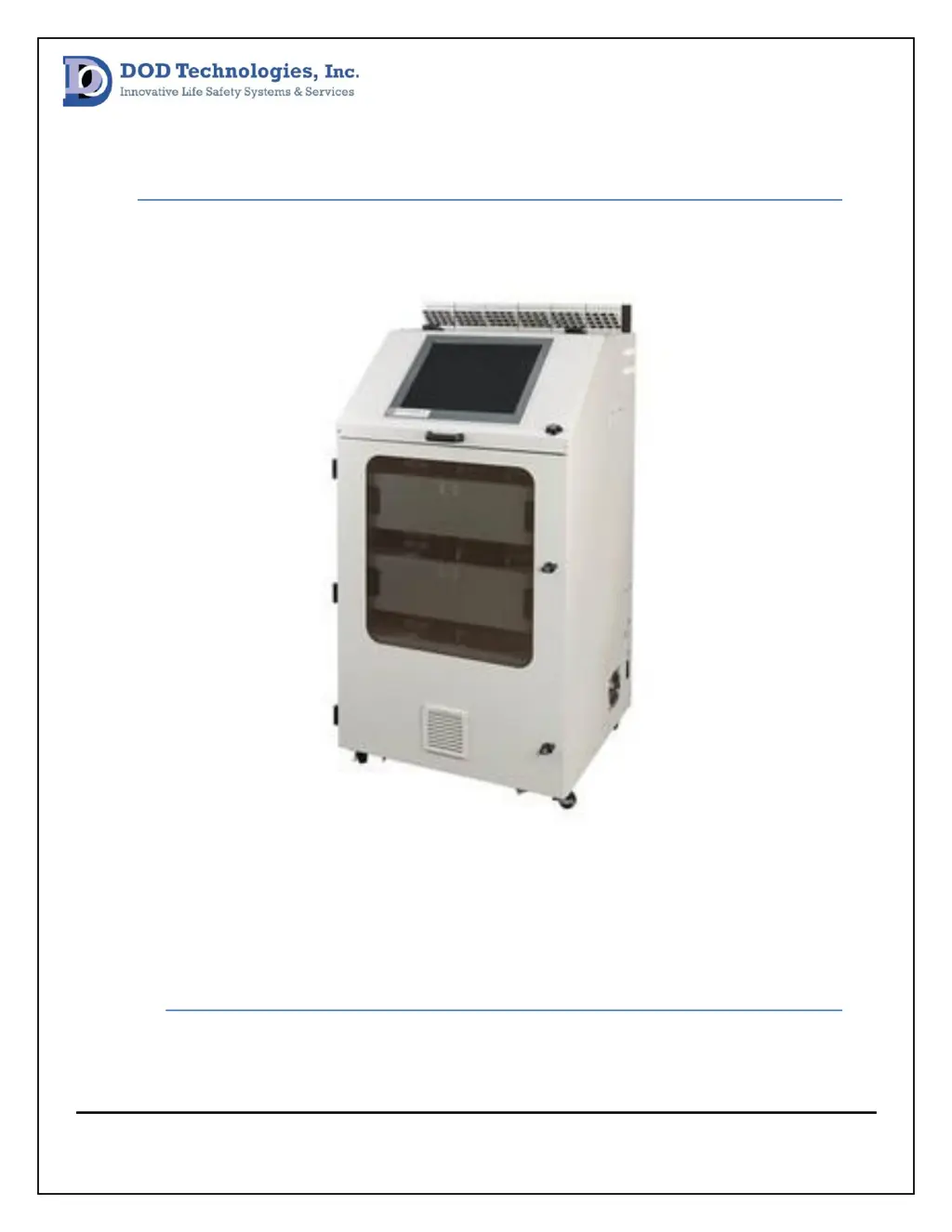
CL96 Gas Detection System
Technical Service Manual
Revision 16.11

Questions and Answers

  • P
    Patrick SharpAug 31, 2025
    What does Optic Calibration Required mean on DOD Gas Detectors?
    • R
      ramirezcoreyAug 31, 2025
      If the DOD Gas Detectors display 'Optic Calibration Required', it means the optic system is unable to calibrate automatically. Refer to the optic cleaning procedure.
  • S
    Sarah ThompsonAug 30, 2025
    How to fix Gas Configuration Error on DOD CL96?
    • R
      Robert DelacruzAug 30, 2025
      If you encounter a 'Gas Configuration Error' on your DOD Gas Detectors, it means the system can't find the necessary files to detect the selected gas family. To fix this, remove the rear panel, verify the USB thumb drive is properly connected, and power cycle the CL96.
  • J
    joshua19Aug 29, 2025
    What to do if DOD CL96 Cannot Get Background Values?
    • T
      Tyler CastilloAug 29, 2025
      If the DOD Gas Detectors unit displays 'Cannot Get Background Values', it indicates a communication issue between the optic block and PC. To resolve this: power cycle the analyzer, press verify optics, verify background is within range in system screen and refer to optic troubleshooting procedure.
  • E
    Eric PetersonAug 28, 2025
    How to fix High Background error on DOD CL96 Gas Detectors?
    • C
      Christopher DavisAug 28, 2025
      If the DOD Gas Detectors unit shows 'High Background', it means the background value is out of range. You can try the following: power cycle the analyzer, press verify optics, verify background is within range in system screen and refer to optic troubleshooting procedure.
  • T
    Theodore PowellAug 27, 2025
    What does 'ChemLogic tape low' mean on DOD CL96?
    • M
      matthewlopezAug 27, 2025
      When the DOD Gas Detectors unit displays 'ChemLogic tape low', it means the tape counter's days remaining value matches the warning value setting. Replace the Chemlogic cassette and reset the counter.
  • H
    hjacksonAug 27, 2025
    What causes Modbus Comm. Failure in DOD CL96 Gas Detectors?
    • K
      Kelly MarquezAug 27, 2025
      If your DOD Gas Detectors unit displays 'Modbus Comm. Failure', there has been an interruption during the Modbus communication process. Try power cycling the unit. If the problem persists, contact DOD Technologies, Inc.
  • A
    Anthony ScottAug 25, 2025
    What to do if DOD CL96 Gas Detectors show PLC Comm. Error?
    • T
      tiffany29Aug 26, 2025
      If the DOD Gas Detectors display a PLC Comm. Error, it indicates a communication issue between the PC and PLC. First, power cycle the CL96. If the issue continues, contact DOD Technologies, Inc.
  • J
    John HernandezAug 25, 2025
    What to do if DOD CL96 show Gas alarm Level 2?
    • E
      ericwebbAug 25, 2025
      If the DOD Gas Detectors indicate a Gas Alarm Level 2, it signifies a gas release exceeding Alarm Level 2. You should determine the release point.

Summary

Preventative Maintenance Procedures

Optics System Maintenance

Procedures for maintaining the optic system of the CL96 gas detection system.

DAC Verification Procedure

Verifying DAC values within the optic system for proper calibration.

Background Verification Procedure

Verifying background values for each point in the system screen.

Flow System Procedures

Pressure Sensor Calibration

Calibrating pressure sensors by checking voltage offsets for atmospheric pressure.

Point Flow Check with Flowmeter

Performing an additional flow check at each point using a flowmeter.

Exhaust Integrity Check

Checking the exhaust line for each pump to ensure correct exhaustion.

System Flow Balance

Tape Advance System

Advance Distance Verification

Verifying the distance of each tape advance is within specifications.

Micro Switch Verification

Verifying the tightness of micro switches for gate position detection.

Gate Assembly Maintenance

Lubricating Gate Assembly

Lubricating gate assemblies for efficient operation and motor longevity.

Power System Verification

DC Voltage Verification Procedure

Detailed steps to verify DC voltages from power supplies.

System Inspection Procedures

Vibration Damage Inspection

Checking pump panel wiring and tubing for vibration-induced damage.

Wire Inspection

Visually inspecting wiring and tightening terminal block jumpers.

Troubleshooting and Fault Resolution

Optic Cleaning Procedure

Procedure for cleaning optic channels when specific error messages appear.

Optic System Troubleshooting

Optic System Power Verification

Communication Verification

Gate Fault Procedure

Flow Check Procedures

Flow Communication Verification

Verifying communication between flow system boards and the PC.

Flow Path Verification

I;O and Configuration

I;O Verification Procedure

Troubleshooting steps for output module communication errors or failures.

Device Configuration Settings

Verifying and adjusting device configuration settings for analyzers.

Hardware Replacement

Optic Block Replacement

Steps to replace a CL96 optic block, including tools needed.

Pump Replacement

Steps and tools required to replace a CL96 pump.

Appendices

Appendix A: Control Wiring Diagram

Detailed wiring diagram for the CL96 control system.

Appendix B: Pump Panel Wiring Diagram

Wiring diagram specific to the CL96 pump panel.

Appendix C: Analyzer Wiring Diagram

Wiring diagram for the CL96 analyzers.

DOD CL96 Specifications

General IconGeneral
BrandDOD
ModelCL96
CategoryGas Detectors
LanguageEnglish