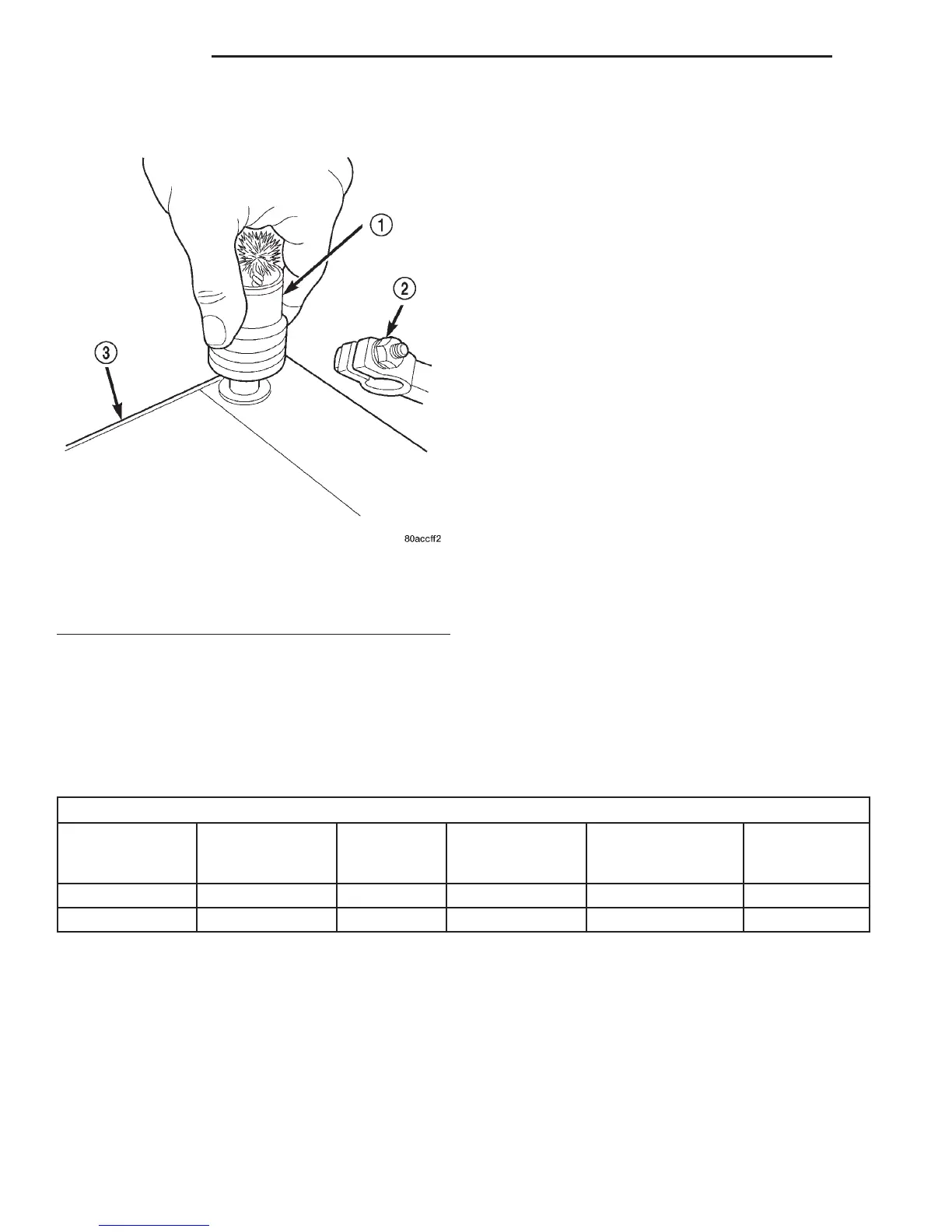
cleaner, and a sodium bicarbonate (baking soda) and
warm water cleaning solution (Fig. 24).
INSPECTION
(1) Inspect the battery cable terminal clamps for
damage. Replace any battery cable that has a dam-
aged or deformed terminal clamp.
(2) Inspect the battery tray and battery hold down
hardware for damage. Replace any damaged parts.
(3) Remove the thermoguard from the battery
case. Inspect the battery case for cracks or other
damage that could result in electrolyte leaks. Also,
check the battery terminal posts for looseness. Bat-
teries with damaged cases or loose terminal posts
must be replaced.
(4) Inspect the battery thermoguard for cracks,
deformation or other damage. Replace any battery
thermoguard that has been damaged.
(5) Inspect the battery built-in test indicator sight
glass for an indication of the battery condition. If the
battery is discharged, charge as required. Refer to
Battery in the index of this service manual for the
location of the proper battery diagnosis and testing
procedures for more information on the use of the
battery built-in test indicator. Also refer to Battery
Charging in the index of this service manual for the
location of the proper battery charging procedures.
SPECIFICATIONS
BATTERY
Battery Classifications and Ratings
Part Number
BCI Group Size
Classification
Cold
Cranking
Amperage
Reserve
Capacity
Ampere-Hours
Load Test
Amperage
56027100 27 600 120 Minutes 66 300
56027302 27 750 150 Minutes 75 375
Fig. 24 Clean Battery Terminal Post - Typical
1 – TERMINAL BRUSH
2 – BATTERY CABLE
3 – BATTERY
8A - 22 BATTERY DN
CLEANING AND INSPECTION (Continued)















 To Next Page