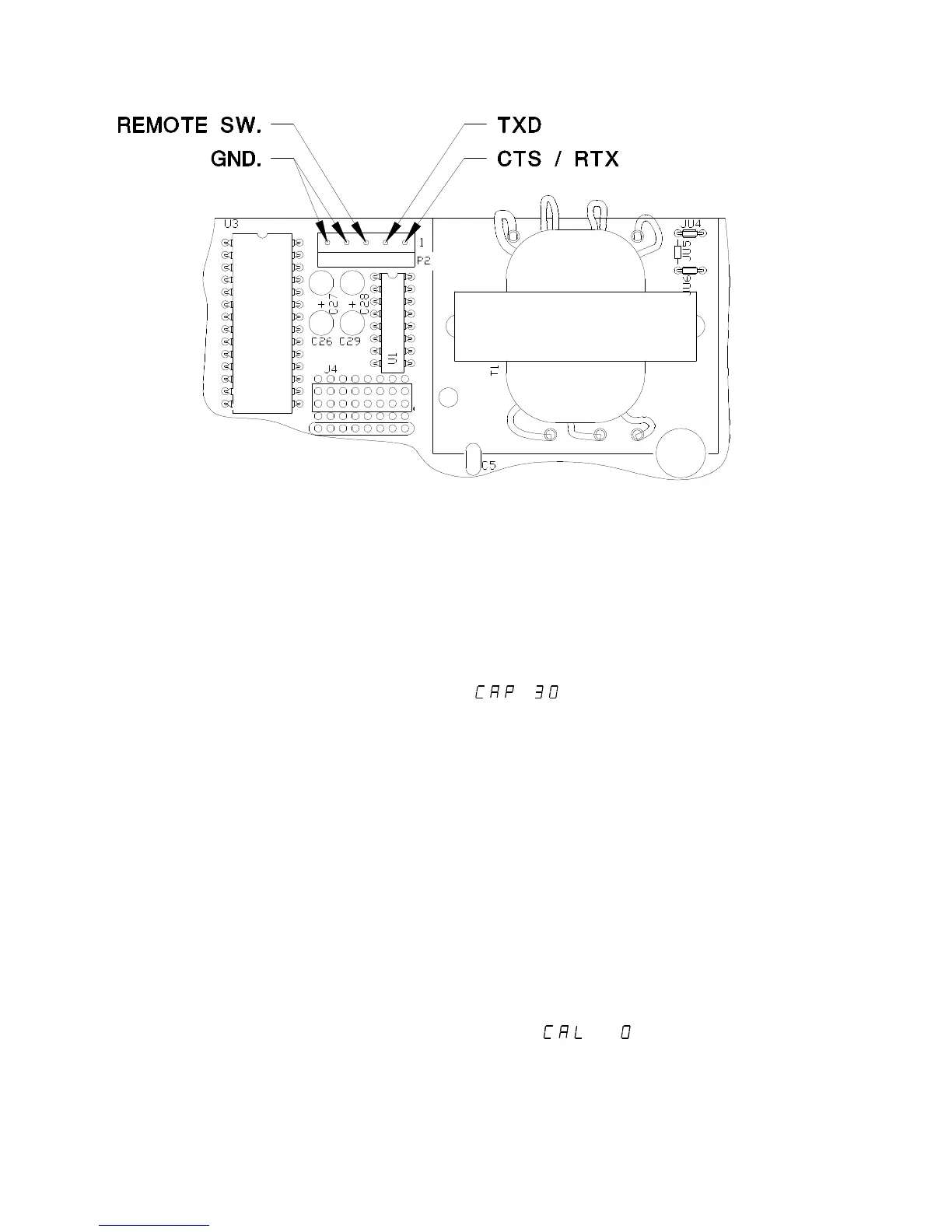
Fig. 2. Serial Communications and Remote Switch Connections
Capacity:
Capacity selection is performed by placing the Calibration switch S1 in the
calibration mode (Refer to Figure 1. The switch is shown in the
CALIBRATE position). Press and release UNITS or S2 (located next to
the Calibration switch) until appears on the display (where
"30" can be any valid capacity). Once the CAP prompt appears, press
and release ZERO until the desired capacity is displayed. When finished,
return the Calibration switch S1 to the RUN position.
Once the desired capacity has been selected, Install the correct capacity
label on the front surface of the Model 7000 or in the label pocket located
on the inside surface of Model 7000XL touch panel.
NOTE: On scales with factory installed platforms, the capacity is
set at the factory, It will not be necessary to set the scale
capacity.
Calibration:
1) Place the RUN / CALIBRATE switch in the CALIBRATE position.
Press and release UNITS or S2 until appears on the display.
11



 To Next Page