2) Remove any unnecessary weight from the scale platter and wait
10 seconds. Press ZERO. Wait for the scale to count from "7" to "0,"
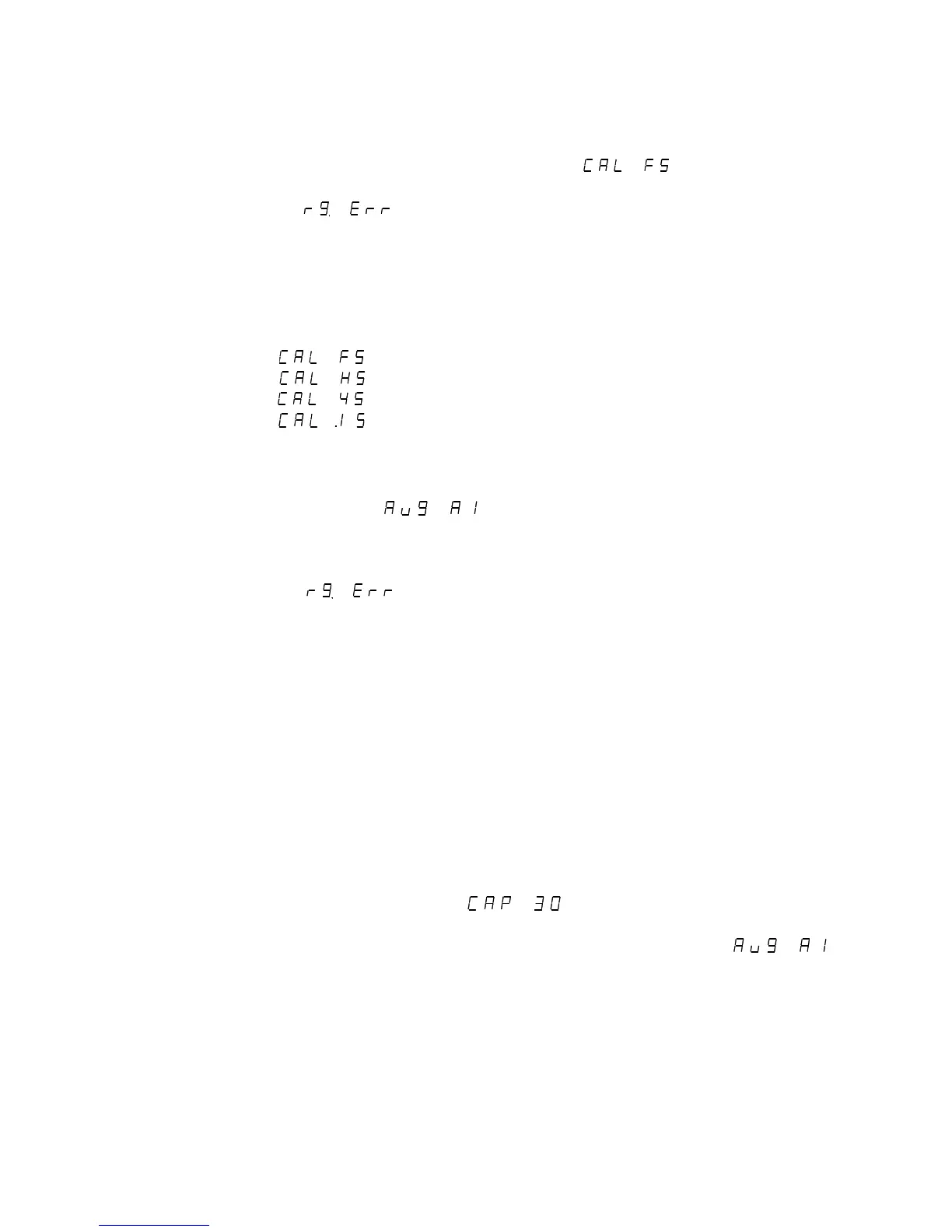
about 15 seconds. The display will return .
NOTE: If appears on the display, the calibration zero is
out of range. Press zero to clear this error. Refer to the
analog setup section for additional information.
3) Press and release UNITS or S2 to scroll through the calibration
capacities. Select one of the following:
: Full load calibration.
: Half load calibration. (50% of capacity)
: Quarter load calibration. (25% capacity)
: 1/10th load calibration. (10% capacity)
Place the correct weight on the platter and wait 10 seconds. Press
ZERO. Wait for the scale to count from "7" to "0," about 15 seconds. The
display will return . Return the RUN / CALIBRATE switch to
the RUN position.
NOTE: If appears on the display, the calibration span is
out of range. Press zero to clear error. Refer to the analog
setup section for additional information.
NOTE: Calibration at 10% of capacity has been provided as a
convenience to customers with high capacity scales in remote
or inaccessible locations. For maximum accuracy, Doran
Scales recommends that all scales be calibrated at full
capacity. When location or installation make it difficult to
bring full capacity weights to the scale, calibration with as little
10% of capacity is possible.
Analog Setup:
1) Place the Calibration switch S1 in the CALIBRATE position. Press and
release UNITS or S2 until (where 30 can be any valid
capacity) appears on the display. Follow the procedure to select the
desired scale capacity. Then press UNITS or S2 until
appears on the display (where A1 can be any valid filter mode). If the A1
mode appears, press and release ZERO at least once to disable
automatic filtering.
NOTE: On scales with factory installed platforms, the zero and
span are set at the factory, It should not be necessary to
set the zero and span.
12



 To Next Page