Thermaprint 64 User Manual
7
Single-Start Catch Tray
Parts
2 red-capped screws
1 single-start catch tray
Assembly
Attach the tray to the front of the printer using the 2 red screws.
Options
Turn Single-Start Function On/OFF
Go into the menu and go to System Parameters > Periph. Device > Single
Start (to enable function) or none (to disable function) and then press
Online to select.
Change the number of products printed at a single time
Go into the menu and go to System Parameters > Singlestartquant and
then select the number of products desired to print at a time (default is 1).
Press Online to apply the desired number.
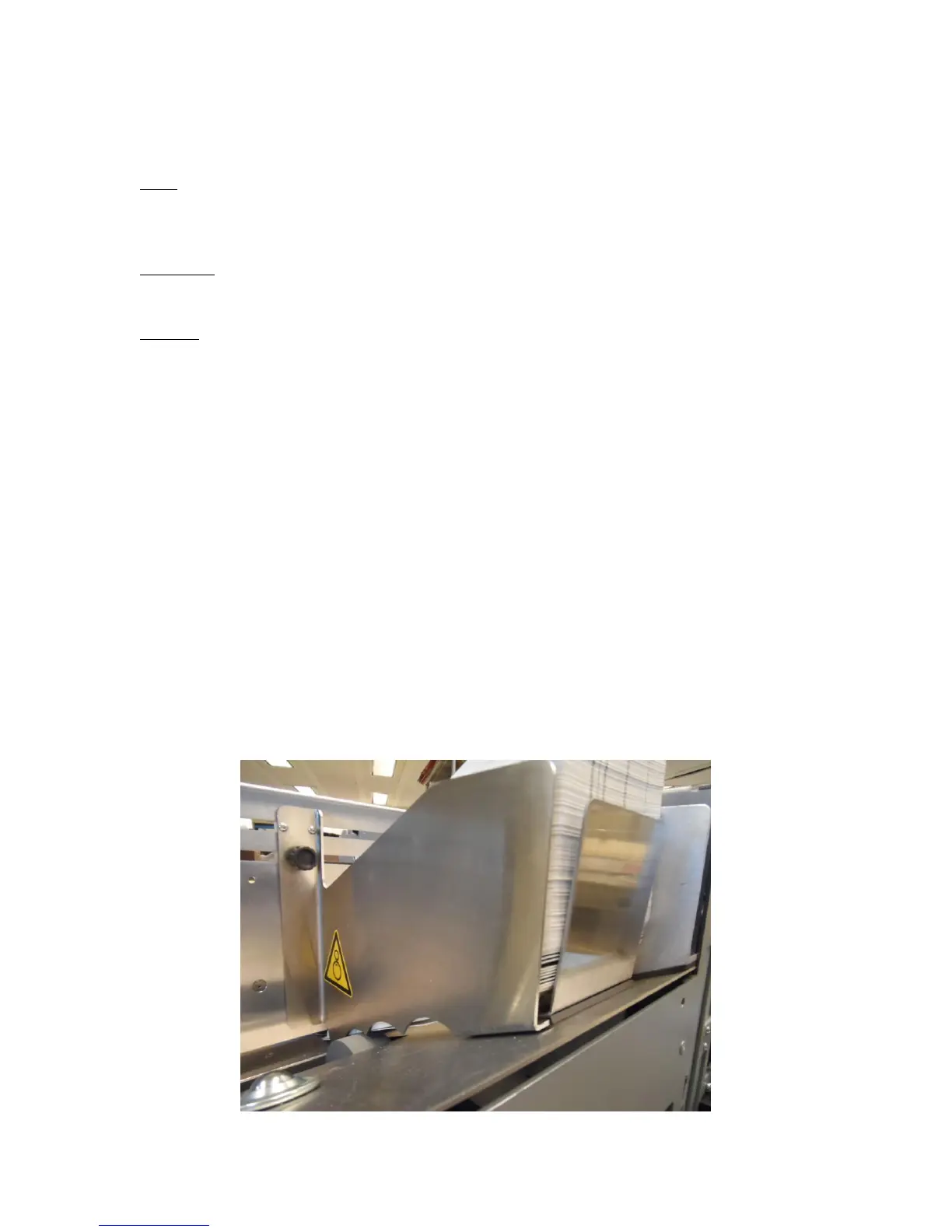
Ramp Positioning
The printer might have a ramp supplied to aid in the feeding process. The position in
which the ramp needs to be placed to help feeding can be a small window. If placing too
far under the stack of product in the feeder, the ramp will lift the product off of the
agitator wheel which will likely result in the product not wanting to feed. If the ramp is
too far back, not enough pressure is placed on the backs of the cards to help push them
into the printer. Please refer to Figure 1 for the location the ramp will likely need to be
placed in relation to the cards.
Figure 1: Correct ramp location


 To Next Page