Thermaprint 64 User Manual
12
Next, on the connected computer download and install the correct driver. The driver
should be setup according to the communications addendum. When finished, return the
printer to online mode, and have the computer send print tasks using label design
software.
Operation
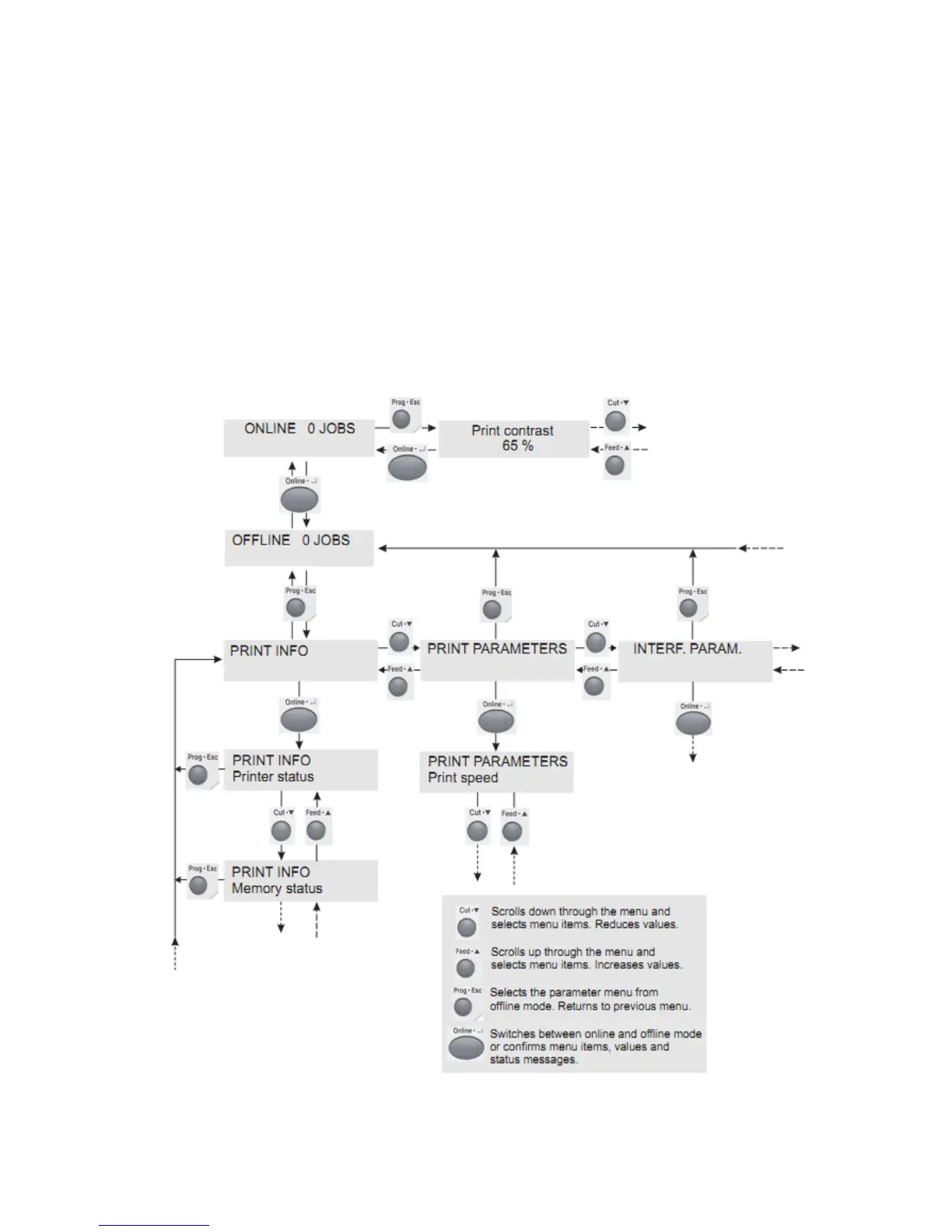
Below is a graphical explanation of how to access, navigate, and exit the menu system
within the Thermaprint 64. A full list of all the available sub menus (Print Info, Print
Parameters, etc.) and functions (Printer Status, Print Speed, etc.) within each sub menu is
available in Appendix A.
Figure 2: Graphical Explanation of Menu System


 To Next Page