19
Appendix A: Menu System and System Preferences
In this appendix, submenus will have their names bolded and fully capitalized. The
functions within each submenu will be underlined, with the description and any
selections indented to allow for quick visual access. Changing the values and settings for
many of these parameters can severely and negatively affect print quality and speed,
while also possibly affecting product detection and transportation. Please consult with a
service technician before doing any significant changes if you are unfamiliar with the
system.
PRINT INFO
Printing of individual reports can be deactivated for certain options (e. g. for the in feed
option). A material width of 100mm is necessary to print the reports.
Printer Status
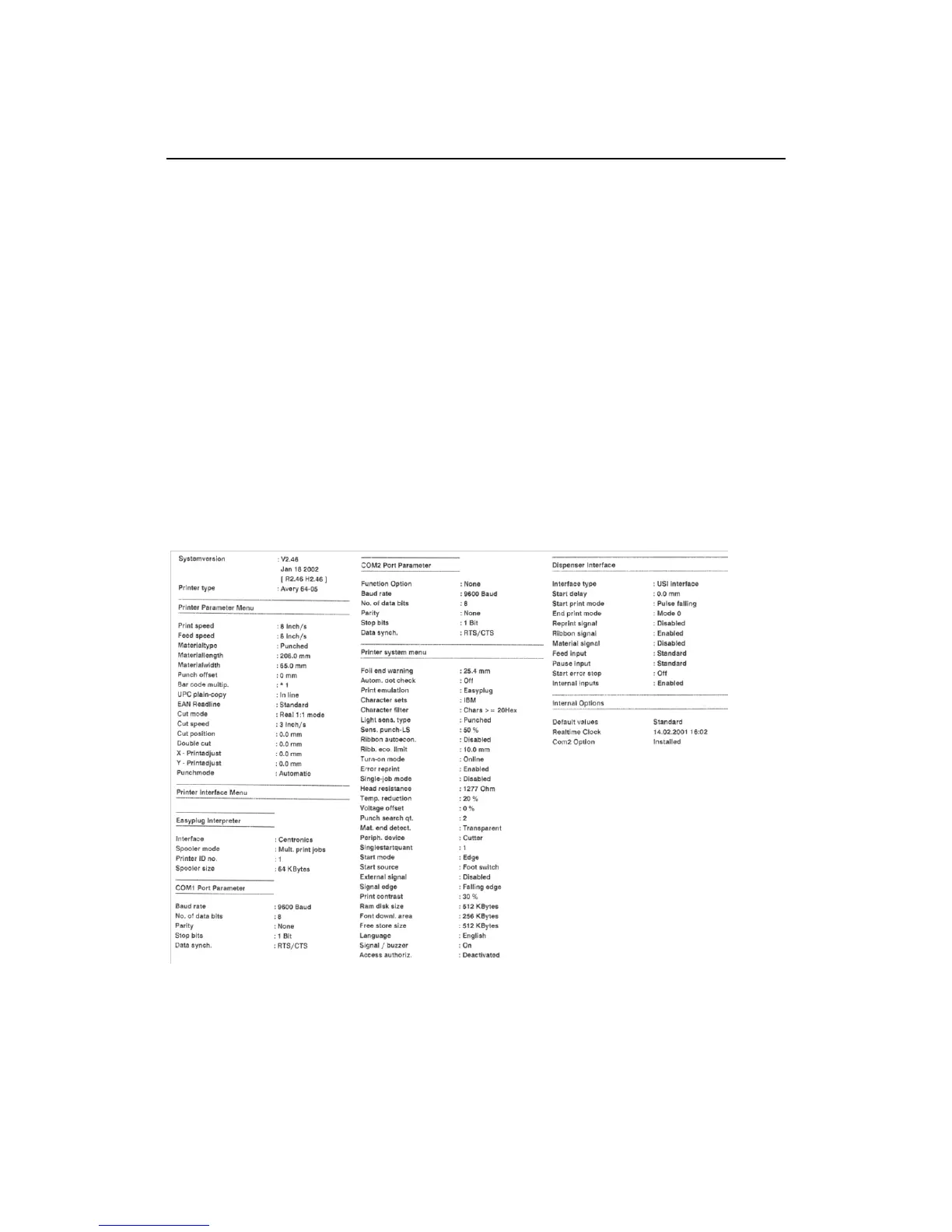
A protocol can be printed to get an overview of customer-specific parameter settings
(three pages, see [1]). Which parameters are listed, depends on the printer type.
Figure 1A: Sample Printer Status printout.
Memory status
A memory protocol can be printed to provide an overview of the distribution of the
available memory capacity (one page).


 To Next Page