Topics of interest for Wireless Lock Setup:
5 Programming and Software Setup - Overview
M-Unit topics for Wireless Lock Setup:
• Aurora Software Installation
• Opening Aurora for The First Time
• Changing your Password (Aurora)
• E-Plex Setup (Aurora)
o Defining a Person Type (Aurora)
o Adding Users (Aurora)
o Assigning Credentials to Users
(Aurora)
o Master PIN and Master Credential
(Aurora)
o Adding Locks (Aurora)
o Creating an E-Plex Door Group
(Aurora)
o Schedules (Aurora)
o Assigning Schedules to Doors (Aurora)
• Adding and Configuring a Gateway (Aurora)
• Joining an E-Plex Gateway as a Router (Aurora)
• E-Plex Server Certificate Setup (Aurora)
• Assigning E-Plex Locks to a Gateway (Aurora)
• Joining a Lock to a Gateway (Aurora)
• About the M-Unit
• Transferring the Program File to the M-Unit
• Programming E-Plex Locks
• Transferring the Program File to the Lock
• M-Unit Audits
o Auditing an E-Plex 7900 Lock
o Viewing Audits (LUNA)
o Viewing Audits (Aurora)
16 E7900 Series
IMPORTANT: Site Survey is required when setting up
wireless E-Plex Locks to determine the best setup.
Prior to installing a lock, the signal strength of a
ZigBee network must be identified to best measure
where to place a Gateway. Please review section
5.8.1. Site Survey first before beginning your wireless
lock setup.
KD10114-E-1122
Wireless Lock Setup -
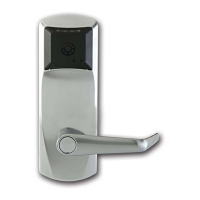
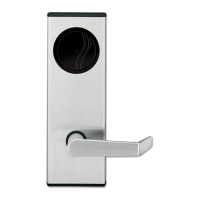
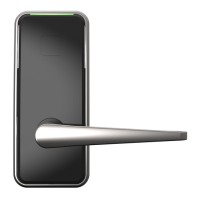
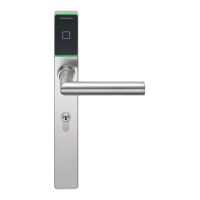
A site consisting of locks that exist as part of a
networked lock system, wherein locks are connected
wirelessly to a computer with monitoring software via
Gateways. The M-Unit is used to determine the
optimal placement of locks and gateways, and also
provides a variety of network diagnostic tools. Locks
can be setup and configured wirelessly and the
transactions can be recorded at the computer and
monitored in real-time. Aurora software is capable of
supporting a wireless lock setup.



 To Next Page