21
ED900 09-2021DL4617-001
dormakaba ED900 Setup and Troubleshooting Instructions Chapter 10
. Set installation type parameter AS
Installation type.
Parameter
value
Parameter description.
*
Pull
• Pull arm with CPD lever.
Wall mounting on swing (hinge) side.
Push
• Standard push arm.
• Deep push arm.
Wall mounting on approach (non-hinge) side.
Pull as push.
• Pull arm with CPD lever.
Wall mounting on approach (non-hinge) side.
Step
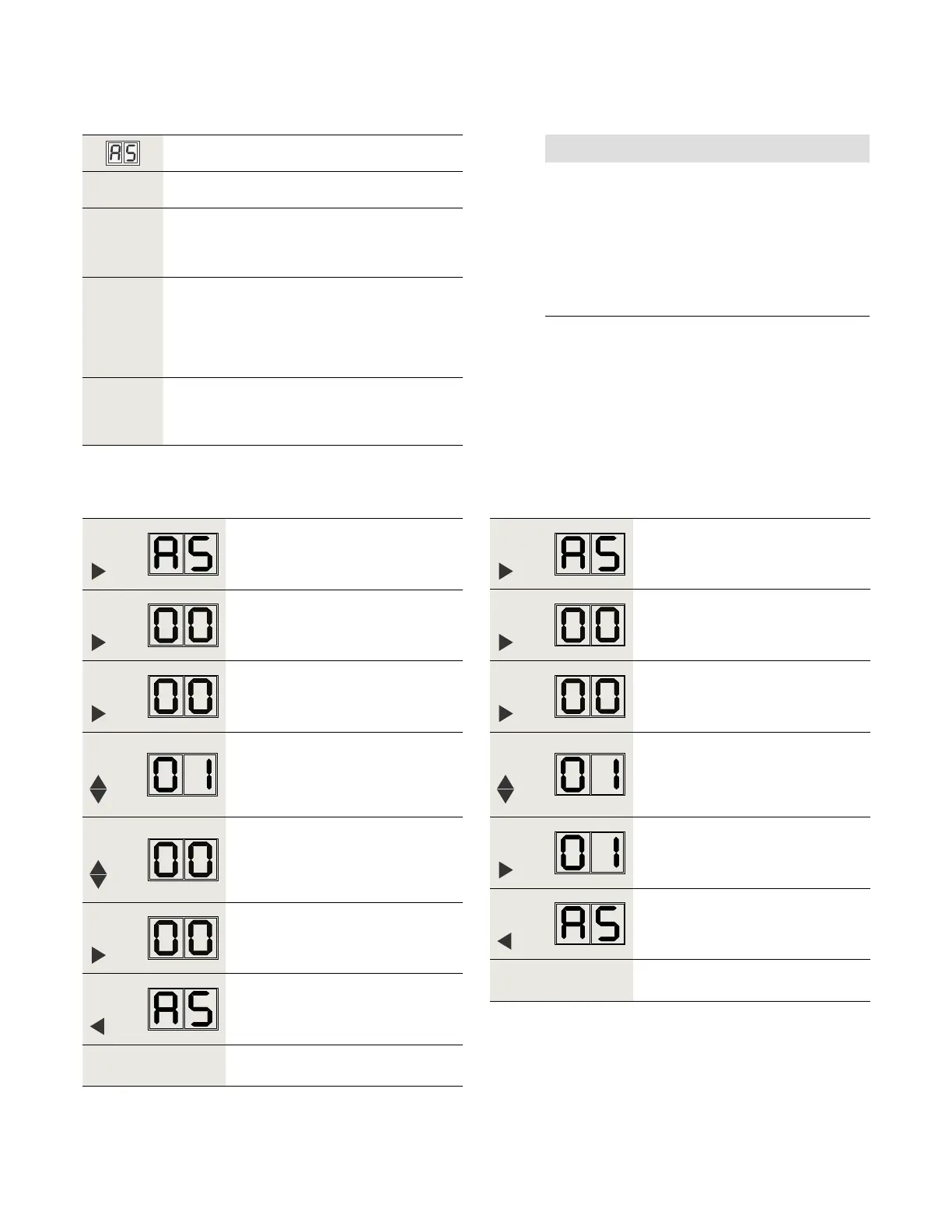
Press
Press PRG greater than s to enter
program mode, AS parameter
displayed.
Step
Press
Displays "" , factory setting.
Step
Press
"" starts flashing.
Step
Press
Scroll to "".
Step
Press
Scroll to "".
Step
Press
Saves "" value for Pull.
Display stops flashing.
Step
Press
Returns to Installation type parameter.
Step
Go to Para. ., set door width
parameter Tb.
Table .. AS parameter values.
AS factory setting = .
.. Set parameter AS value to .
Step
Press
Press PRG greater than s to enter
program mode, AS parameter
displayed.
Step
Press
Displays "" , factory setting.
Step
Press
"" starts flashing.
Step
Press
Scroll to "" (push as example).
Step
Press
Saves "" value for Push.
Display stops flashing.
Step
Press
Returns to Installation type parameter.
Step
Go to Para. ., set door width
parameter Tb.
.. Set parameter AS to value other than .
.. Set AS parameter value.
NOTICE
. If pull installation is required, set AS = .
• "" is AS factory setting.
• For system to recognize AS = , steps in
Para. .. must be followed.
. Set AS parameter to value other than .
• Follow steps in Para. ..












 To Next Page