32
ED900 09-2021DL4617-001
dormakaba ED900 Setup and Troubleshooting Instructions Chapters 14 and 15
Check door signage
. Check door signage
.. Check door signage.
Check door signage as outlined in EDLE
or EDLE Low Energy Installation Manual.
TIPS AND RECOMMENDATIONS
Reference Chapter 7, ED50LE and ED100LE
door signage.
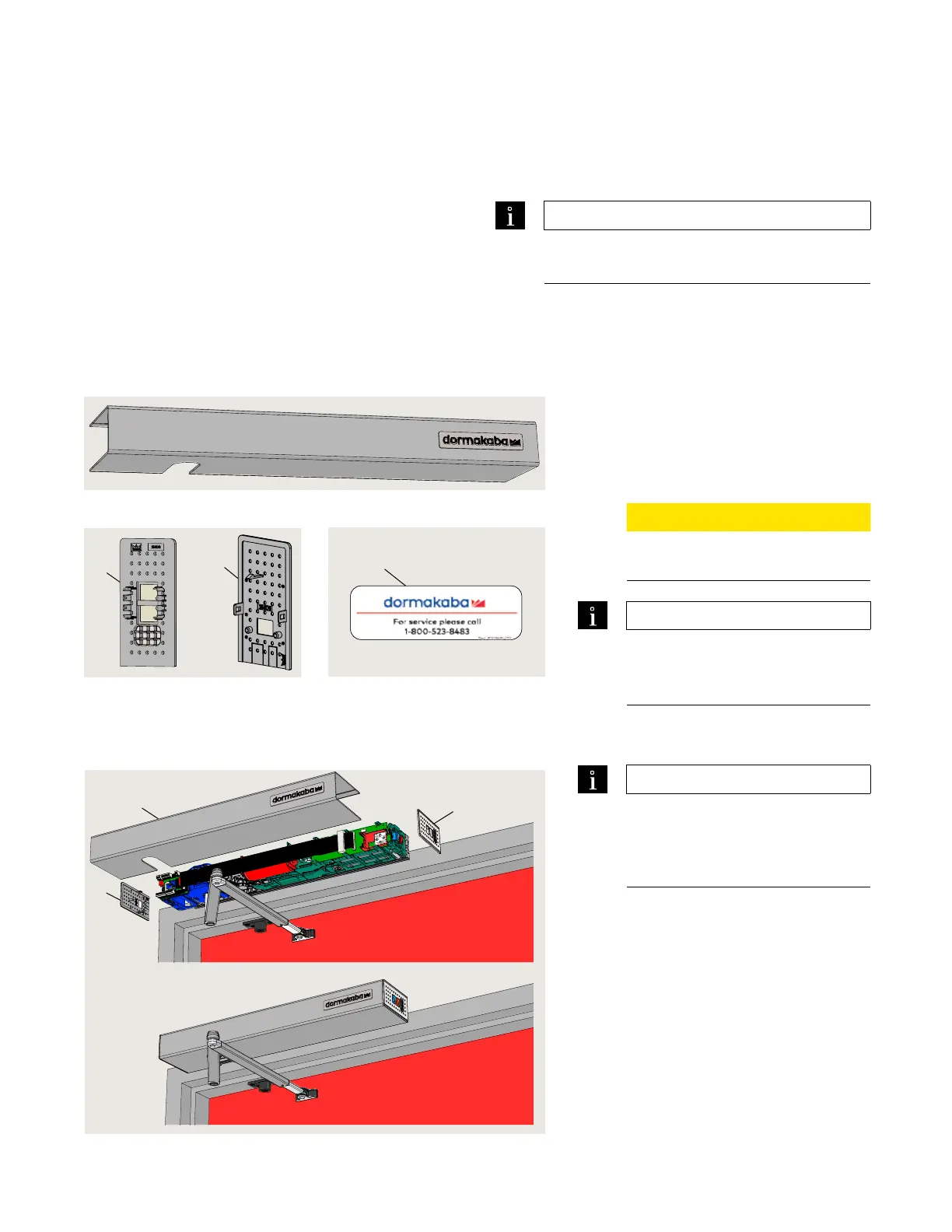
Install cover, end caps and spindle caps
. Install fine cover and end caps
.. Install Service Call label.
. Install Service Call label (Fig. ..) at
convenient location.
.. Install cover.
. Align cover with operator, press inward
until cover snaps into place.
CAUTION
Insure that all cables are in place
and secured.
TIPS AND RECOMMENDATIONS
For optional full width cover
installation, go to ED50/ED100/
ED250 Installation Instructions
.. Install end caps.
. Install operator end caps.
TIPS AND RECOMMENDATIONS
Mode switch end cap; insertion
depth is adjustable to compensate
for minor tolerances is length of
operator cover.
Fig. 15.1.1 ED100/ED250 standard cover
Fig. 15.1.4 Cover and end cap installation
3
2
Fig. 15.1.2 Operator end caps
2 Mode, Exit Only
switches
3 Power switch
2 End cap, Mode and
Exit Only switches
3 End cap, power
switch
1 ED50LE/ED100LE
standard cover
1
3
2
Fig. 15.1.3 Service Call label
4 Service Call label
DD3425-010
4












 To Next Page