25
ED900 09-2021DL4617-001
dormakaba ED900 Setup and Troubleshooting Instructions Chapter 10
. Set door type parameter dL
Step
Press
Scroll to dL parameter.
Step
Press
Displays "" , factory setting.
Step
Press
"" starts flashing.
Step
Press
Scroll to "".
Step
Press
Scroll to "".
Step
Press
Saves value.
Display stops flashing.
Step
Press
Returns to door type parameter.
Step
Press
Exits program mode.
.. Set parameter dL, door type = .
Door type
Parameter
value
Parameter description
* Single door
Pair doors, with astragal.
Active door operator, door opens first.
Pair doors, with astragal.
Inactive door operator.
Pair doors, without astragal.
Active door operator. Both doors open
simultaneously.
Pair doors, without astragal.
Inactive door operator. Both doors open
simultaneously.
Table .. Door type parameter dL values.
*dL factory setting = .
.. Set dL door type parameter value.
NOTICE
. Set dL = (single door =).
• "" is dL factory setting.
• For system to recognize dL= , steps in
Para. .. must be followed.
dL must be set to "" for single door
commissioning.
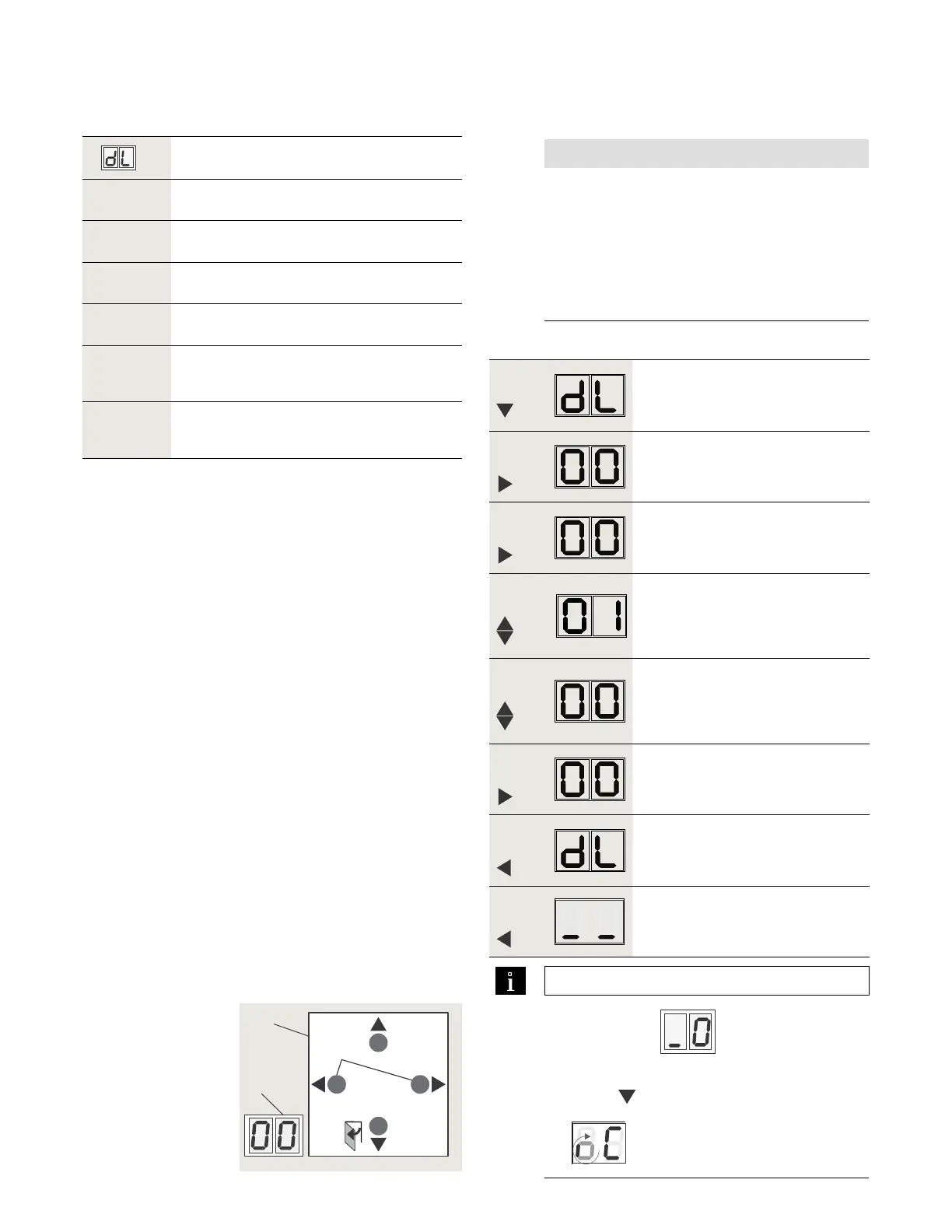
Fig. 10.7.1 4 button keypad,
2 digit display
1 4 button keypad
2 2 digit display
> 3s Reset
< 3s Quit
LEARN
< 3s
> 3s
Fact-Setup
PRG
> 3s
> 8s
1
2
TIPS AND RECOMMENDATIONS
If display shows
after basic
parameters have been set:
• Press
for seconds.
•
will be displayed.












 To Next Page