31
ED900 09-2021DL4617-001
dormakaba ED900 Setup and Troubleshooting Instructions Chapter 13
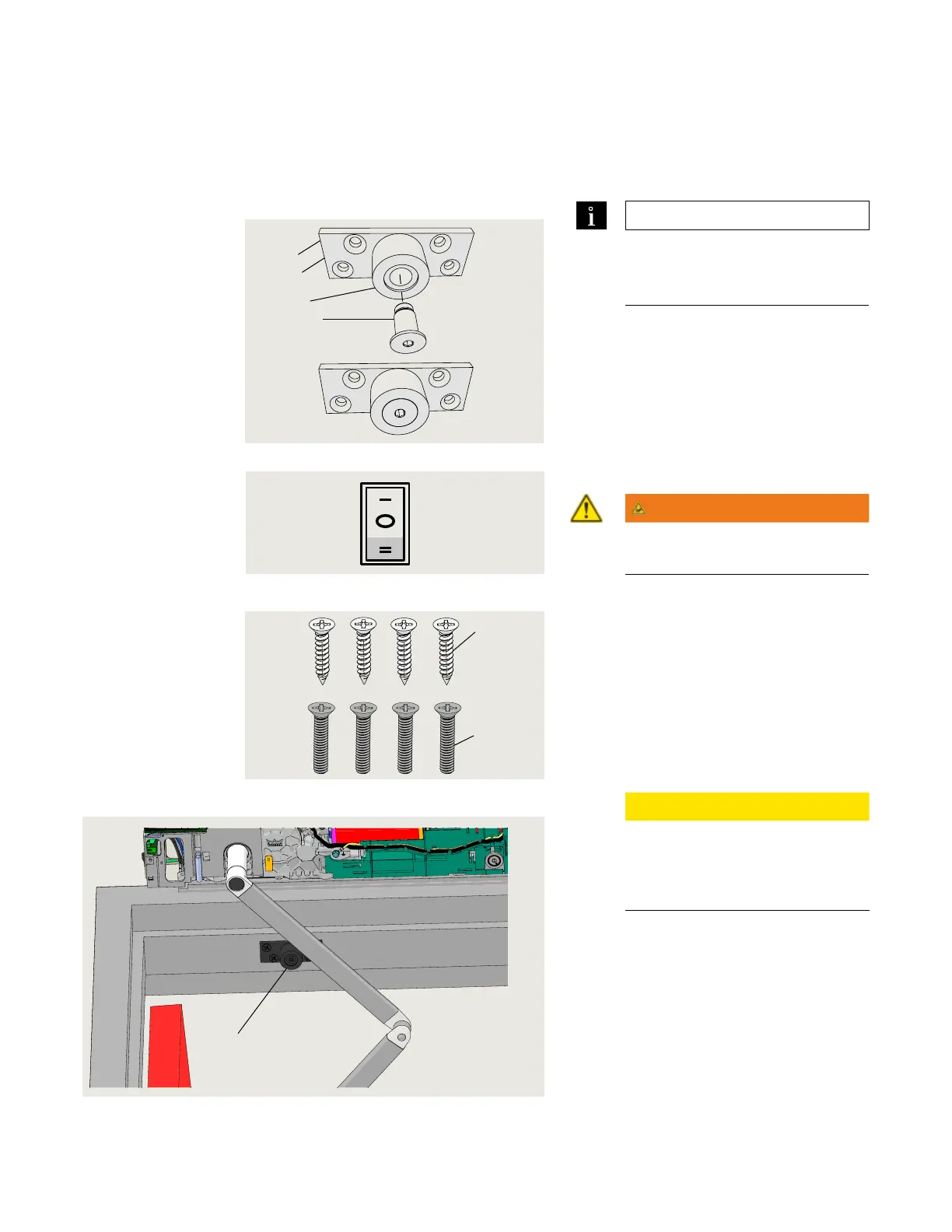
Install push arm door stop
. Install push arm door stop (optional assembly)
.. Assemble bumper stop.
. Attach bumper to bumper mounting
plate with /" shoulder screw.
• Use mm hex key.
.. Open door.
. Set Mode switch to OPEN position.
. Door moves to set opening angle.
WARNING
Use caution when working in
proximity of door and push arm!.
Fig. 13.1.2 Mode switch
Fig. 13.1.1 Door stop assembly HS4633-001
TIPS AND RECOMMENDATIONS
Contact local dormakaba USA, Inc.
company for door stop assembly
HS-
Fig. 13.1.3 Door stop fasteners
4 Bumper stop
assembly
.. Bumper stop installation.
. With door at its full open position locate
door stop assembly bumper on door
frame /" beyond arm.
. Mark mounting plate hole locations on
frame.
• Plate hole diameter is /".
. Select fasteners based on door frame
material.
. Attach door stop assembly to frame.
CAUTION
Using Mode switch, close then
open door to verify arm does not
contact door stop with door at
full open position.
5.1
5.2
1 1/2" thick base
plate
HC4633-002
2 1/4" thick base
plate
HC4633-001
3 Rubber bumper
HC4633-003
4 Shoulder screw
HC4633-004
5 Mounting screw kit
HC4633-005
5.1 1/4 x 1 1/4" Phillips
FHS, black oxide,
SS
1
3
4
2
Fig. 13.1.4 Door stop installation
6
Open












 To Next Page