7
ED900 09-2021DL4617-001
dormakaba ED900 Setup and Troubleshooting Instructions Chapter 5
User interface
. Overview
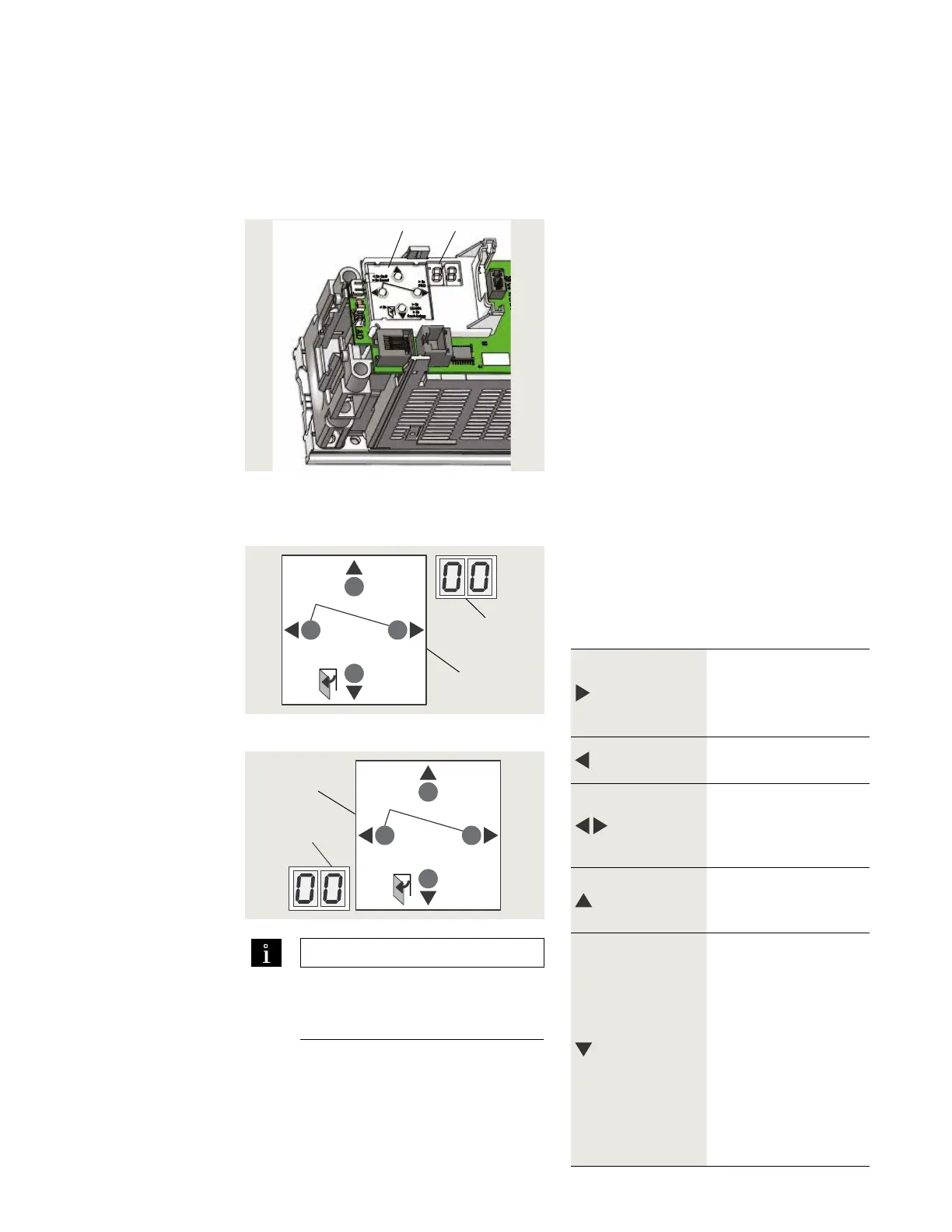
Fig. 5.1.1 Operator keypad and display
1 2 digit display
2 4 button keypad
.. Operator user interfaces.
. button keypad and digit display.
• button keypad; to select, input and
adjust door parameter values.
• digit display; parameter values, error
and information codes.
Fig. 5.2.1 Door hinge side on right
2 2 digit display
5 Button legend
Fig. 5.2.2 Door hinge side on left
. button keypad and display
Right button
. Access parameter menu,
press button > seconds.
. Edit selected parameter.
. Save changed value.
Left button
. Reset, > s
. Quit process, < s.
Both buttons
together
. Acknowledge errors,
press both buttons < s.
. Reset, press both
buttons > s.
Up button
. Scroll through parameters
and error messages.
. Increase parameter value.
Down button
. Scroll through parameters
and error messages.
. Reduce parameter value.
. Opening pulse, press
button < s.
. Learning cycle, press
button > s.
. Reset with factory setting,
press button > s (program
switches off).
. Identify operator
orientation for display
2 2 digit display
6 Button legend
rotated 180°
.. button keypad.
button legend is orientated so buttons
have same function and position regardless
of operator orientation. Button legend can
be removed and rotated.
.. button keypad functions.
TIPS AND RECOMMENDATIONS
Symbols
• "<", Less than
• ">", Greater than
> 3s Reset
< 3s Quit
> 3s
PRG
< 3s
LEARN
Fact-Setup
> 3s
> 8s
2
5
> 3s Reset
< 3s Quit
LEARN
< 3s
> 3s
Fact-Setup
PRG
> 3s
> 8s
6
2












 To Next Page