Half/Pack
®
Issued April 2018
Maintenance and Adjustment
Copyright 2018, Heil Environmental
Printed in the U.S.A.
Maintenance and Adjustment
64
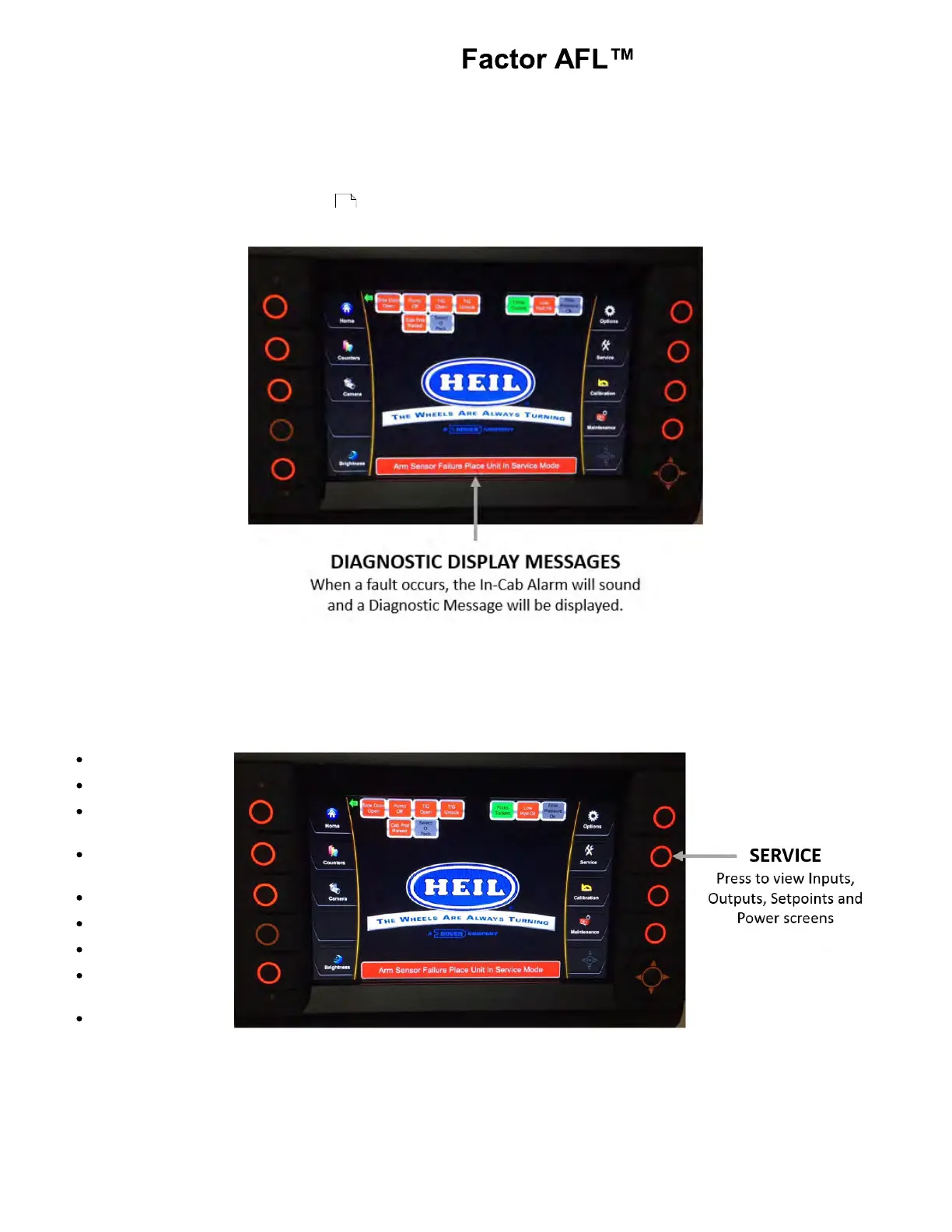
DIAGNOSTIC DISPLAY MESSAGES
When a fault occurs, the In-Cab Alarm will sound and a diagnostic message will be displayed with the status of respective
Input / Output in the Insight display unit. See the figure below.
See Body Controller Software Section for display screen shots of potential diagnostic messages, listed disabled
functions and instructions for fault reset.
SERVICE SCREENS
By pressing the service button you can toggle through several different screens in the display. These screens can be
viewed anytime the key switch is on or the truck is running. Nothing on these screens can be adjusted and are view only.
Input and Output Screens have several components. To see them all, you may need to press the down directional button to
scroll down the list.
Inputs
Inputs Ext
Multiplex
Inputs
Remote
Inputs
Setpoints
Outputs
Outputs Ext
Remote
Outputs
Control Power
93



 To Next Page