Horizon Compact Management
115
Horizon Compact Release 1.01.00 Wireless Ethernet Product User Manual – Volume 2
Procedure 4-6
Install SSL Certificates on Your Web Browser
Perform this procedure to install the Allegro SSL certificate on your Web browser.
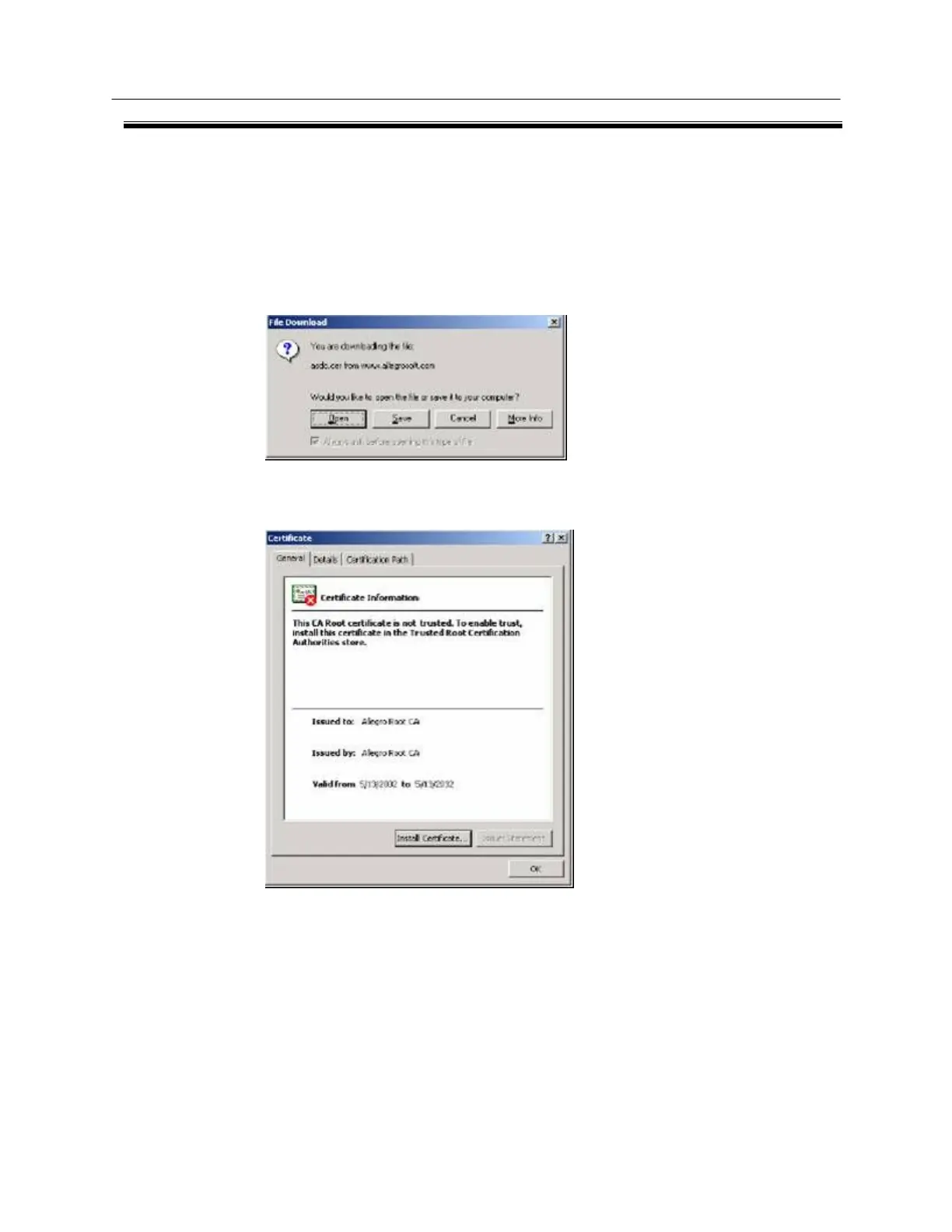
1. Download the CA certificate from the Allegro certificate site by issuing the following http request:
http://www.allegrosoft.com/security/AsdcRoot.cer
2. Click Open to open the file from its current location:
3. When the following Certificate window appears, click the Details tab.
4. Scroll down to the Thumbprint line as shown:



 To Next Page