Vigor2862 Series User’s Guide
132
A
A
p
p
p
p
l
l
i
i
c
c
a
a
t
t
i
i
o
o
n
n
N
N
o
o
t
t
e
e
s
s
A
A
-
-
1
1
H
H
o
o
w
w
t
t
o
o
s
s
e
e
t
t
u
u
p
p
M
M
u
u
l
l
t
t
i
i
-
-
P
P
V
V
C
C
f
f
o
o
r
r
t
t
r
r
i
i
p
p
l
l
e
e
p
p
l
l
a
a
y
y
d
d
e
e
p
p
l
l
o
o
y
y
m
m
e
e
n
n
t
t
?
?
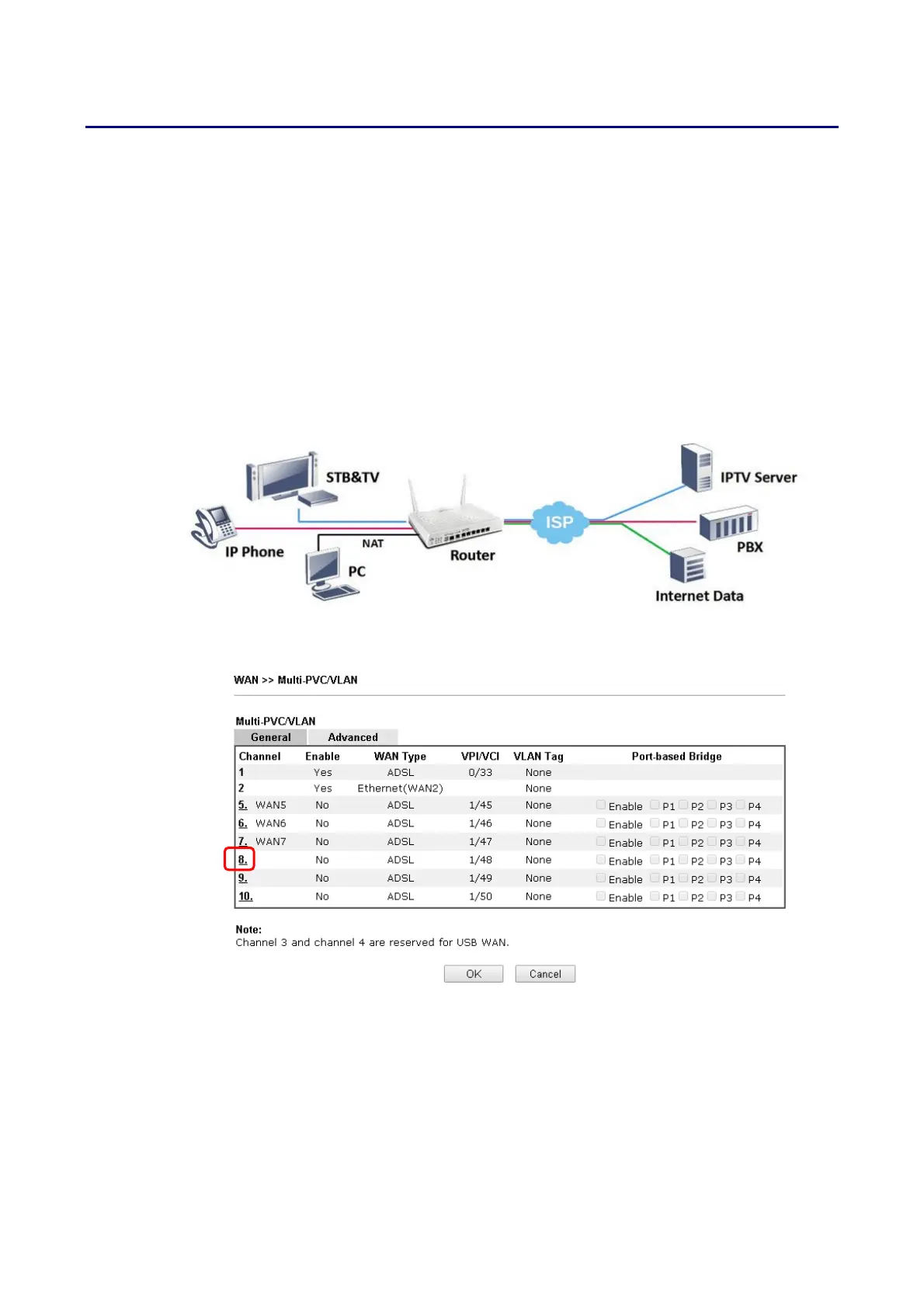
By adding VLAN tags to differentiate the traffic, the service provider is able to deliver video,
voice, and data to the subscribers over a single connection, which is also known as the triple
play service. This document is going to demonstrate how to configure the Multi-PVC feature
for triple play deployment. There are two types of setup, one is doing port-based bridge that
will connect the media, such as the set-top box (STB), directly to the service provider via a
specific LAN port; the other is opening a virtual WAN interface and doing NAT for the
application.
B
B
r
r
i
i
d
d
g
g
e
e
t
t
h
h
e
e
V
V
i
i
r
r
t
t
u
u
a
a
l
l
W
W
A
A
N
N
t
t
o
o
a
a
L
L
A
A
N
N
p
p
o
o
r
r
t
t
1. Go to WAN >> Multi-PVC/VLAN, click on a channel to configure.














 To Next Page