VigorAP 800 User’s Guide
85
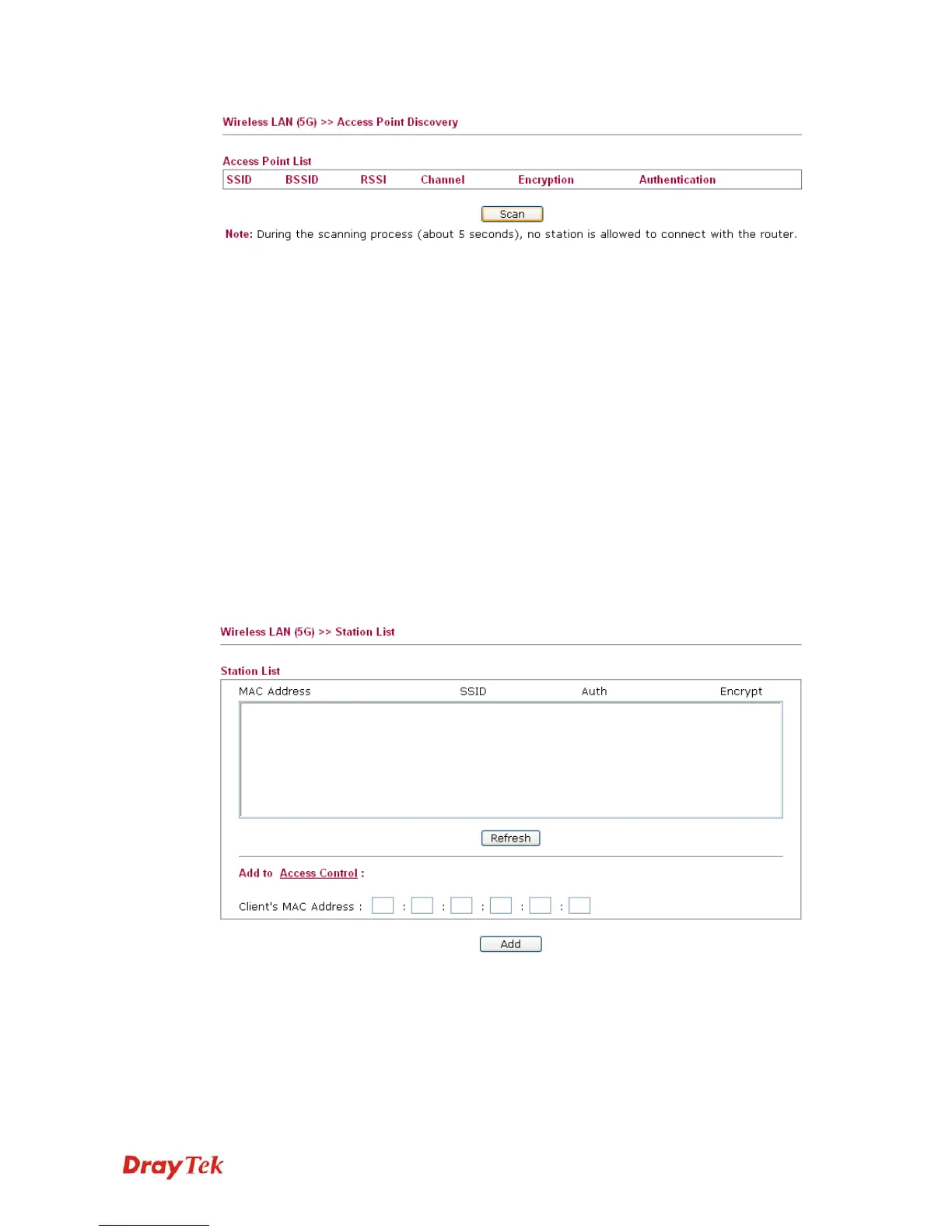
SSID
Display the SSID of the AP scanned by VigorAP 800.
BSSID
Display the MAC address of the AP scanned by VigorAP 800.
RSSI
Display the signal strength of the access point. RSSI is the
abbreviation of Receive Signal Strength Indication.
Channel
Display the wireless channel used for the AP that is scanned by
VigorAP 800.
Encryption
Display the encryption mode for the scanned AP.
Authentication
Display the authentication type that the scanned AP applied.
Scan
It is used to discover all the connected AP. The results will be
shown on the box above this button
3
3
.
.
9
9
.
.
5
5
S
S
t
t
a
a
t
t
i
i
o
o
n
n
L
L
i
i
s
s
t
t
Station List provides the knowledge of connecting wireless clients now along with its status
code.
MAC Address
Display the MAC Address for the connecting client.
SSID
Display the SSID that the wireless client connects to.
Auth
Display the authentication that the wireless client uses for
connection with such AP.
Encrypt
Display the encryption mode used by the wireless client.
Refresh
Click this button to refresh the status of station list.












 To Next Page