VigorAP 902 User’s Guide
190
3
3
.
.
1
1
2
2
.
.
5
5
A
A
d
d
v
v
a
a
n
n
c
c
e
e
d
d
S
S
e
e
t
t
t
t
i
i
n
n
g
g
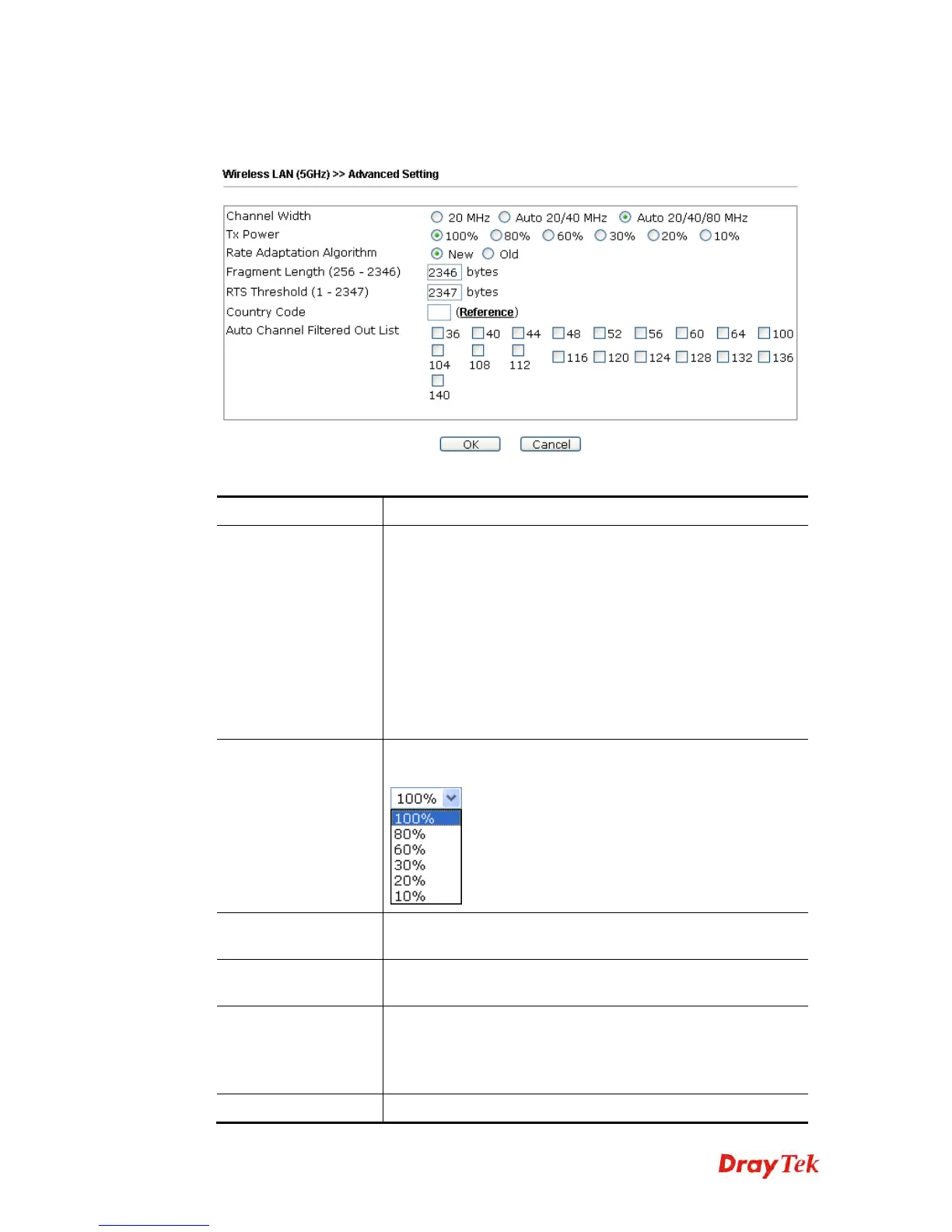
This page is to determine which algorithm will be selected for wireless transmission rate.
Available settings are explained as follows:
Item Description
Channel Width
20 MHz- the device will use 20MHz for data transmission and
receiving between the AP and the stations.
Auto 20/40 MHz– the device will use 20MHz or 40MHz for
data transmission and receiving according to the station
capability. Such channel can increase the performance for data
transmission.
Auto 20/40/80 MHz– the device will use 20MHz or 40MHz or
80MHz for data transmission and receiving according to the
station capability. Such channel can increase the performance
for data transmission.
Tx Power
The default setting is the maximum (100%). Lowering down
the value may degrade range and throughput of wireless.
Rate Adaptation
Algorithm
Wireless transmission rate is adapted dynamically. Usually,
performance of “new” algorithm is better than “old”.
Fragment Length
Set the Fragment threshold of wireless radio. Do not modify
default value if you don’t know what it is, default value is
2346.
RTS Threshold
Minimize the collision (unit is bytes) between hidden stations
to improve wireless performance.
Set the RTS threshold of wireless radio. Do not modify default
value if you don’t know what it is, default value is 2347.
Country Code
VigorAP broadcasts country codes by following the 802.11d











 To Next Page