VigorAP 902 User’s Guide
210
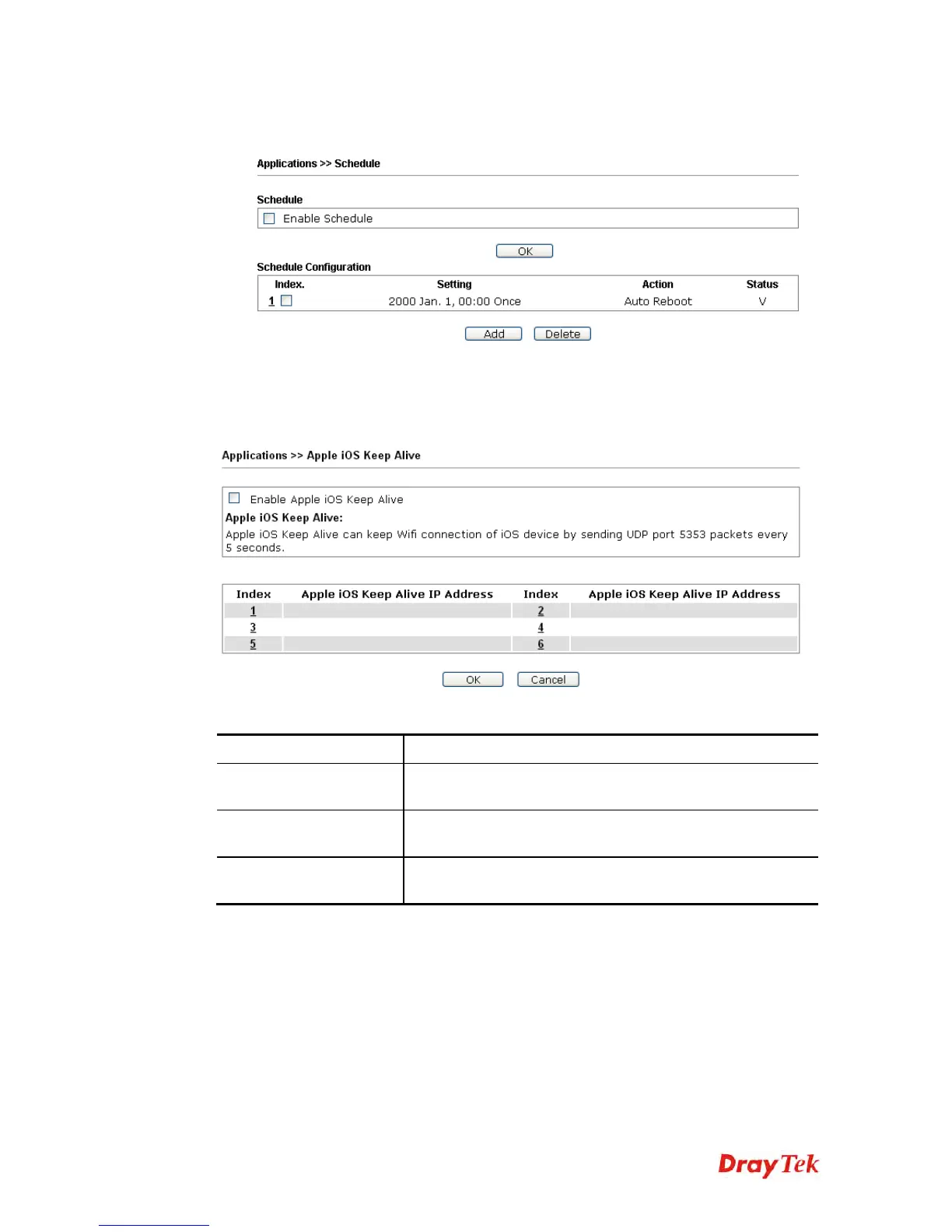
3. After finishing this web page configuration, please click OK to save the settings. A
new schedule profile has been created and displayed on the screen.
3
3
.
.
1
1
4
4
.
.
2
2
A
A
p
p
p
p
l
l
e
e
i
i
O
O
S
S
K
K
e
e
e
e
p
p
A
A
l
l
i
i
v
v
e
e
To keep the wireless connection (via Wi-Fi) on iOS device in alive, VigorAP 902 will send
the UDP packets with 5353 port to the specific IP every five seconds.
Available settings are explained as follows:
Item Description
Enable Apple iOS Keep
Alive
Check to enable the function.
Index
Display the setting link. Click the index link to open the
configuration page for setting the IP address.
Apple iOS Keep Alive IP
Address
Display the IP address.











 To Next Page