VigorAP 902 User’s Guide
218
3
3
.
.
1
1
6
6
.
.
2
2
T
T
R
R
-
-
0
0
6
6
9
9
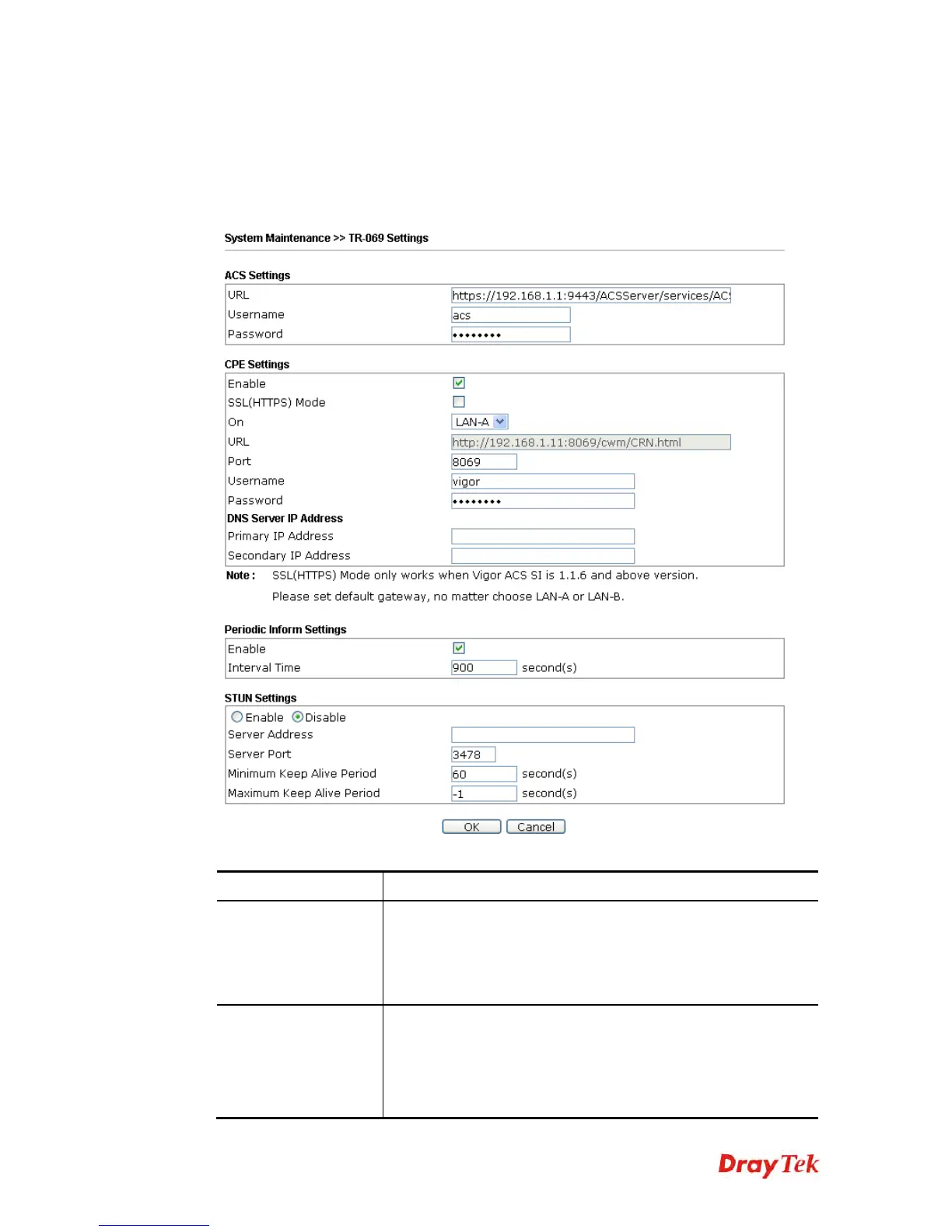
This device supports TR-069 standard. It is very convenient for an administrator to manage a
TR-069 device (Vigor router, AP and etc.) through VigorACS SI (
Auto Configuration
Server).
Available settings are explained as follows:
Item Description
ACS Settings
URL/Username/Password – Such data must be typed according
to the ACS (Auto Configuration Server) you want to link. Please
refer to Auto Configuration Server user’s manual for detailed
information. The setting for URL can be domain name or IP
address.
CPE Settings
Such information is useful for Auto Configuration Server (ACS).
Enable– Check the box to allow the CPE Client to connect with
Auto Configuration Server.
SSL(HTTPS) Mode - Check the box to allow the CPE client to
connect with ACS through SSL.











 To Next Page