VigorAP 902 User’s Guide
243
4
4
.
.
2
2
H
H
o
o
w
w
t
t
o
o
u
u
s
s
e
e
V
V
i
i
g
g
o
o
r
r
A
A
P
P
i
i
n
n
U
U
n
n
i
i
v
v
e
e
r
r
s
s
a
a
l
l
R
R
e
e
p
p
e
e
a
a
t
t
e
e
r
r
M
M
o
o
d
d
e
e
?
?
In your wireless network environment, if you want to:
1) install APs without Ethernet cable
2) extent the wireless coverage
3) solve the compatibility problems of WDS
4) get a better Wi-Fi performance
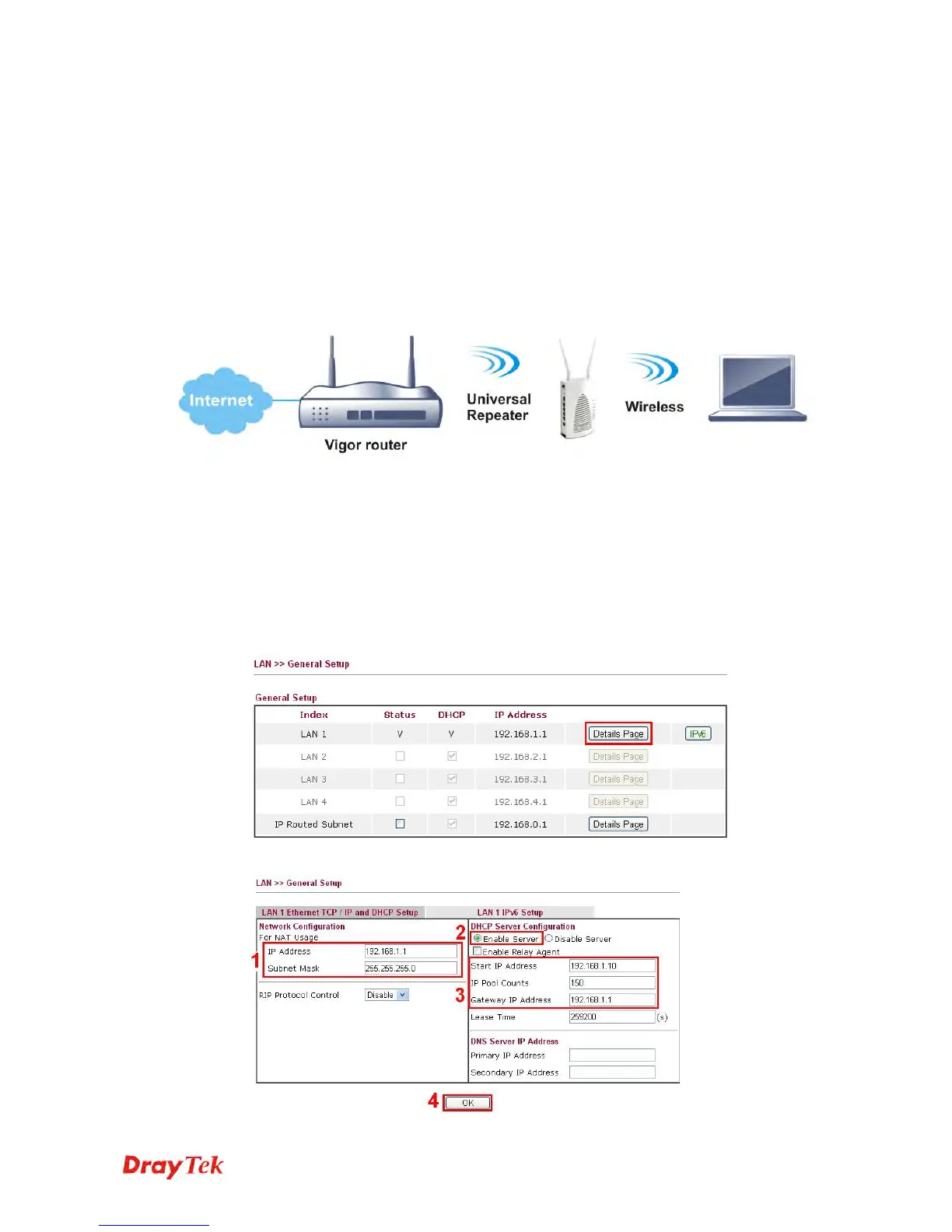
It is suggested to use Universal Repeater Mode on AP902 with a distinguishable SSID to
extent the wireless signal from Vigor router (e.g., Vigor2830n).
LAN IP: 192.168.1.1
Enable DHCP Server
SSID: DrayTek XXX
Channel: 6
Security Mode: Mixed (WPA/WPA2)
LAN IP: 192.168.1.2
SSID: DrayTek XXX X
Channel: 6
Security Mode: Mixed (WPA/WPA2)
S
S
e
e
t
t
t
t
i
i
n
n
g
g
L
L
A
A
N
N
o
o
n
n
V
V
i
i
g
g
o
o
r
r
2
2
8
8
3
3
0
0
n
n
In this example we use single LAN with 192.168.1.x/24 segment, and the DHCP server is
enabled.
1. Please go to LAN >> General Setup >> Details Page for LAN 1.
2. Set up LAN 1.











 To Next Page