VigorAP 902 User’s Guide
248
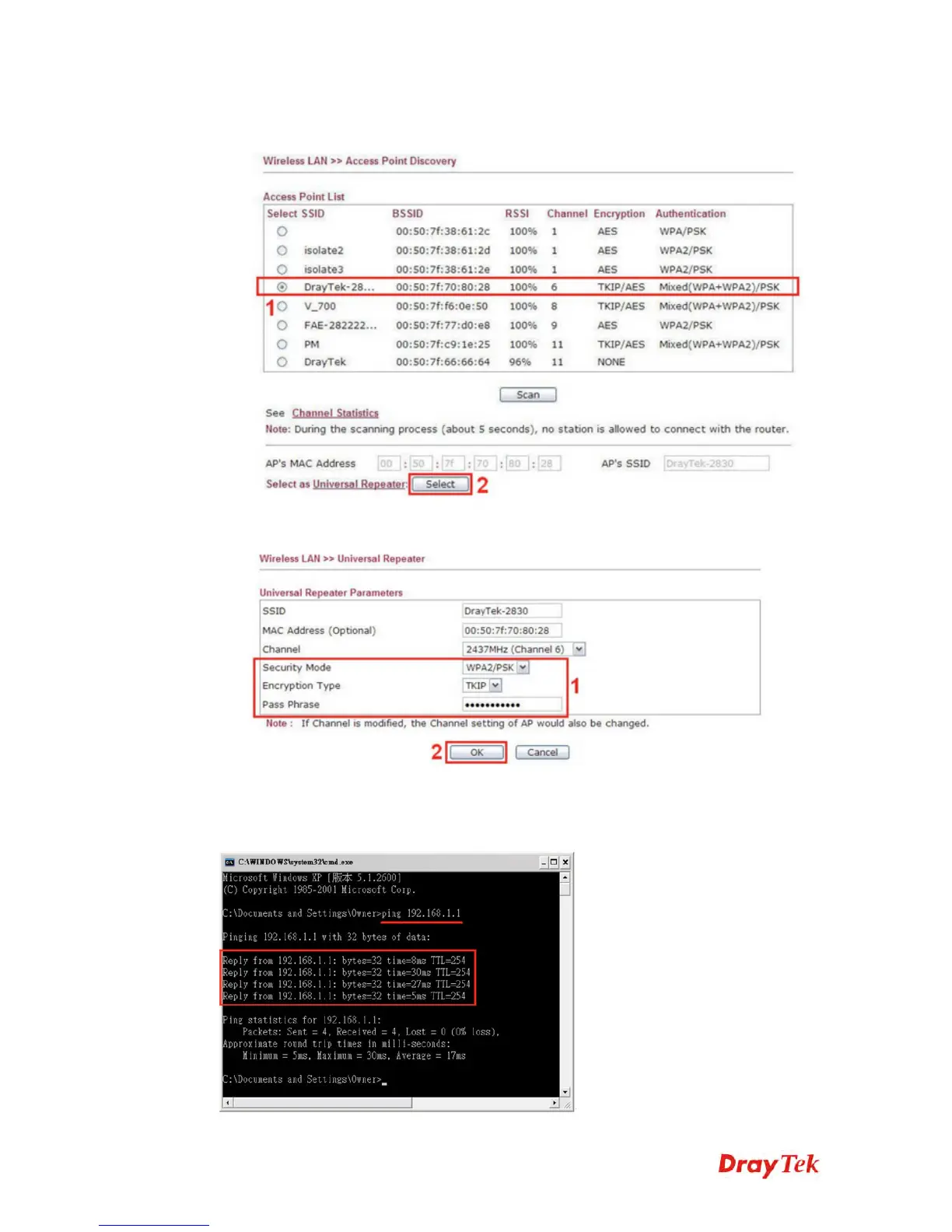
2. Choose the SSID of Vigor2830n (which is “Draytek-2830” in this example), and click
OK.
3. A window will pop up. Please enter the security information of Vigor2830n in it, and
click OK.
4. Confirm the Universal Repeater connection is up.
We can launch the Command Prompt (cmd.exe) on a wireless client of AP902 to ping
Vigor2830 to confirm the Universal Repeater connection has been established successfully.











 To Next Page