VigorAP 902 User’s Guide
73
power saving job.
Power Saving Mode – Choose this item to get into the power
saving status when there is no data passing through the access
point.
RTS Threshold
Set the RTS threshold of wireless radio. Do not modify default
value if you don’t know what it is, default value is 2347.
Fragment Threshold
Set the Fragment threshold of wireless radio. Do not modify
default value if you don’t know what it is, default value is
2346.
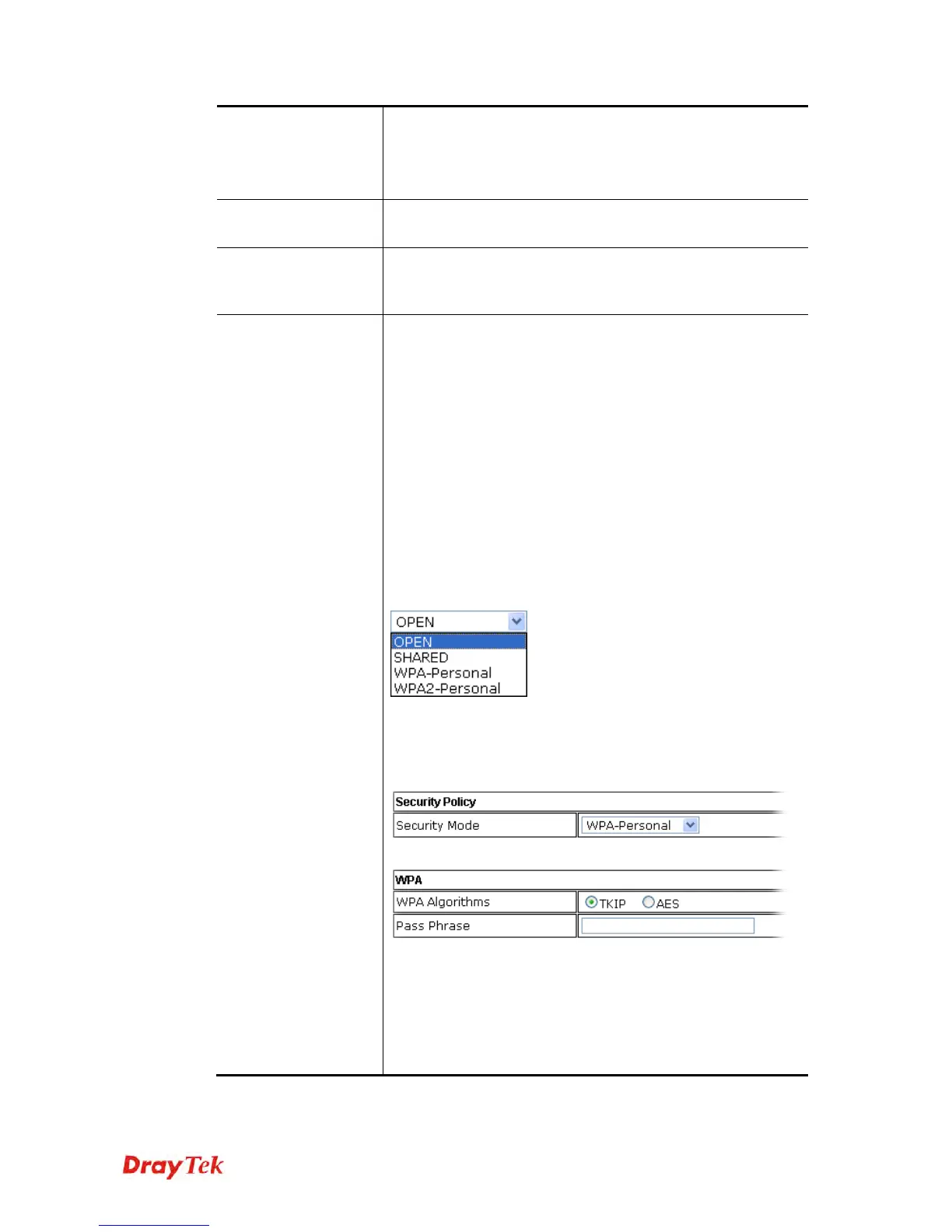
Security Mode
802.11 standard defines two mechanisms for authentication of
wireless LAN clients: Open Authentication and Shared Key
Authentication.
Choose one of the security modes from the drop down list. If
you choose OPEN or SHARED, you have to type WEP
information.
OPEN – Open authentication is basically null authentication
algorithm, which means that there is no verification of the user.
SHARED – It works similar to Open authentication with only
one major difference. If you choose OPEN with WEP
encryption key, the WEP keys is used to encrypt and decrypt
the data but not for authentication. In Shared key
authentication, WEP encryption will be used for
authentication.
If you choose WPA-Personal or WPA2-Personal, the
corresponding WPA settings will be listed as follows. You
have to choose the WPA algorithms and type the pass phrase
for such security mode.
WPA Algorithms – Choose Temporal Key Integrity Protocol
(TKIP) or AES for data encryption.
Pass Phrase – Please type 8 to 63 alphanumerical characters
here.











 To Next Page