32
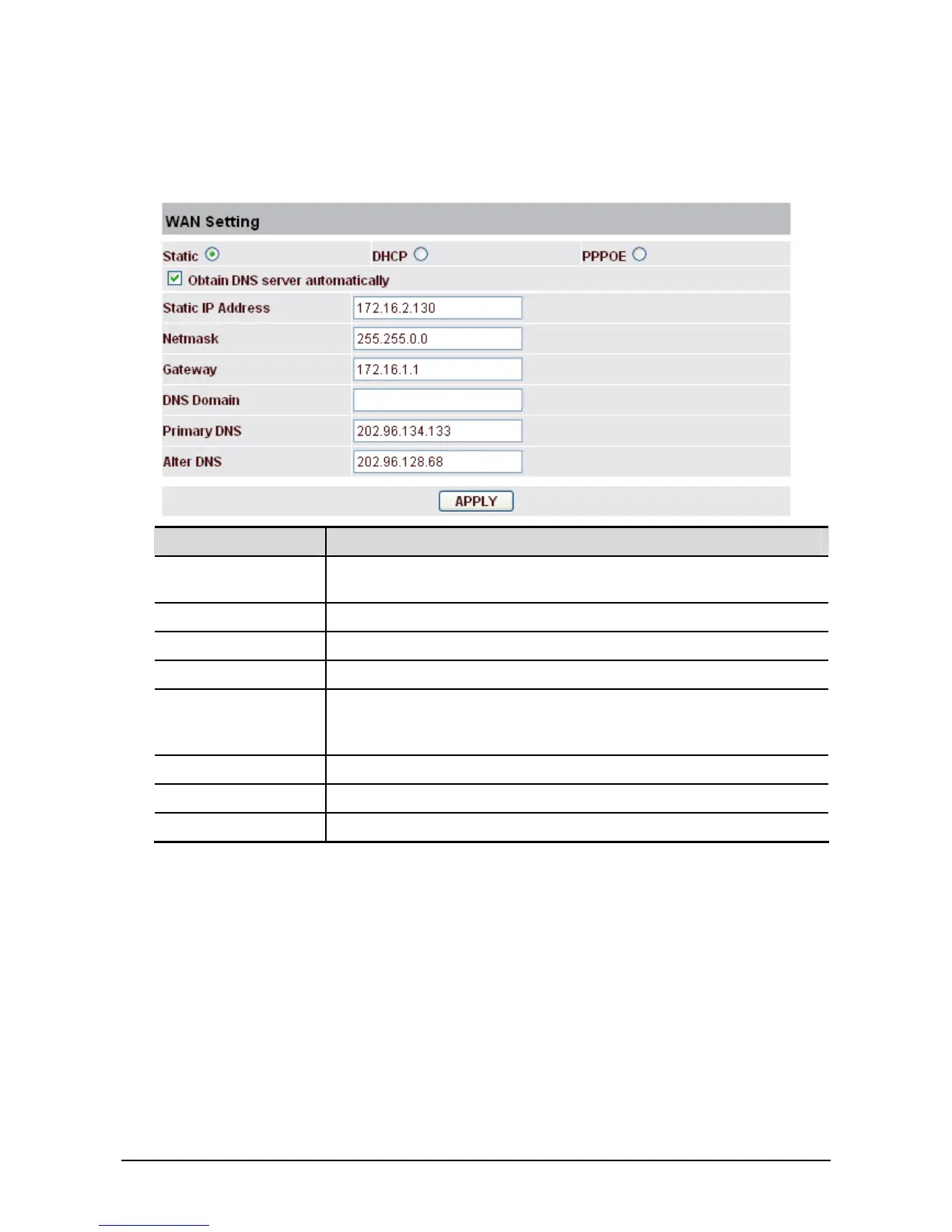
WAN Setting - Static
If your ISP server provides you the static IP address, please select Static and finish related setting. If
you don’t know about parameters of Static Mode setting, please ask your ISP for them.
Field name Explanation
Obtain DNS server
automatically
Select it to use DHCP mode to get DNS address, if you don’t select it,
you will use static DNS server. The default is selecting it.
IP Address Input the IP address distributed to you.
Netmask Input the Netmask distributed to you.
Gateway Input the Gateway address distributed to you.
DNS Domain Set DNS domain postfix. When the domain which you input can not be
parsed, phone will automatically add this domain to the end of the
domain which you input before and parse it again.
Primary DNS Input your primary DNS server address.
Alter DNS Input your standby DNS server address.
Apply Save the settings.



 To Next Page