33
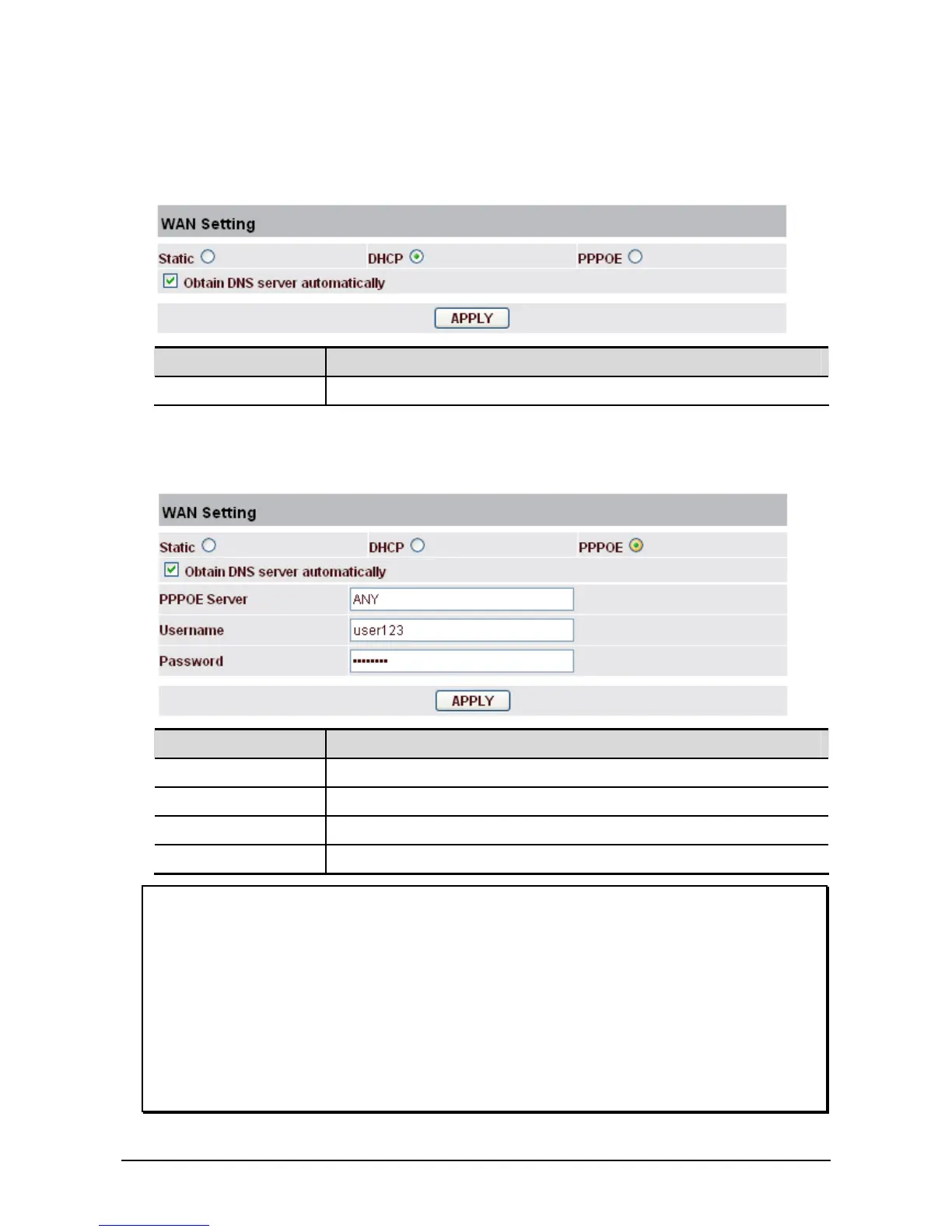
WAN Setting - DHCP
If you uses DCHP mode, you will get the information from the DHCP server automatically. You don’t
need to input this information artificially.
Field name Explanation
Apply Save the settings.
WAN Setting - PPPoE
If you uses PPPoE mode, you need to make the following settings.
Field name Explanation
PPPoE Server It will be provided by ISP.
Username Input your ADSL account.
Password Input your ADSL password.
Apply Save the settings.
Notice:
1. Click Apply button after finished your setting. IP Phone will save the setting automatically and new
setting will take effect.
2 If you modify the IP address, the web page will not response by the old IP address. Your need input
new IP address in the address column to logon in the phone.
3. If networks ID which is DHCP server distributed is same as network ID which is used by LAN of
system, the system will use the DHCP IP to set WAN, and modify LAN’s networks ID(for
example, system will change LAN IP from 192.168.10.1 to 192.168.11.1) when it uses DHCP client
to get IP in startup. If the system uses DHCP client to get IP in running status and network ID is
also same as LAN’s, the system will refuse to accept the IP to configure WAN. So WAN’s active IP
will be 0.0.0.0.



 To Next Page