V
V
-
-
1
1
-
-
1
1
-
-
2
2
T
T
r
r
u
u
s
s
t
t
P
P
o
o
r
r
t
t
s
s
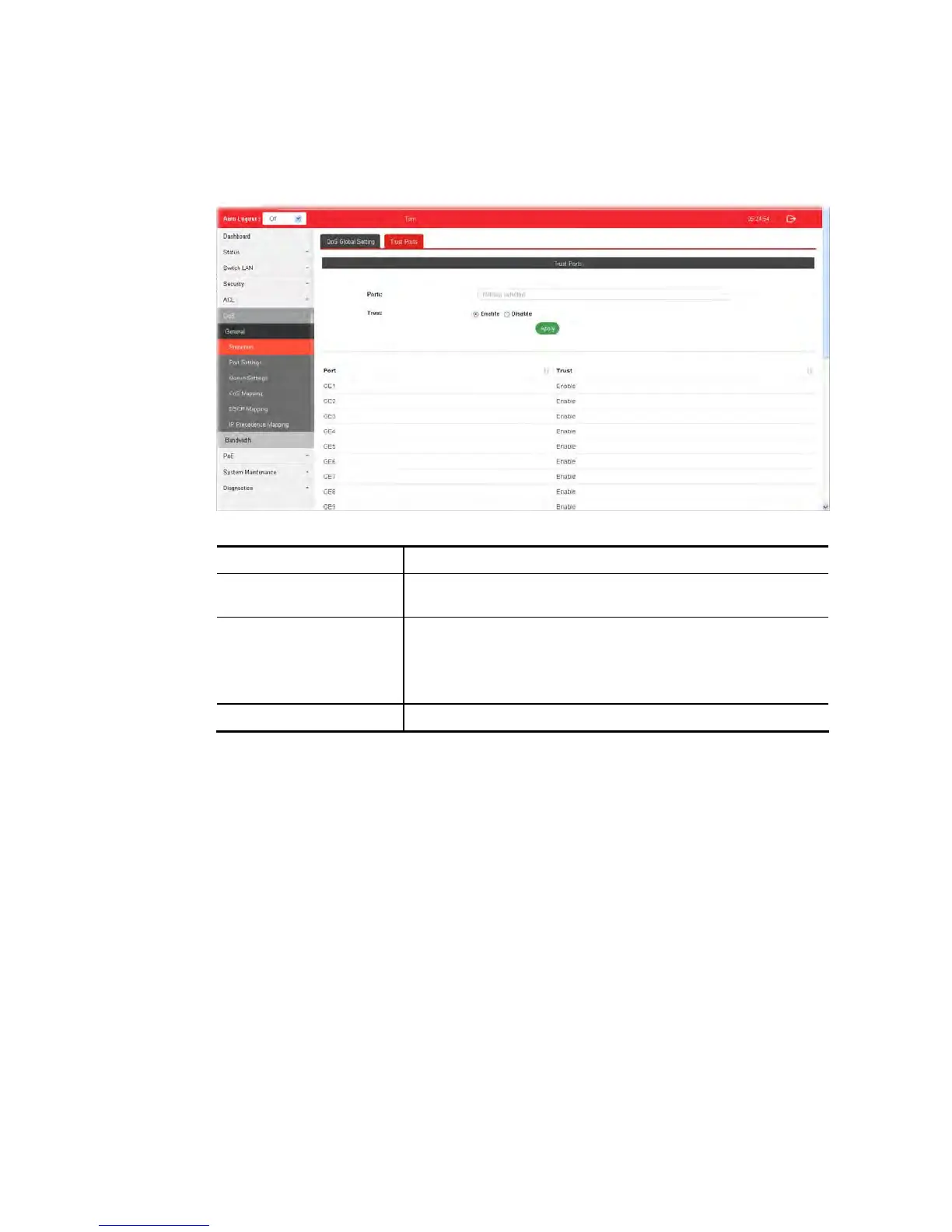
This page allows the network administrator to enable the trust mode of basic QoS on each
port. Port that is trust disabled will be sent with lowest priority queue. The configuration
result for each port will be displayed on the table listed on the lower side of this web page.
Available settings are explained as follows:
Item Description
Ports Use the drop down list to select the port profile (GE1 to GE28)
or profiles.
Trust Click Enable to make traffic follow the trust mode in general
setting.
Enable - Traffic will follow trust mode in general setting.
Disable – No QoS service for this port.
Apply Apply the settings to the switch.





 To Next Page