I
I
I
I
-
-
7
7
-
-
2
2
-
-
6
6
F
F
o
o
r
r
w
w
a
a
r
r
d
d
A
A
l
l
l
l
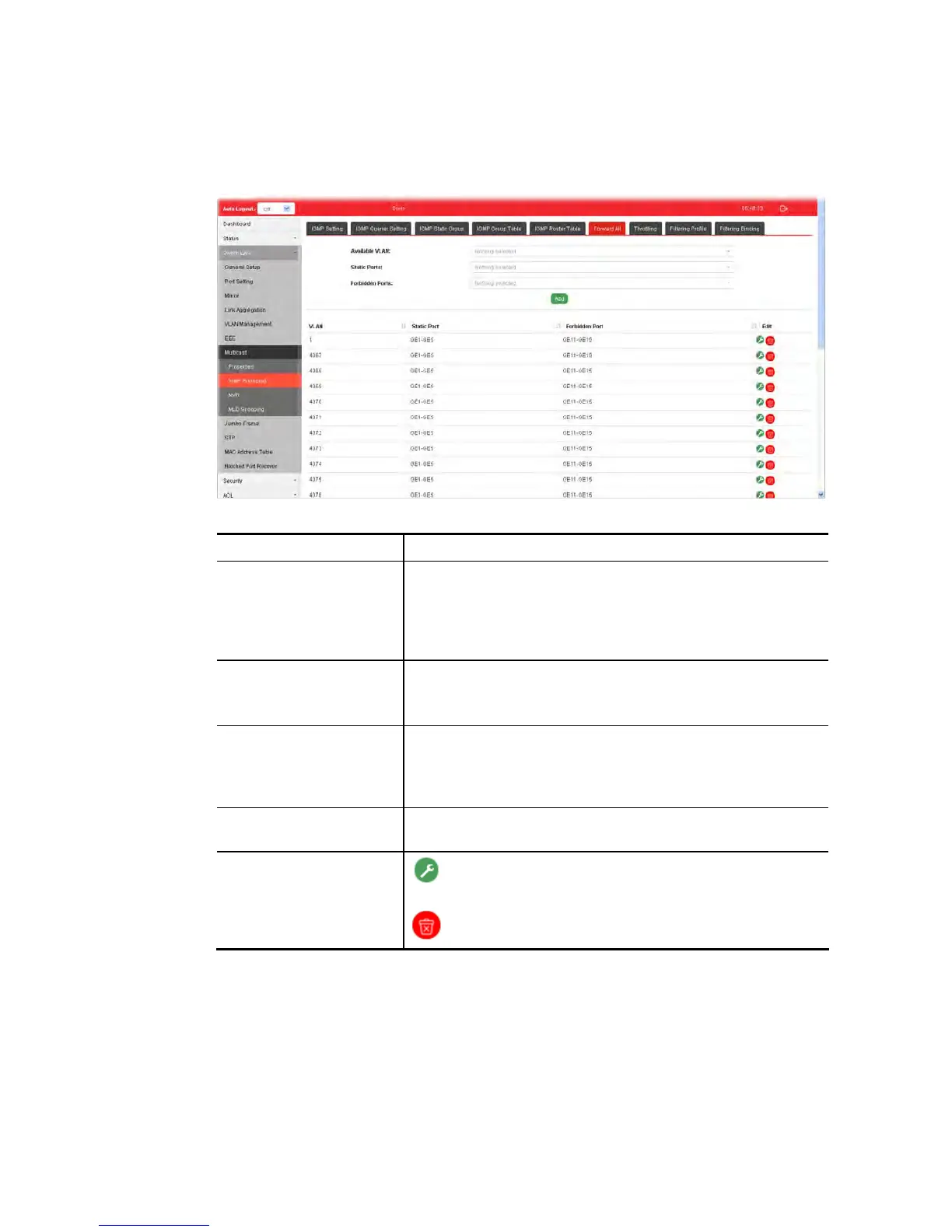
This page is allowed to determine which port(s) would like to receive the data (multicast
packets) that forwarded by VigorSwitch.
Available settings are explained as follows:
Item Description
Available VLAN To display all of the available VLAN, the State must be set as
Enabled in MLD Setting first.
Use the drop down list to specify a VLAN profile (created in
Switch LAN>>VLAN Management>>Create Vlan) that
multicast packets will be forwarded to.
Static Ports Use the drop down list to specify LAN Port (GE/LAG).
Later, the multicast packets will be delivered to the network
device connected by these ports.
Forbidden Ports Use the drop down list to specify forbidden LAN Port
(GE/LAG).
Later, the multicast packets will not be delivered to the
network device connected by these ports.
Add Click it to display the result based on the settings configured
above.
Edit
- Click it to modify port setting (static port and forbidden
port).
- Click it to remove the selected entry.















 To Next Page