I
I
I
I
-
-
5
5
-
-
6
6
S
S
u
u
r
r
v
v
e
e
i
i
l
l
l
l
a
a
n
n
c
c
e
e
V
V
L
L
A
A
N
N
Surveillance VLAN can be configured for VigorSwitch to identify the packets coming from an IP
camera automatically and assign those traffics to a specific VLAN ID and CoS/802.1p value,
this helps you to prioritize those traffics and improve video quality.
I
I
I
I
-
-
5
5
-
-
6
6
-
-
1
1
P
P
r
r
o
o
p
p
e
e
r
r
t
t
y
y
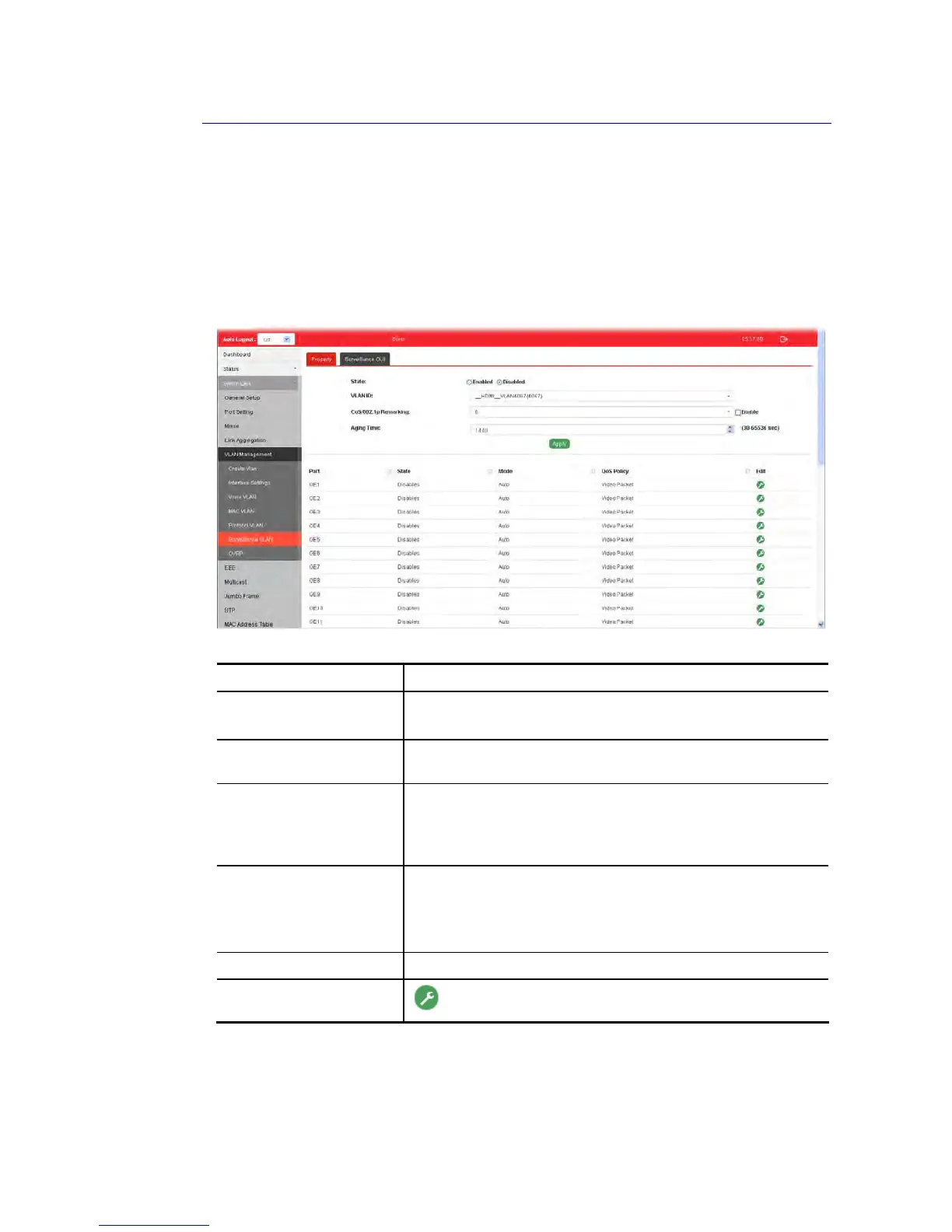
This page is for setting up the VLAN to which the video traffic should be assigned and to
enable/disable Surveillance VLAN on each port.
Available settings are explained as follows:
Item Description
State Enabled – Click it to enable the port settings for such VLAN.
Disabled – Click it to disable the port settings for such VLAN.
VLAN ID Choose a VLAN profile (created in Switch LAN>>VLAN
Management>>Create Vlan) as Surveillance VLAN.
CoS/802.1p Remarking Specify the CoS/802.1p number you wish ingress packets be
tagged with, so that QoS can prioritize it correctly.
Enable - If enabled, qualified packets will be remarked by this
value.
Aging Time Unit is second.
Select value of aging time (30~65536 seconds).
Default is 1440 seconds. VLAN entry will be aged out after this
time if no packet passes through.
Apply Apply the settings to the switch.
Edit
- Click it to modify port setting status.















 To Next Page