I
I
I
I
-
-
5
5
-
-
3
3
-
-
3
3
P
P
o
o
r
r
t
t
S
S
e
e
t
t
t
t
i
i
n
n
g
g
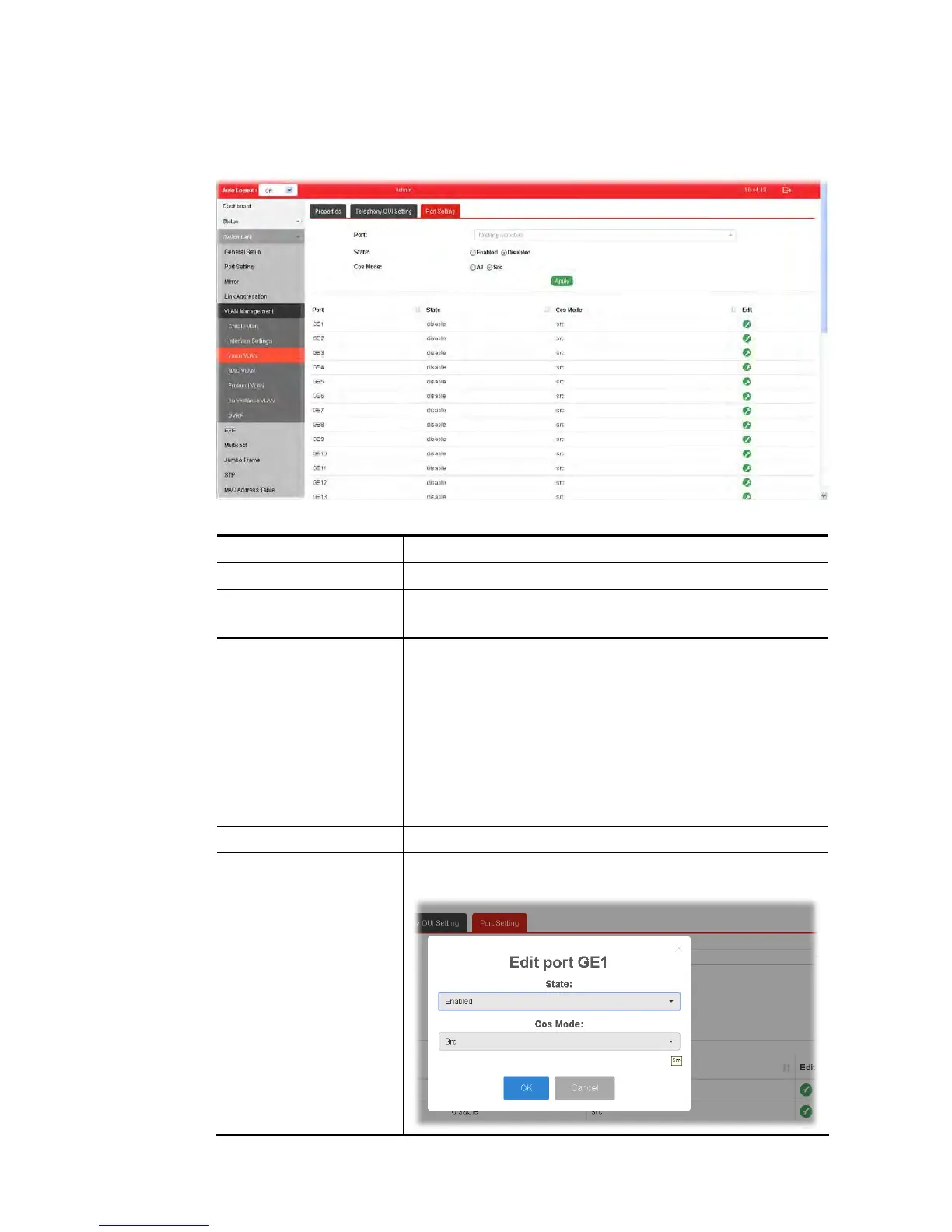
This page allows a user to specify LAN port(s) as Voice LAN port.
Available settings are explained as follows:
Item Description
Port Use the drop down list to specify one or more LAN ports.
State Enabled – Click it to enable the port settings for Voice LAN.
Disabled – Click it to disable the port settings for Voice LAN.
Cos Mode If Remark CoS/802.1p is enabled in Voice VLAN>>Properties,
settings in this page shall be applied. Otherwise, this option
will not take effect.
All - Once this port is identified as Voice VLAN by frame with
matched OUI, remark CoS/802.1p shall tag for all ingress
frame regardless of remarked frame matched with
pre-configured OUI or not.
Src (Source) - Once this port is identified as Voice VLAN by
frame with matched OUI, remark CoS/802.1p shall tag for only
the matched ingress frame with pre-configured OUI.
Apply Apply the settings to the switch.
Edit Click the icon under Edit for one entry to modify port settings
(State, Cos Mode) for voice VLAN.















 To Next Page