for best reliability.
I
I
I
I
-
-
4
4
-
-
3
3
L
L
A
A
G
G
P
P
o
o
r
r
t
t
S
S
e
e
t
t
t
t
i
i
n
n
g
g
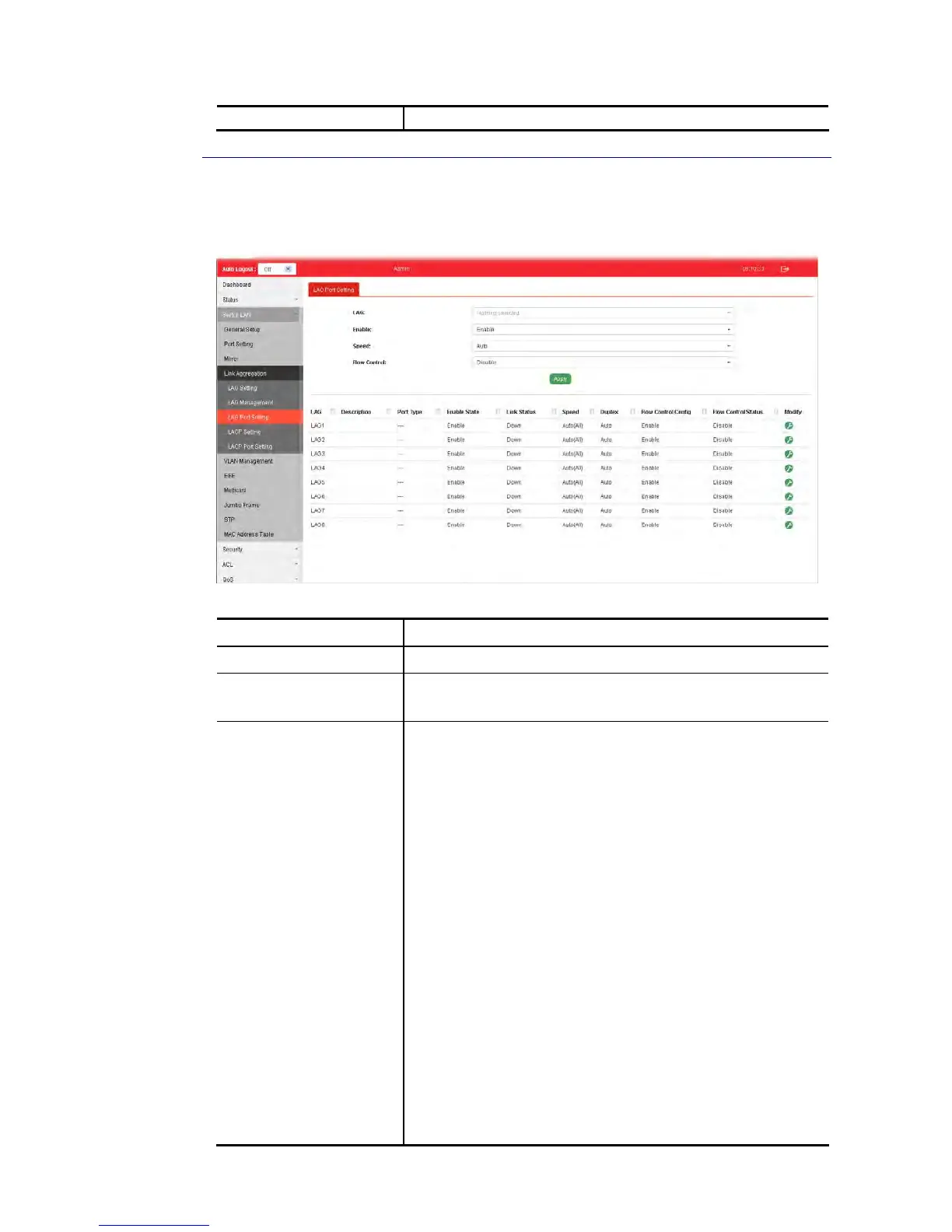
This page defines port setting for each LAG profile (LAG1 to LAG8), including data speed and
enabling/disabling the flow control.
Available settings are explained as follows:
Item Description
LAG Use the drop down list to selelct one or more LAG profiles.
Enable Enable –Click it to enable the profile.
Disable – Click it to disable the profile.
Speed Port speed capabilities:
Auto: Auto speed with all capabilities.
Auto-10M: Auto speed with 10M ability only.
Auto-100M: Auto speed with 100M ability only.
Auto-1000M: Auto speed with 1000M ability only.
Auto-10/100M: Auto speed with 10/100M ability.
10M: Force speed with 10M ability.
100M: Force speed with 100M ability.
1000M: Force speed with 1000M ability.
Selecting Auto (auto-negotiation) allows one port to negotiate
with a peer port automatically to obtain the connection speed
and duplex mode that both ends support. When
auto-negotiation is turned on, a port on the switch negotiates
with the peer automatically to determine the connection
speed and duplex mode. If the peer port does not support
auto-negotiation or turns off this feature, the switch
determines the connection speed by detecting the signal on
the cable and using half duplex mode. When the switch’s
auto-negotiation is turned off, a port uses the pre-configured
speed and duplex mode when making a connection, thus
requiring you to make sure that the settings of the peer port
are the same in order to connect.















 To Next Page