V
V
-
-
2
2
B
B
a
a
n
n
d
d
w
w
i
i
d
d
t
t
h
h
Use the bandwidth setting pages to define values that determine how much traffic the switch
can receive and send on specific port or queue.
V
V
-
-
2
2
-
-
1
1
I
I
n
n
g
g
r
r
e
e
s
s
s
s
R
R
a
a
t
t
e
e
L
L
i
i
m
m
i
i
t
t
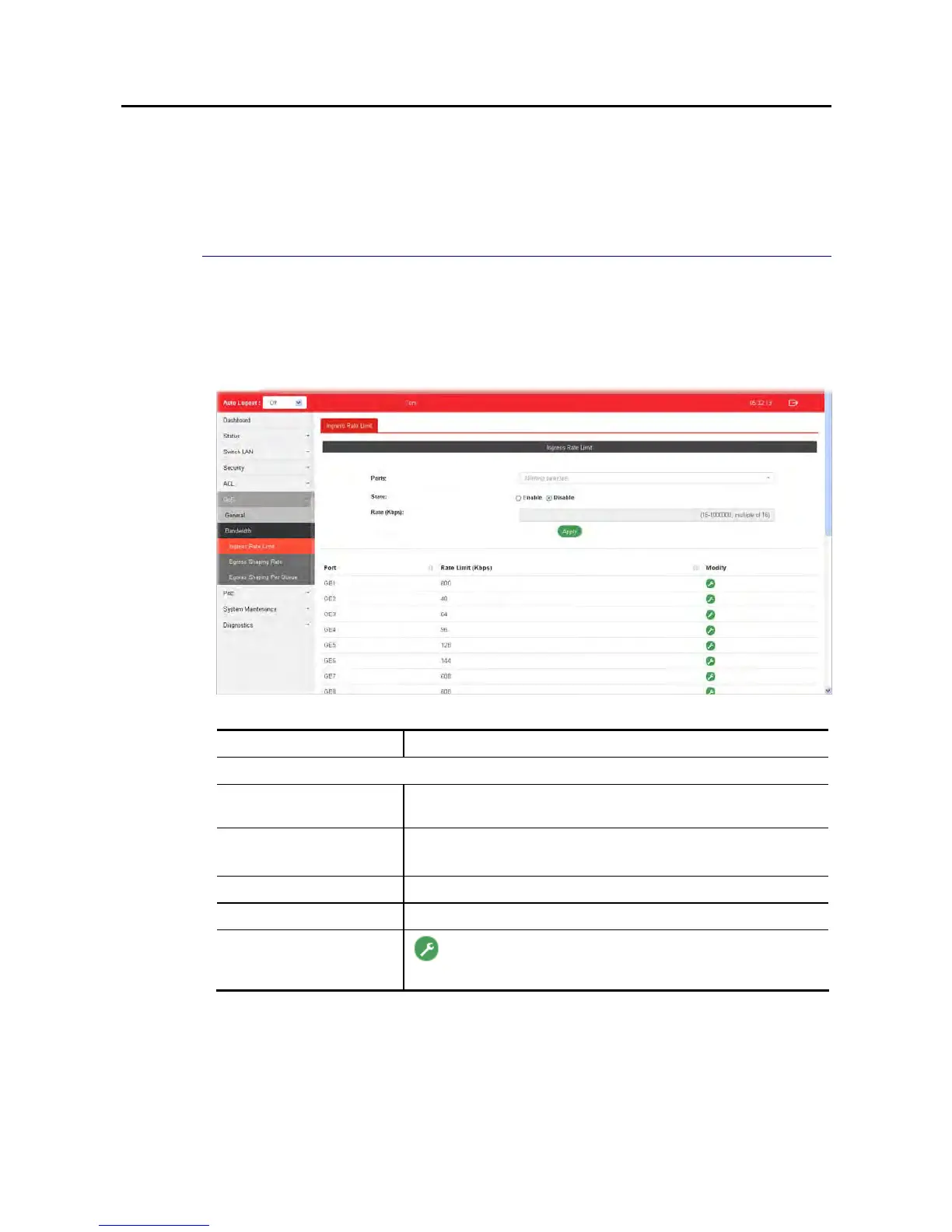
This page allows a user to configure ingress port rate limit. The ingress rate limit is the
number of bits per second that can be received from the ingress interface. Excess bandwidth
above this limit is discarded. The configuration result for each port will be displayed on the
table listed on the lower side of this web page.
Available settings are explained as follows:
Item Description
Ingress Rate Limit
Ports Use the drop down list to select the port profile (GE1 to GE28)
or profiles.
State Disable – Disable ingress bandwidth control.
Enable - Enable ingress bandwidth control.
Rate (Kbps) Enter the rate value,<16-1000000>,unit:16 Kbps.
Apply Apply the settings to the switch.
Modify
- Click it to modify the settings for the selected port
profile.















 To Next Page