MANUAL PC-200
Ver. 2.12.xx/10/22/2010-UK
Page 6 (61)
D a t e : 0 5 / 0 3
T i m e : 1 2 . 3 5
O v . f l o w [ h ]
O v . f l o w N o s
L e v e l [ m ] :
1 . 1 9
U R U S U T
0 2 3 0 2 3 0 V
P e r s . Ala r m ON
8 0 0 s e c
P 1 O p h r s . . : 5
P 1 N o s . : 3 5
P 2 O p h r s . : 5
P 2 N o s . : 35
3 Menu overview
3.1 Main menu – Status windows, settings and alarm handling
L e v e l s e t t i n g s ►
S y s t e m s e t t i n g s ►
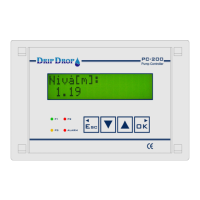
This is the start window, which always is shown.
In the menu for the system settings, all settings for Applications, In/outputs, Levels,
Pumps, Station, Voltage relay and miscelaneous settings like, communications etc.
are made. See system settings chapter 3.2 and 5.
In this menu you have fast access to set the start/ stop levels of the pumps and to
the alarm level for low and high level. See level settings chapter 7.
Menu to start and stop pumps manually.
Can only be hand started if the conditions allow this. See chapter 7
The menues for The UP key takes you to settings, alarm handling and manual control
of pumps.
The DOWN key takes you to all status windows. NOTE tat the shadowed display
windows will always be shown not depending on the setting of the functions. Not
shadowed will only be shown if the functions are activated.
Menu to look at and acknowledge alarms and look at the alarm history. See
further chapter 8
Shows actual value for analogue input 2. If input 2 is activated. See chapter 4
Shows actual voltage between all phases and neutral if the voltage relay function is
activated. See further 5.2.5 and 5.5
Shows actual status for person alarm if the function is
activated. Chapter 5.4.5
The pumpstatus window shows if the pum is running or not. If the pump current
function is activated the pump current will be display for running pump.
Shows total running time and number of starts for pump 1.
Shows total running time and number of starts for pump 2.
Shows total overflow time and numbers of overflows. Is only shown if the overflow
float function is activated. See further 5.2.1
Shows actual flow on pulse input. Only shown if pulse input is activared
See 5.2.3
Shows total pumped volume onnumber pulse input. Show only if pulse input is
activated. See 5.2.3
F l o w [ m 3 / h ] :
0 . 0


 To Next Page
