MANUAL PC-200
Ver. 2.12.xx/10/22/2010-UK
Page 36 (61)
P a r i t y
◄◄◄ n o n e
0
P r o t o c o l
◄◄◄ C o m l i
0
S t a t i o n I D
◄◄◄ 1
0
C o m m u n i c a t i o n ►
◄
0
C o n n e c t i o n . ►
◄◄
0
L i n k
◄◄◄ D i r e c t
0
C o n n e c t i o n . ►
◄◄
0
C o n n s e t t i n g s ►
◄◄
0
G S M s i g n . s t r e n g t ►
◄◄
0
5.6 Miscellaneous
Under miscellaneous settings are the settings for communication, log-in, clock setting, default settings,
erase alarms, erase counters, erase runtimes and contrast control found.
5.6.1 Communication
Communication settings
Connection settings
Next step after the communication parameters is the connection settings . Which type of
communication equipment is to be used and what settings have to be made for the equipment
to work correctly. Communication alternatives are:
Direct (Fixed cable or radio)
The direct communicationen is the simplest way to communicate as communication is always
available.
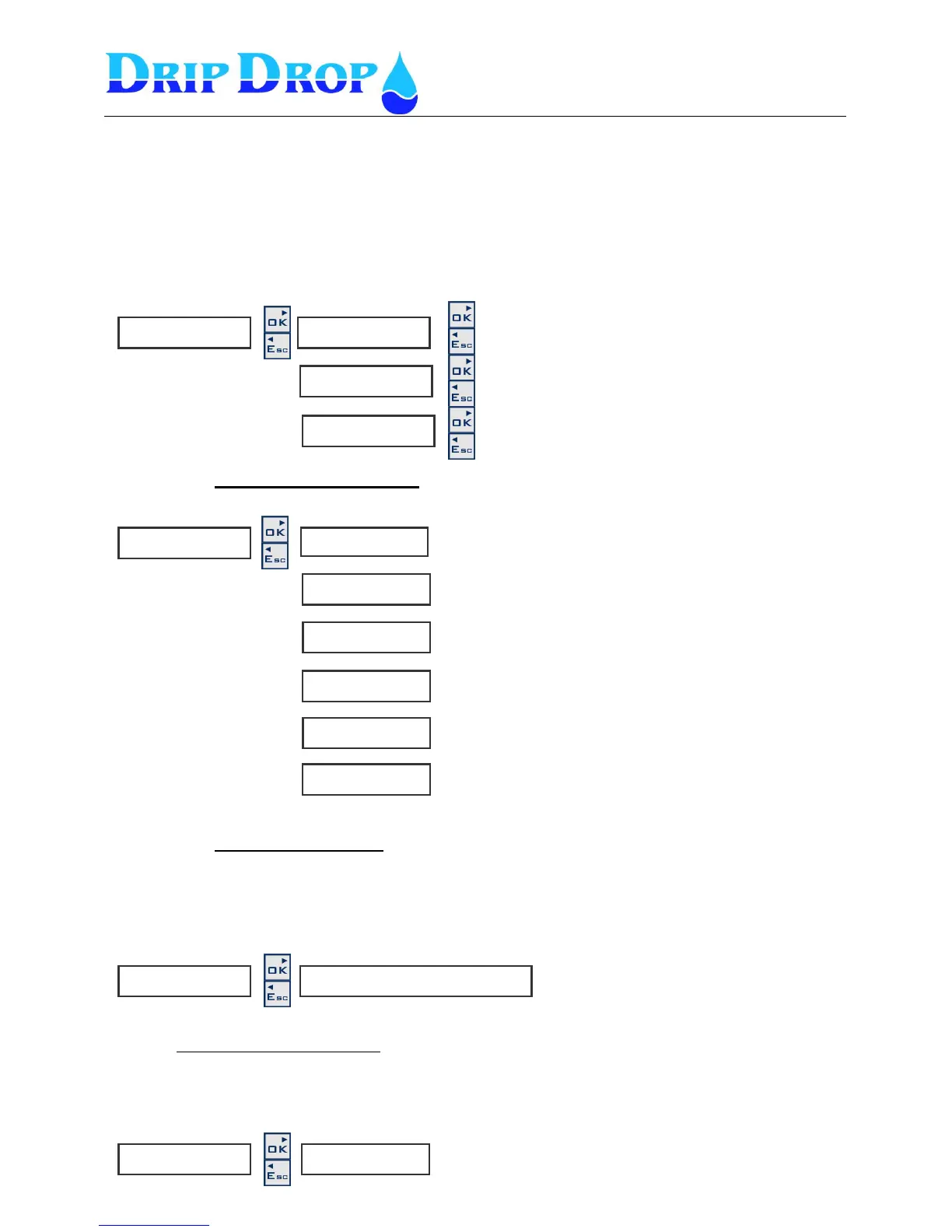
C o m m . s e t t i n g s ►
◄◄
R a t e [ b p s ]
◄◄◄ 9 6 0 0
The baud rate is between 1200 to 115000 baud.. Factory
setting is 9600
Here the number of stop bits is set
Choose between Modbus or Comli
Here the communication ID is set
Here the station ID is set
Here the parity is set. Choice between
None, even or odd
C o m m . s e t t i n g s . ►
◄◄
L i n k .
◄◄◄ D i r e c t D i a l u p G S M - S M S
Choices are, Direct, Dial up and GSM-SMS
Here theconnection settings and modem settings
are made
This window shows the GSM signal strength. This menu is
only shown if a GSM modem is selcted under connection
settings


 To Next Page