MANUAL PC-200
Ver. 2.12.xx/10/22/2010-UK
Page 9 (61)
P 1 P 2 P 3
o f f o n o n
P 1 O p . h : 5
P 1 N o s : 3 5
P 2 O p .h: 5
P 2 N o s : 3 5
O v . f l o w [ h ] 0
O v . F l o w N o s 3 1
F l o w [ m 3 / h ] :
0 . 0
P 3 O p . h : 5
P 3 N o s : 3 5
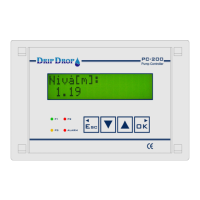
4.5 Pump status
In the pump status windows the information about all pumps is available.
The first information window shows if pumps are running, and if they are in auto or not in auto.
The following windows show the total values for operating hours and number of starts for each pump.
This information is only available in these windows. Only pumps that are used are shown.
4.6 Overflows (only shown if overflow function is activated)
If the overflow switch function is activated, the total overflow duration and total number of overflows
will be shown.
4.7 Flow status
If the digital pulse counter input for flow is used, in these two windows you will see the actual instant
flow and the accumulated total volume pumped.
Shows if the pumps are on/off.
If the current measurement is activated when the pump is on the pump
current will be shown.
If the a pump is Not in auto this will be shown by the two vertical lines
surrounding thepump number │P1│.
In the second pump status window the total operation hours and number of
starts for pump 1 will be shown.
The following windows will show the corresponding values for pump 2 and 3, if
used.
If the corresonding digital input for overflow detection is activated , this
window will show the total duration of overflowing conditions and the number
occured overflows.
The instant actual flow will be shown, according to the configuration of the digital
pulse input for flow measured in m3/h or l/s.
The total pumped volume will be shown in m3/h.


 To Next Page