Status menus
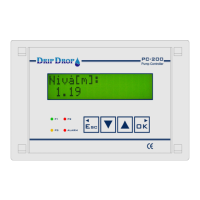
When in the normal standby mode the controller will show the actual level in the pump pit at all times.
By pressing the down arrow ▼you will have direct access to status windows which are organized in a
loop, where, by each pressing of an arrow button you will see the next status window in the loop.
In this menu you will find information about the level, pump and station status etc.
4.1 Start window (Level)
This is the window that is always displayed when the unit is in normal working mode.
4.2 Analogue input 2 (Free choice)
Will appear only if analogue input 2 is activated and configured.
Actual value for the analogue input 2 is shown in the next window. As this input is editable regarding
texts, units and scaling and will show the configured values.
4.3 Voltage input (phase measurement)
The voltage reading for each phase (Phase-N) will be shown if the voltage relay is activated and the
corresponding wiring is done (three phases and neutral)
4.4 Attendance check (person- / intruder alarm)
If the attendance check function is activated, personal alarm or intruder alarm, in this window the
status for the function is shown, on/off and the remaining delay time for the alarm to go active.


 To Next Page
