62
VAPOR-LOGIC
®
VERSION 6 INSTALLATION AND OPERATION MANUAL
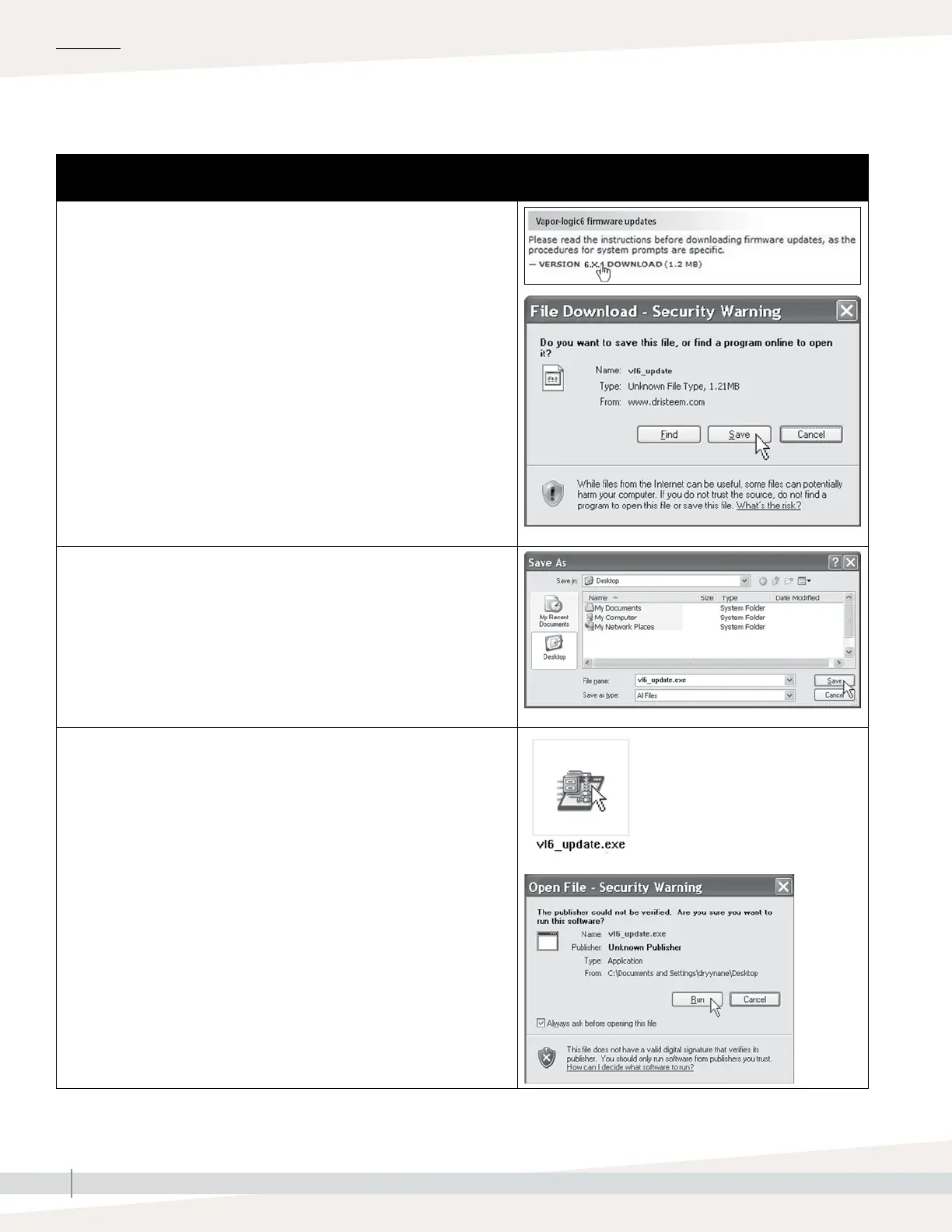
Table 62-1:
Downloading Vapor-logic firmware updates
1. Click the link shown to the right on the Vapor-logic firmware updates page of
www.dristeem.com.
If a security window appears, click the Save button.
Note: Your browser and operating system might be set up differently, the
screenshots are provided as a general road map.
2. When prompted for a save location, choose your desktop.
3. Click the Save button.
4. On your desktop, double-click the new vl6_update.exe file.
5. If a Security Warning appears, click the Run button.
A WinZip Self-Extractor window appears.
Continued
Firmware updates
OPERATION



 To Next Page