63
VAPOR-LOGIC
®
VERSION 6 INSTALLATION AND OPERATION MANUAL
Firmware updates
Table 62-1:
Downloading Vapor-logic firmware updates (continued)
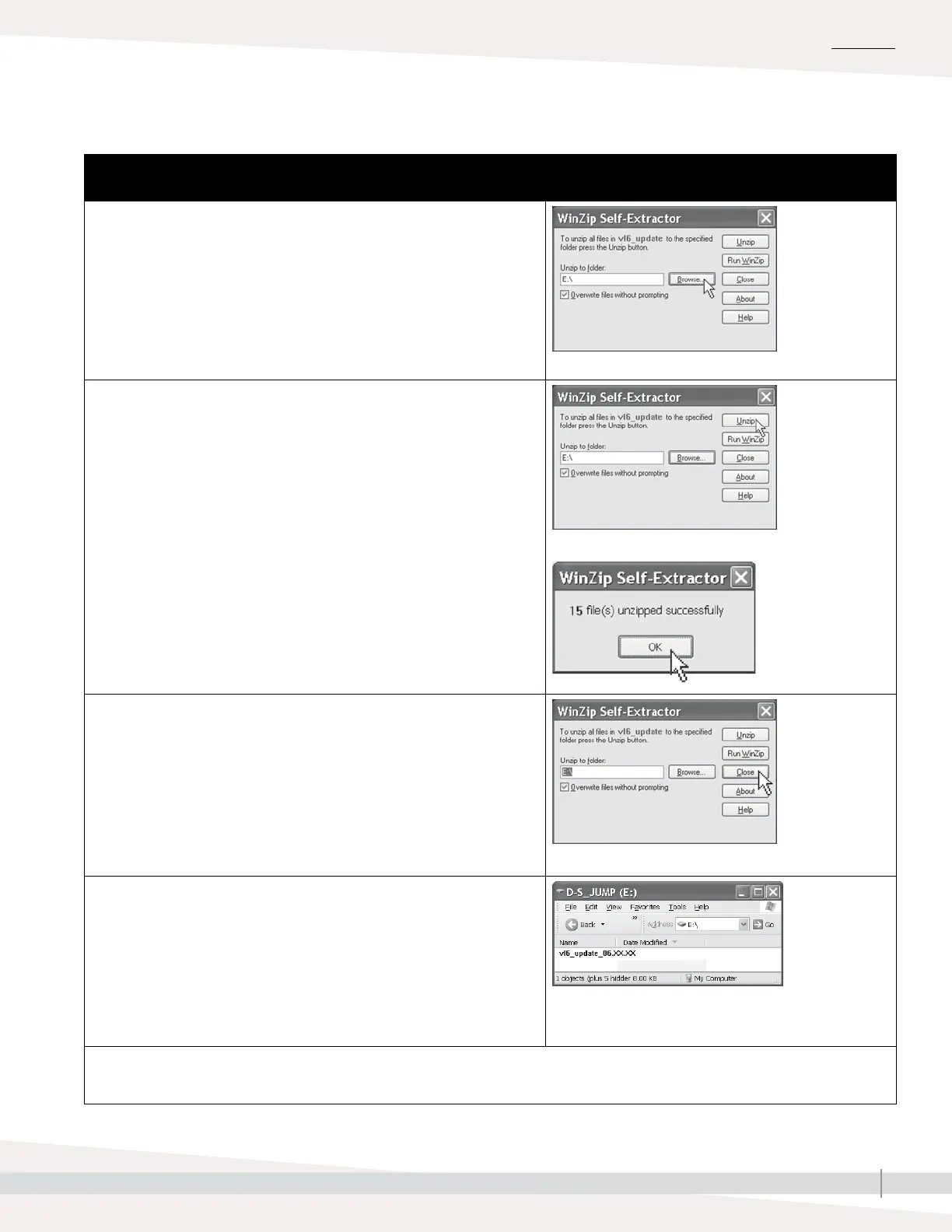
6. Click the Browse button in the WinZip Self-Extractor window, and select your
USB flash drive as the target location.
7. Click the Unzip button in the WinZip Self-Extractor window.
A WinZip window opens to confirm that the firmware update has been
unzipped.
8. Click the OK button.
9. Click the Close button to close the WinZip Self-Extractor window.
10. Open your USB flash drive. Confirm that it contains a folder named
vl6_update_xx.xx.xx (where x represents the version number) and that it has
today’s timestamp.
11. Remove the USB flash drive from your computer.
12. Proceed to “Installing firmware updates” on Page 64.
OPERATION



 To Next Page