menu
This menu allows enabling, disabling and
some motorcycle functions.
For safety reasons, you can enter this Menu only
when the speed is lower than or equal to 5 km/h (3
mph). If you are inside the menu and the
speed exceeds 5 km/h (3 mph) the instrument panel
automatically exits from the menu. It is
recommended to use this menu with the motorcycle
at a standstill.
●
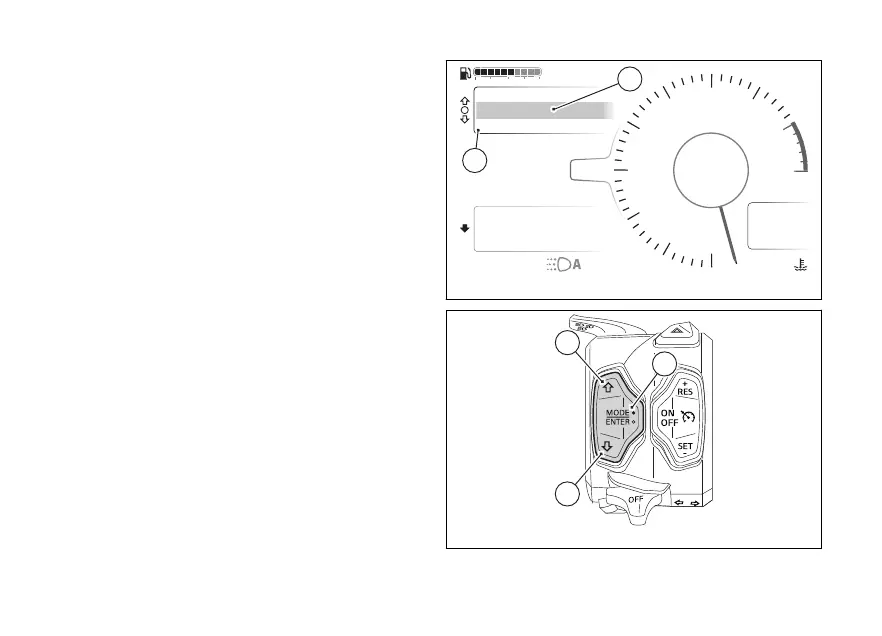
Select the Interactive Menu (A, Fig 108) by
pressing and holding (1) pressed for a
long time.
●
Use (1) and (2) to select item
menu (B, Fig 108)and press the ENTER
(3).
Air
24
°C
0
km/h
90
°C
10:34
pm
rpm X1000
4
1
2
3
5
6
7
8
10
12
NN
Gear
Total
Range
2017 km
250 km
Phone
Music
Setting menu
URBAN
A
B
DTC
DQS
ABS
DWC
3
3
5
On
Fig 108
Fig 109
125











 To Next Page