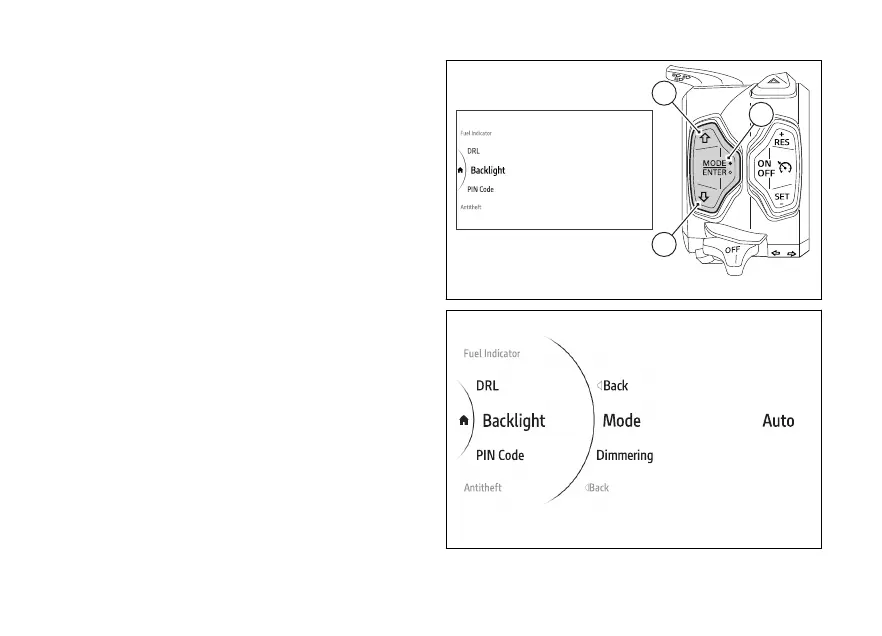
menu - Backlight
This function allows the day or night mode
and adjust the backlight intensity.
●
Use (1) and (2) from the Interactive
Menu to select the menu item and press
ENTER (3).
●
Select the Backlight item and press ENTER (3).
Mode and Dimmering are displayed in the middle.
While the currently set level is shown on the right
(Fig 136).
Use (1) and (2) to scroll and select the desired
item. Press ENTER (3) to confirm.
Fig 135
Fig 136
158











 To Next Page