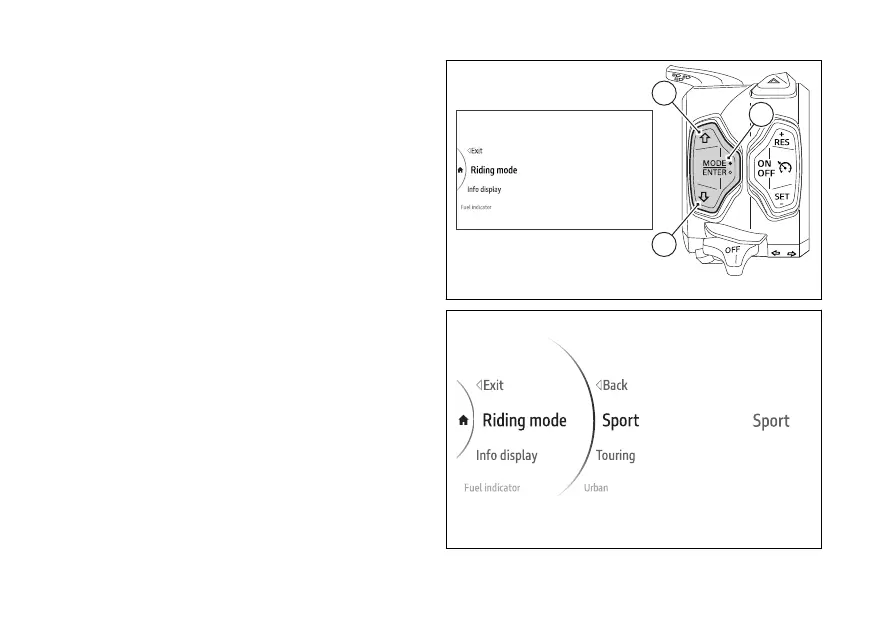
menu - Riding Mode
This function allows customising each Riding mode.
●
Use (1) and (2) from the Interactive
Menu to select the menu item and press
ENTER (3).
●
Select the Riding Mode item and press ENTER
(3).
The Touring, Enduro, Urban Riding Modes
and Default item are displayed (only visible if one or
more parameters of one or more riding modes have
been changed). The active Riding Mode (Fig 112) is
displayed on the right side.
Fig 111
Fig 112
127











 To Next Page