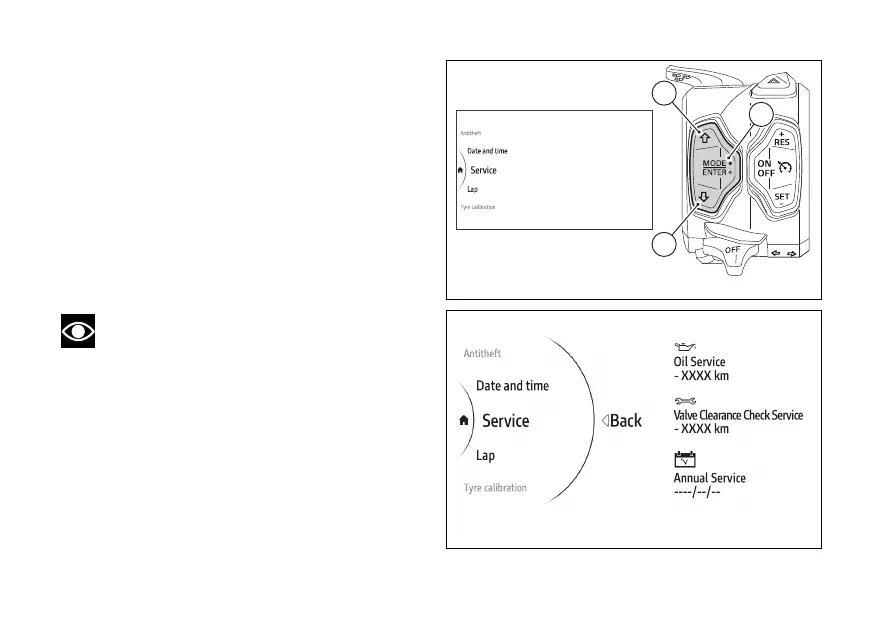
menu - Service
This function allows displaying the next due services.
●
Use (1) and (2) from the Interactive
Menu to select the menu item and press
ENTER (3).
●
Select the Service item and press ENTER (3).
The display shows the information concerning the
following service types:
1) Oil service (remaining kilometres or miles)
2) Valve Clearance Check Service (remaining
kilometres or miles)
3) Annual service (date)
Note
This function does not allow changes to be
made.
Fig 162
Fig 163
174











 To Next Page