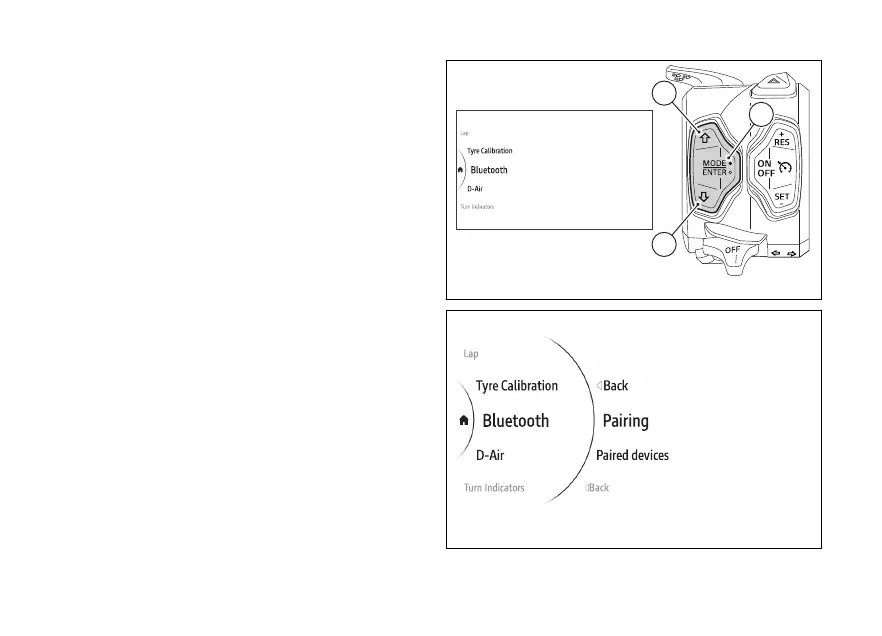
menu - Bluetooth
This function allows the user to manage any paired
Bluetooth devices and add more.
●
Use (1) and (2) from the Interactive
Menu to select the menu item and press
ENTER (3).
●
Select the Bluetooth item and press ENTER (3).
Pairing are Paired devices are displayed:
- Pairing allows pairing a new Bluetooth device.
- Paired devices allows viewing and erasing paired
devices.
Use (1) and (2) to scroll and select the desired
item. Press ENTER (3) to confirm.
Fig 179
Fig 180
183











 To Next Page